Rustdesk 1.4.9 Can Now Record Which User Was Controlling a Device

Rustdesk, the popular Rust written remote desktop software, released new 1.4.9 version one day ago.
The new version of this open-source software enhanced the connection audit function that can record more about the remote-desktop session, improved the auto-connect feature, and fixed various issues.
For self-host server, the new version introduced the ability to track controller user in audit logs. The controlled client can now tell the server which user is controlling it, then, the server writes the controller user ID, connection start/end time, file transformation, etc information in logs.
It’s useful for security, tracking, compliance, and accountability. And, the server and controlled client need to be updated to the new version for the feature to work, while controller side does not need to be updated.
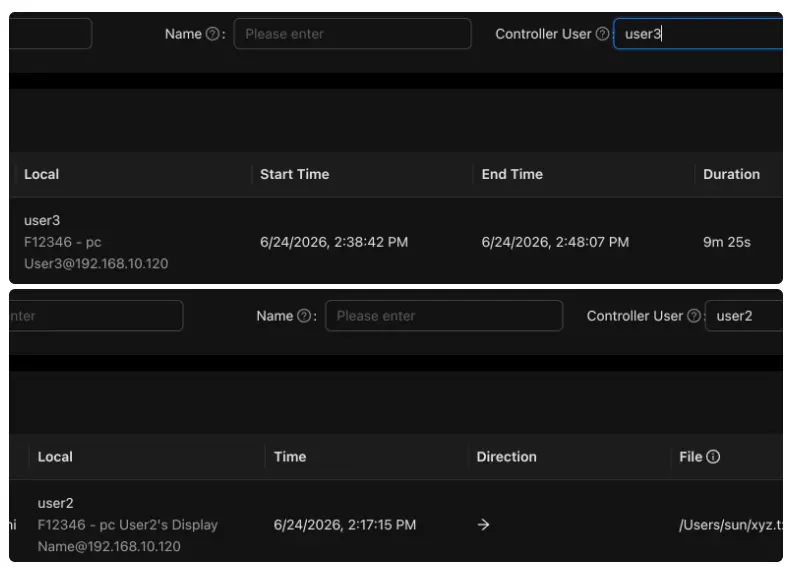
image from https://github.com/rustdesk/rustdesk/pull/15407
Also for the connection audit, the server can now show how a connection was authenticated: primary auth method or 2FA method. It as well records which authentication path succeeded more consistently, including password type and trusted-device scenarios.
When temporarily losing connection due to slow connection or other issues, it now remembers your last selected monitor/display, and, when you reconnect or refresh a session, it automatically attempts to restore that display in the same tab.
For non-E2EE (none end‑to‑end encrypted connection), it now displays an insecure-connection prompt with options to Continue or Disconnect, as well as the ability to remember your confirmation for the session.
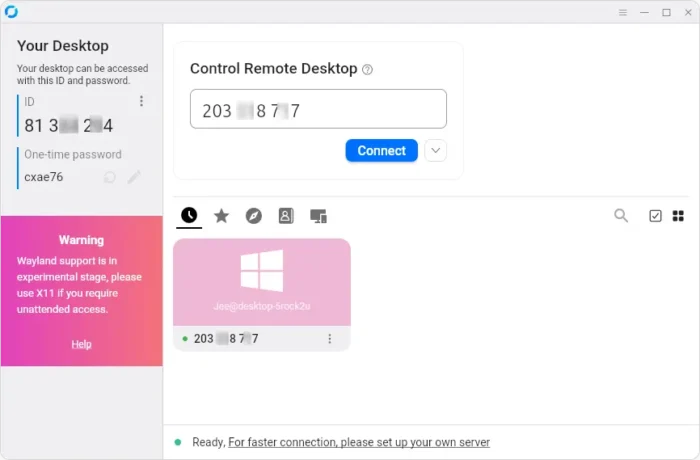
RustDesk client in Ubuntu Desktop
In addition to the new features, Rustdesk 1.4.9 also introduced various fixes, security and stability improvements.
It now strictly enforces what each session is allowed to do after it has been authorized. Each connection type can only send the messages that belong to its purpose, and anything outside that scope is blocked, logged, and may cause a disconnect.
It improved the file‑transfer conflict system. When multiple files cause overwrite, skip, or rename conflicts, it now lets you choose once and apply that choice to all conflicts in the batch. And, it now correctly refreshes the file’s size and modification time when you copy it again, so the receiver always gets the updated file.
For Linux Wayland, the clipboard listener is now more robust, and, the clipboard file‑copy functionality has been restored for AppImage package.
Other changes include:
- Removed the legacy
cliCargo feature and deleted the CLI implementation. - Fixed Android input‑service state synchronization.
- Fixed Windows MSI‑based updater to not trigger a system reboot.
- Improved the stability of Windows clipboard format‑list handling.
- Disable menu‑on‑left‑click on Windows.
- Auto-close terminal tab/window when shell exits.
Get RustDesk 1.4.9
The official installer packages for Linux, Windows, macOS, Android, and iOS, as well as the release not are available in project page via the link below:
For Linux, besides the Ubuntu (.deb) and Flatpak package at the top of the link page, there are as well .rpm for RHEL/Fedora, pkg.tar.zst for Arch, and universal AppImage packages available for downloading in the “Assets” section.
For beginners who don’t know which architecture type to choose, run uname -m command in terminal to tell.
Source: UbuntuHandbook