KDE Plasma 6.7 Released with Per Screen Virtual Desktops

KDE Plasma 6.7, the new major release of this popular Linux desktop environment, was released today!
The new version introduced many exciting new features, theme improvements, and better AMD/Intel platforms support.
First, the new Plasma 6.7 brought Oxygen theme, the default theme in KDE 4, in both light and dark versions, as well as the Air theme that provides full light version of Oxygen.
It also improved the default Breeze theme with rounded list and grid view highlights for many apps, and visible click effects for menu items.
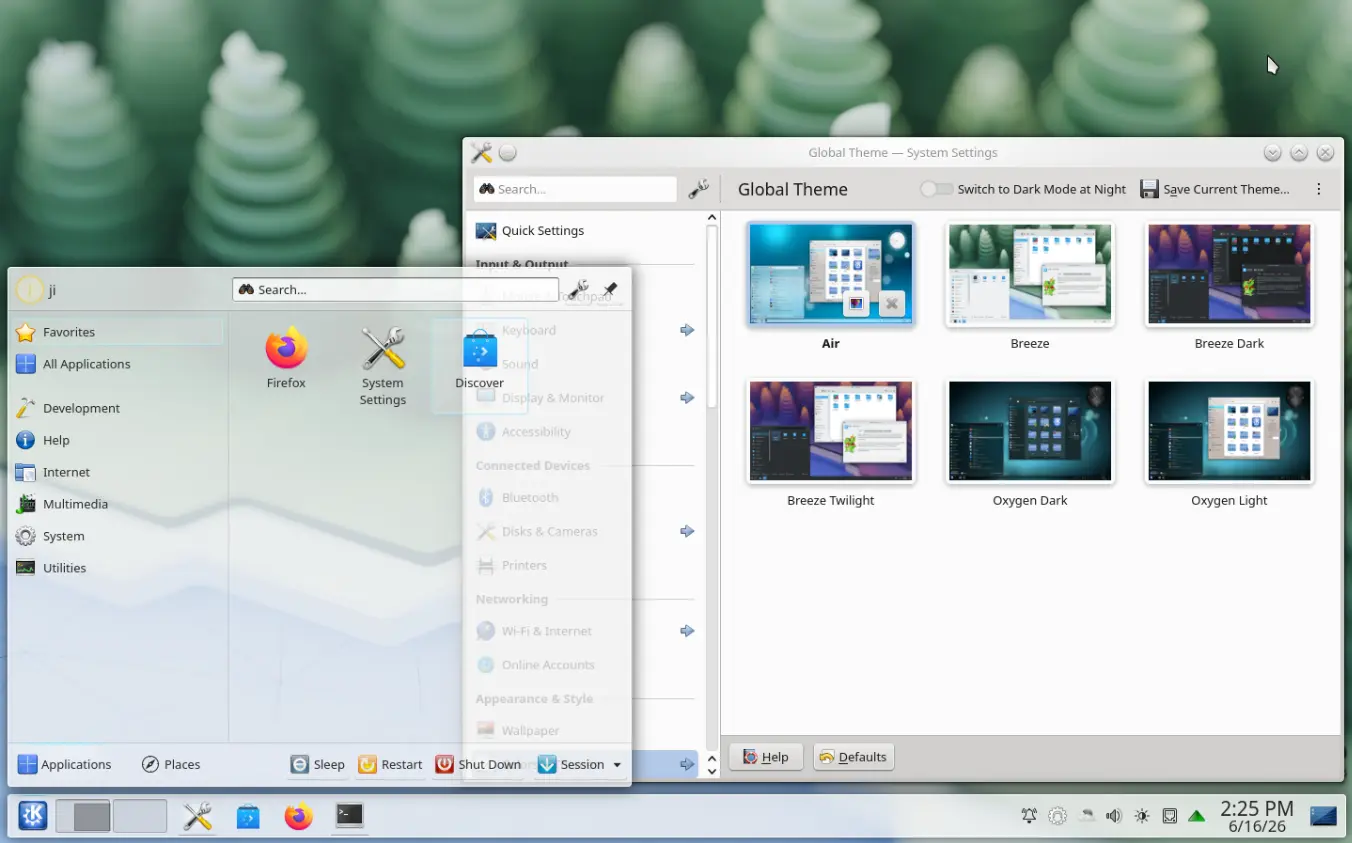
Air Theme in Plasma 6.7
The Global Themes introduced in the last 6.6 now features light, dark, and twilight versions. And, a quick toggle is added in system tray to quickly switch between light and dark Global Themes.
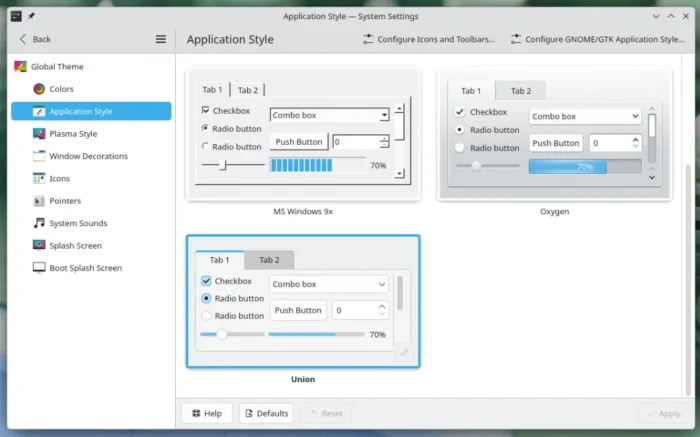
For advanced users, it introduced new Union theming system to style Plasma, QtQuick apps, and QtWidgets apps all with a single set of CSS files.
This feature is however disabled by default. You need to first install union package, then select “Union” in System Settings -> Colors & Themes -> Application Style to try it out. So far, there’s no documentation about developing styles for Union, but you may keep an eye on the official union API page.
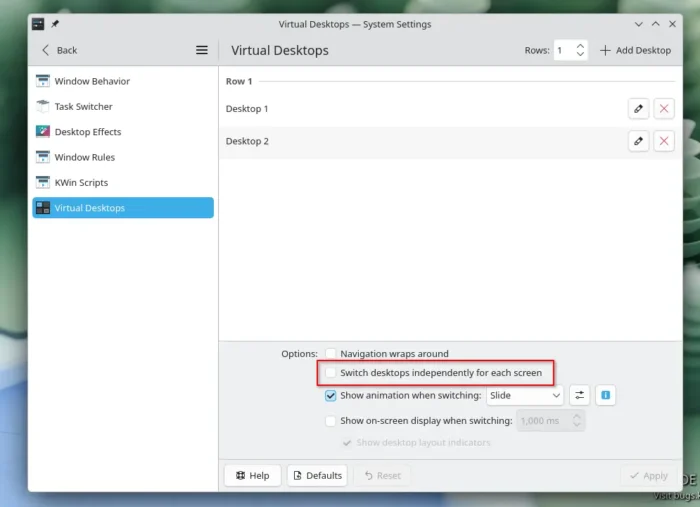
Beside the new themes and theming system, Plasma 6.7 improved multi-monitor support by introducing per-screen virtual desktops support.
Just enable “Switch desktop independently for each screen” option in Window Management -> Virtual Desktops setting pages, you’ll then have independent virtual desktops for each screen, and, switching desktops via keyboard shortcuts or other methods works for the currently active screen only.
And, when you’re in the overview screen, it now supports switching virtual desktops via either Page-Up/Page-Down keyboard shortcuts or mouse scrolling.
The printing system has been updated in this release. It introduced new print queue manager app, new options to setup printers shared from Windows network. And, the printer applet in system tray now displays the number of active jobs via little badge.
The software app (Discover) has also been updated with more obvious “Install” button, and, the Installed apps are now grouped in “Applications”, “Addons”, “Runtimes” etc categories.
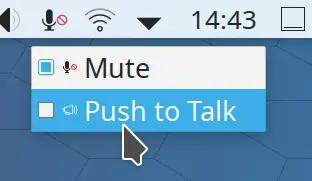
The microphone indicator now has a new Push to Talk option that’s useful for online meetings. With it enabled, user may press and hold “Meta + B” key combination then start talking, and release to stop. And, click on the microphone icon will disable this push to talk feature.
And, with the Plasma’s virtual keyboard enabled, press and hold a key now shows a pop-up, allowing to choose special characters (e.g., ǎ, ß, š, ¼ and more) related to it. This is useful to quickly type special or diacritical characters without needing to use Compose or Alternate Character key.
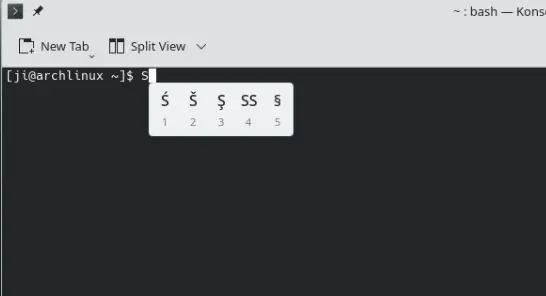
press and hold a key to type special characters
For AMD laptops, the new version now allows to control whether the colors on the screen turn redder at extremely low brightness levels. And, Intel with integrated GPU has been improved with better performance, and less power usage.
Other changes in KDE Plasma 6.7 include:
- New sliding notifications effect.
- Vietnamese lunar calendar support.
- Drag’n’drop to add favorite apps.
- New “Background Apps” system for Flatpak apps.
- Ability to duplicate network connections.
- Ability to set an ICC profile with HDR enabled.
- Option to sync mouse and stylus pointers.
There are as well many other changes and improvements in the 6.7 release. See the official announcement for details.
Get KDE Plasma 6.7
KDE now has a KDE Linux for trying out the latest KDE desktop environment:
For (K)Ubuntu, Plasma 6.7 will most probably be available in the next 26.10 release, though it so far include 6.7 Beta. And, Ubuntu 26.04 user may keep an eye on KUbuntu PPAs, which may or may not update for it.
Fedora has already included the new plasma desktop in its Rawhide continuously update release. And, Arch Linux may try it out through the KDE Unstable repository, though in beta at the moment of writing.
Source: UbuntuHandbook