FOSS Weekly #26.28: Microslop Moment, Rustification, Brave New features, KDE Plasma Tips and Meme Distro and More
Recently, Microsoft reluctantly agrred that a bug was eating up uo to 500 GB of disk space in Windows 11. They knew about the bug for months, no fix came.
Germany may not have kicked right in the Paraguay match, but it sure has kicked out Microsoft Sharepoint. The state of Mecklenburg-Vorpommern will be using Nextcloud for over 5,000 employees. We need wins like these, don’t we?
There was a time when every other new distro was based on Ubuntu but that list is shrinking. Linux system vendor Tuxedo is moving to Debian for its TuxedoOS distro.
Firefox users have had containers (old article) for years. Brave 1.92 finally adds them natively, keeping cookies and site data separate per container even when visiting the same site.
You get four default categories, temporary containers are one right-click away, and the feature is also heading to Brave Origin, which as you might remember is free for Linux users.
Most office suites shipping AI right now have made it difficult to avoid. Collabora Office 26.04 goes the other way, keeping AI off by default. Turning it on means plugging in your own API credentials or self-hosted model.
In other news, Canonical is pouring in €40,000/year into the Trifecta Tech Foundation, and their next target is to rustify Ubuntu’s time synchronization components.
📚 Linux eBooks from O’Reilly
Humble Bundle has a new O’Reilly collection packed with Linux and Unix books, covering everything from shell scripting to system administration and kernel internals. Pay what you want for a few titles, or pay a bit more to unlock the entire bundle. If you have been meaning to deepen your Linux knowledge, this is worth grabbing before the deal expires.
Part of the money gets donated to Code for America.
🧠 What We’re Thinking About
Hannah Montana Linux is back, and yes, it’s 2026. Noah Cagle, a developer, has rebuilt the legendary meme distro on Debian 13 with KDE Plasma.
Microsoft was caught lacking after a Windows 11 storage bug ate up to 500GB of disk space, with a fix quietly being slipped into a preview update.
🧮 Linux Tips, Tutorials, and Learnings
Three years with Obsidian and Logseq, and the conclusion isn’t that one is better. They just solve different problems. Obsidian is a Markdown writing environment where files and folders are the organizing principle. Logseq is an outliner where every bullet is a referenceable block.
But then my colleague Sreenath is obsessed with note management and he also experimented using only Markdown and KDE’s Dolphin.
KDE is actually quite versatile and we have covered plenty of KDE tweaks and tips over time. Sharing some of them here:
- Tagging feature in KDE’s Dolphin file manager
- Dolphin file manager tweaks
- Customizing and twekaing Konsole terminal
- Theming KDE Plasma (properly)
- Explore KDE themes (a bit old)
- KDE customization tips
Enjoy KDE 😄
👷 AI, Homelab and Hardware Corner
Sipeed’s NanoKVM-Go is a single USB-C KVM that carries video, audio, keyboard, mouse, disk emulation, and power pass-through over one cable with WiFi 6 for wireless connectivity.
PocketMage is a pocketable e-paper PDA with a physical QWERTY keyboard, a 3.1-inch e-ink main display, and a secondary 1.8-inch OLED strip for menus that need faster refresh.
Most USB-C hubs are fixed in what they offer. DockFrame has four slots that take in Framework expansion cards, alongside tool cards so the port lineup can be whatever you need it to be.
Valve quietly open-sourced the Inkterface this week, a DIY e-ink faceplate for the Steam Machine.
Why should you opt for It’s FOSS Plus membership:
✅ Ad-free reading experience
✅ Badges in the comment section and forum
✅ Supporting creation of educational Linux materials
✅ Free Linux eBook
✨ Apps and Projects Highlights
Lockpicker is a GNOME-native frontend for hashcat that lets you crack password hashes without you needing to memorize hashcat’s syntax.
📽️ Videos for You
Your Linux terminal needs the oomph factor. These seven tools will get you there.
💡 Quick Handy Tip
On a vanilla GNOME setup, you can assign keyboard shortcuts to an PWA.
First, you need to copy the command used to launch the web app. This is the value of Exec keyword in the desktop file.
Now, open the Settings app, go to Keyboard -> View and Customize Shortcuts -> Custom Shortcuts -> Add Shortcut. Here, you have to add a name for the PWA, and in the Command field, enter the command you copied from the Exec field (without the Exec=) and paste it.
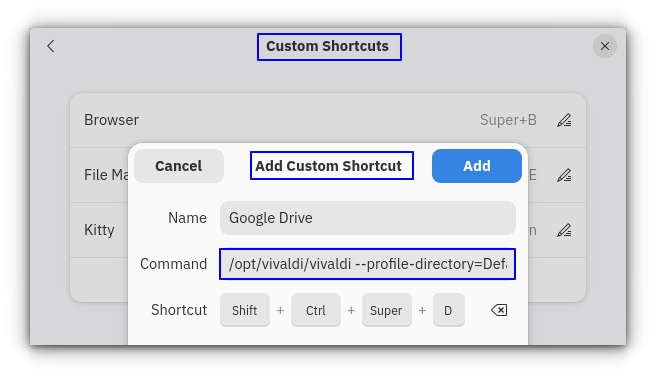
Now input a keybind using your keyboard, and create the shortcut by clicking on “Add.” This also works for AppImage files, btw.
If you are interested in learning about open source AI, please subscribe to our upcoming Local AI Weekly newsletter. Expected to start dispatch from this month itself.
🎋 Fun in the FOSSverse
The Riddler can be a pesky character, can you help Batman solve a riddle and save Linux?
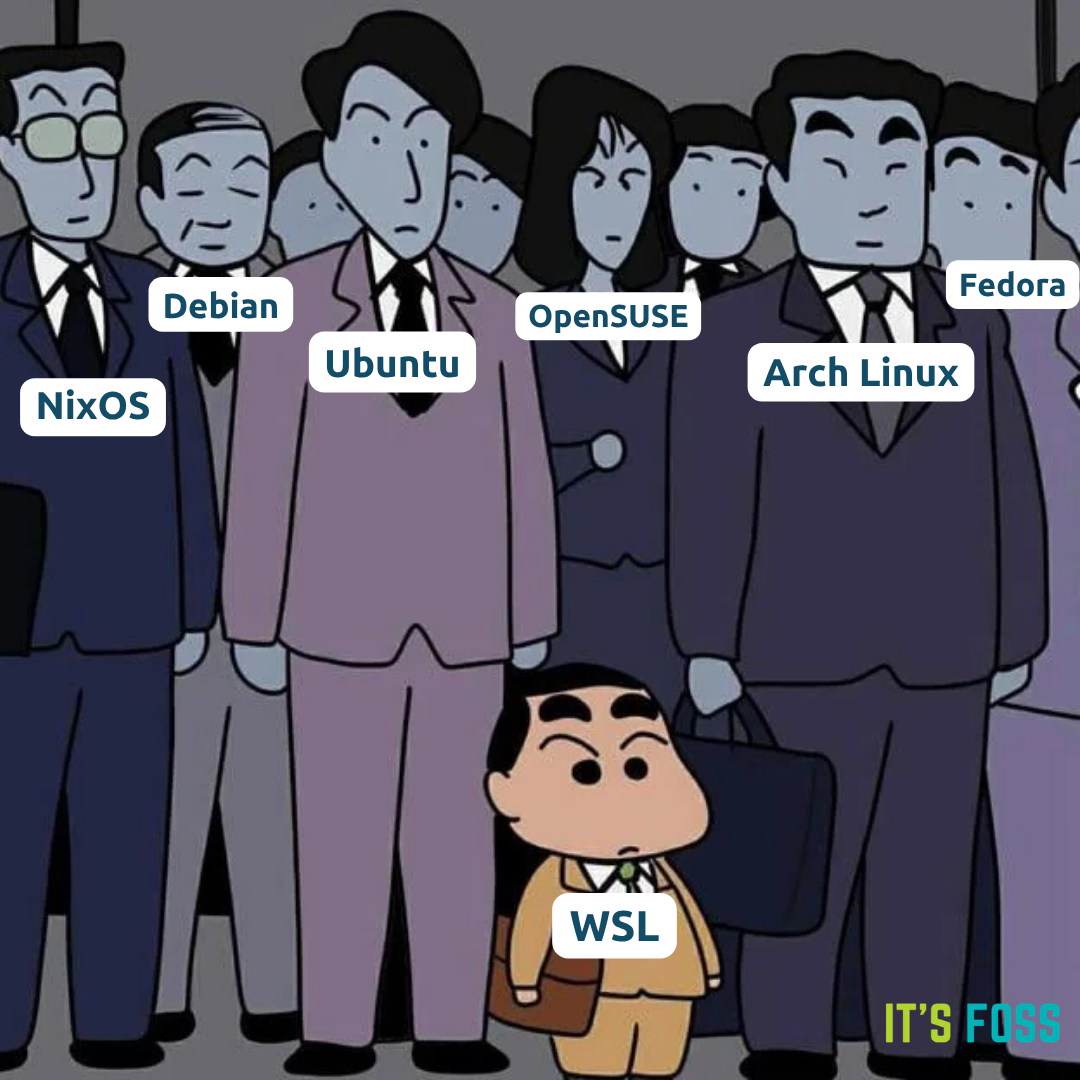
I spot an impostor here, I wonder who that is. 🤐
🗓️ Tech Trivia: On July 4, 1956, MIT researchers plugged a keyboard into the Whirlwind computer, letting programmers type commands directly instead of wrestling with punch cards, dials, and switches.
Whirlwind was already five years old at the time, but this simple addition changed how humans and computers would talk forever.
🧑🤝🧑 From the Community: Pro FOSSer Neville has asked a very interesting question. Do computers need to be managed and can AI take over the job?
Valve refusal to support Linux distributions other than Ubuntu has raised eyebrows over the years, but a recent Reddit thread makes some convincing arguments.

Source: It's FOSS