Firefox Has Quietly Integrated Brave's Adblock Engine
Back in March, Firefox 149 was released with many changes, like a free built-in VPN, a Split View that allows the loading of two pages side by side, and the XDG portal file picker as the new default on Linux.
However, an interesting addition had gone mostly unnoticed until now.
Firefox has Some Brave in it now
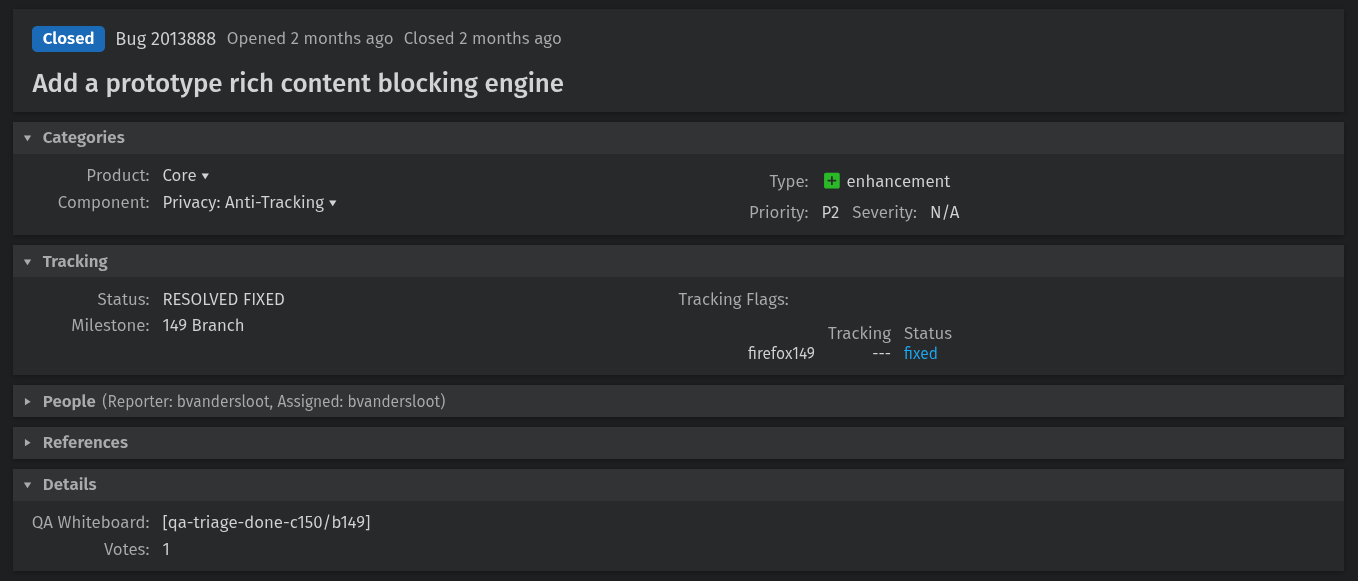
Shivan Kaul Sahib, the VP of Privacy and Security at Brave, has put out a blog post about something that didn’t make it into the Firefox 149 release notes at all. The browser now ships adblock-rust, Brave’s open source Rust-based ad and tracker blocking engine.
The change landed via Bugzilla Bug 2013888, which was filed and handled by Mozilla engineer Benjamin VanderSloot. The bug is titled “Add a prototype rich content blocking engine,” and keeps the engine disabled by default with no user interface or filter lists included.
For informational purposes, adblock-rust is the engine behind Brave’s native content blocker (aka ad blocker). It is written in Rust and licensed under MPL-2.0, handling network request blocking, cosmetic filtering, and features a uBlock Origin-compatible filter list syntax.
Shivan also mentions that Waterfox, the popular Firefox fork, has adopted adblock-rust, building directly upon Firefox’s own implementation.
Want to test it?
Before starting, head to Enhanced Tracking Protection‘s shield icon in the address bar and turn it off for the website you will be testing this with. This way, adblock-rust is doing the work, not Firefox’s existing feature.
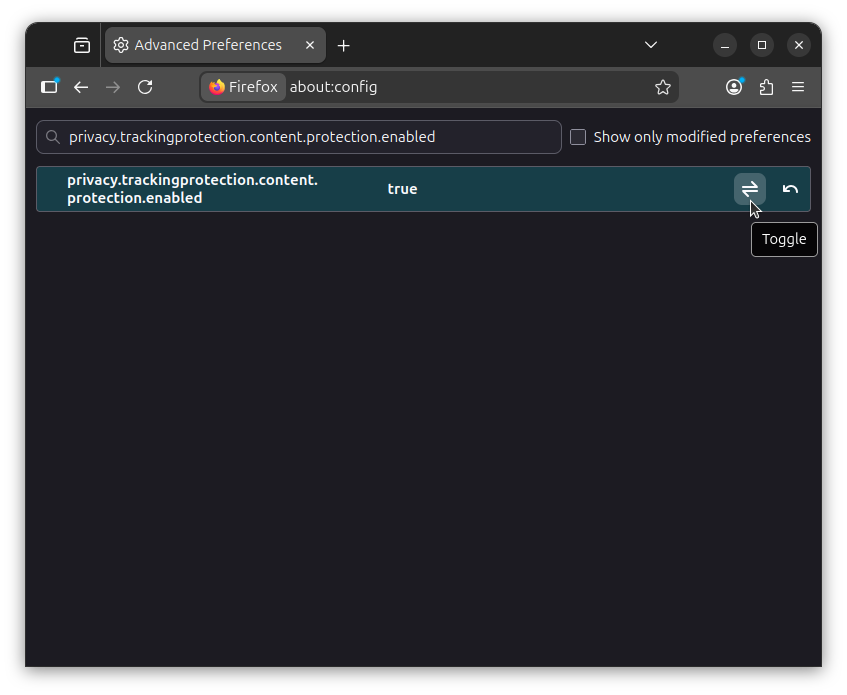
Now open a new tab and go to about:config. Accept the warning when it shows up. Search for privacy.trackingprotection.content.protection.enabled and set it to “true” by clicking on the toggle. 👇
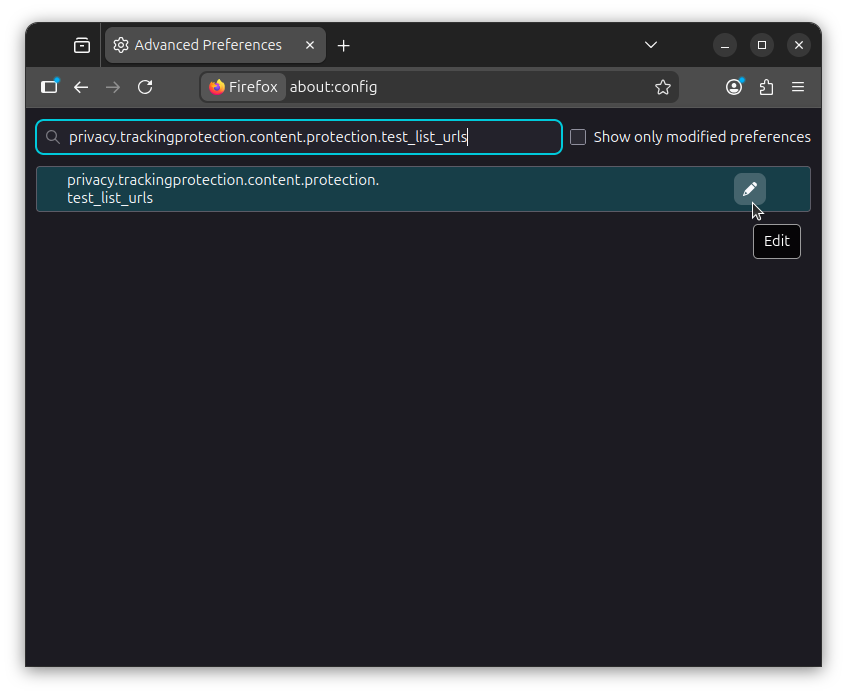
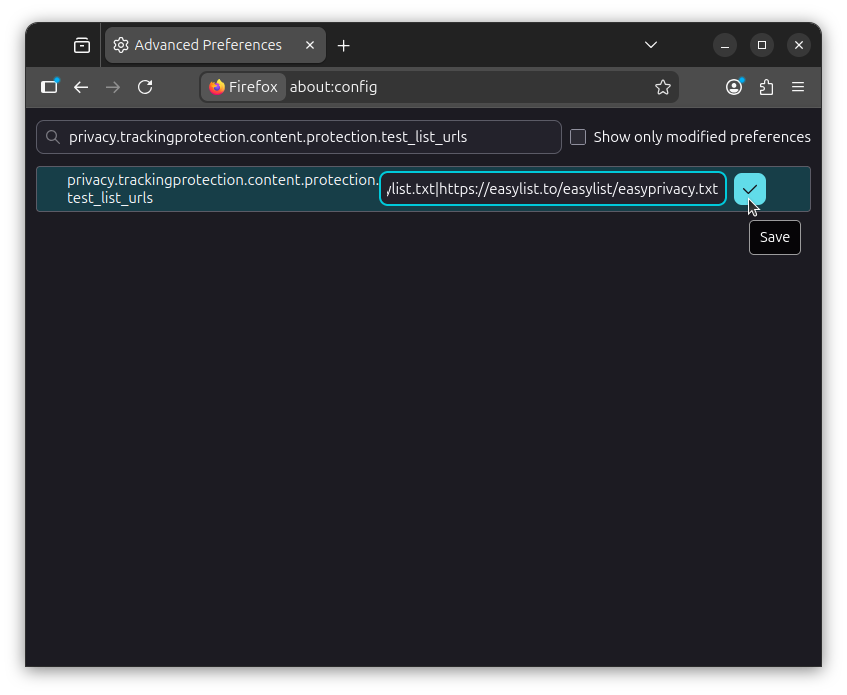
Next, search for privacy.trackingprotection.content.protection.test_list_urls, click on the “Edit” button, and paste the following value to add the EasyList and EasyPrivacy filter lists to Firefox:
https://easylist.to/easylist/easylist.txt|https://easylist.to/easylist/easyprivacy.txt
Remember to click on the blue-colored “Save” button before moving on.
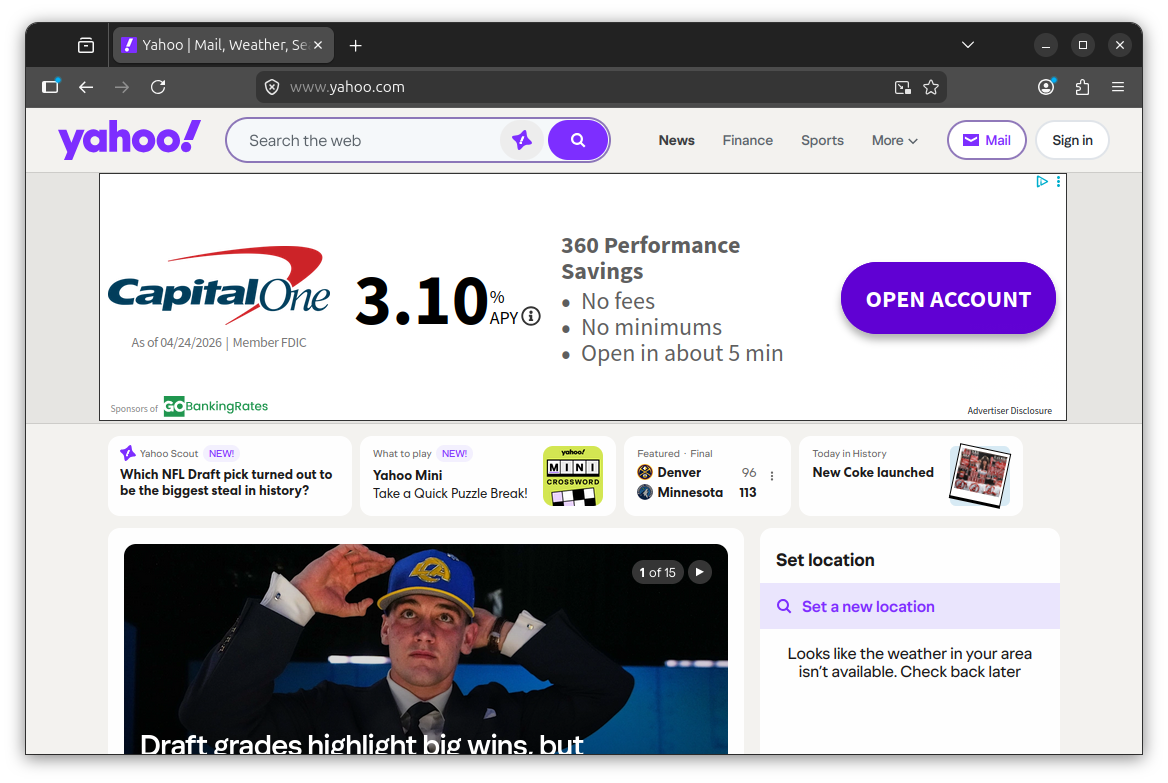
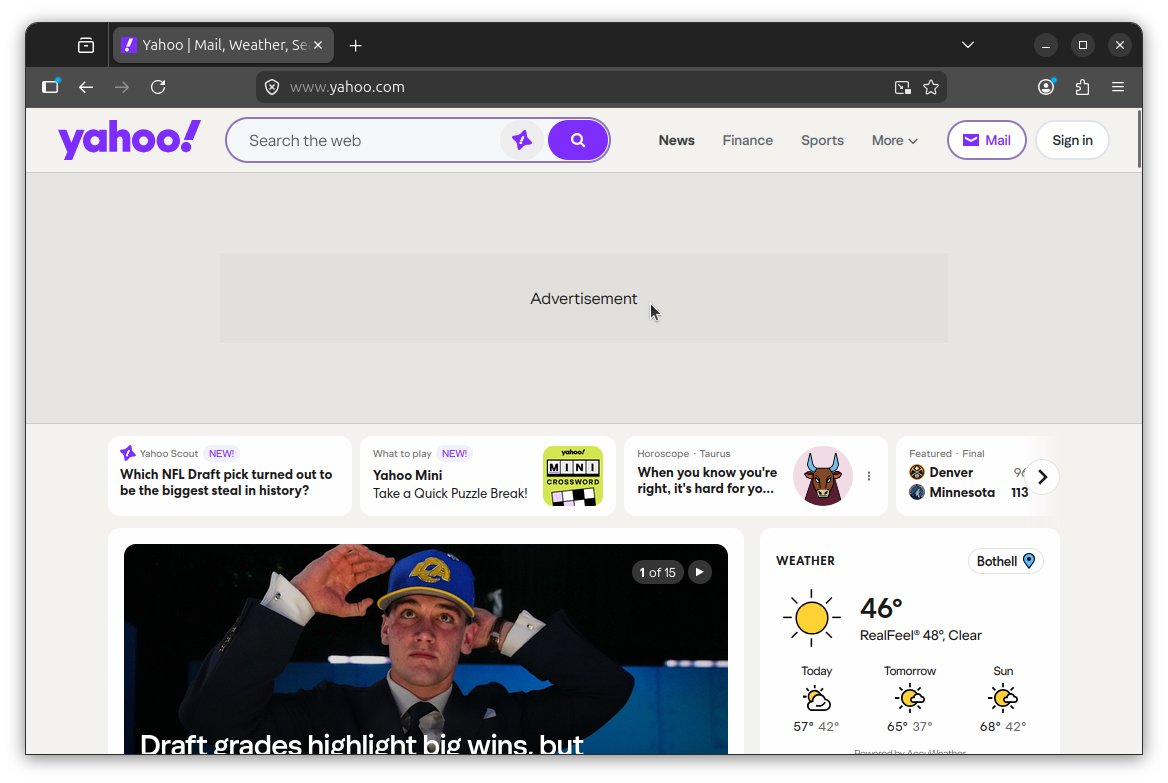
Left: advertisement shown; Right: advertisement blocked
Now visit a site with known ads, like Yahoo (as I did above). If it’s working, ad slots will still render in the page layout, but the actual ad content will be blocked. In my test, the banner on Yahoo came up showing only the text “Advertisement” with the advert bit stripped out.
Support independent Linux journalism! If you think we are doing a good job at helping people use Linux on their personal computers, support us by opting for Plus membership.
Here’s what you get with It’s FOSS Plus membership:
✅ 5 Free eBooks on Linux, Docker and Bash
✅ Ad-free reading experience
✅ Badges in the comment section and forum
✅ Support creation of educational Linux materials

Source: It's FOSS