Enable HEIF/HEIC Photo Image Support in Ubuntu 26.04

Found the image viewers and editors, such as Loupe and GIMP, cannot load HEIF/HEIC images by default in Ubuntu 26.04? Here’s a quick guide show you why and how to fix.
Today I found that the default Loupe image viewer in Ubuntu 26.04 could not load my photo images imported from iPhone.
It said “Either the image file is corrupted or it contains unsupported elements“, and the more information page showed the error below:
emote error: org.gnome.glycin.Error.LoadingError: glycin-loaders/glycin-heif/src/main.rs:103:24: DecoderPluginError(Unspecified) Decoder plugin generated an error: Unspecified
stderr:
Setting process memory limit
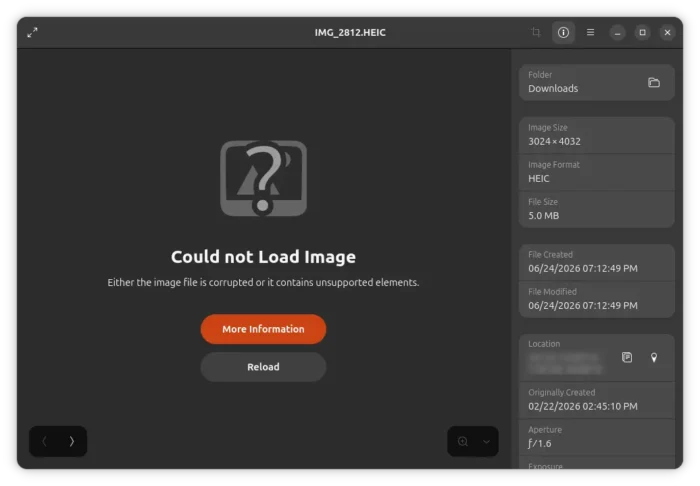
Why HEIF/HEIC does not load in Ubuntu 26.04?
Someone has reported the issue to glycin project, the GNOME backend library for loading images. It has nothing to do with that library, but caused by missing of the libheif plugin.
According to the glycin source page, it uses the external libheif library for decoding AVIF and HEIF images. And, libheif has the HEIF/HEIC decoding support through either libde265 or ffmpegdec plugin.
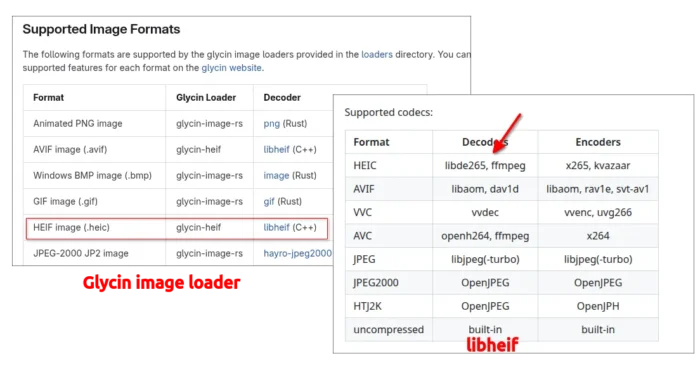
HEIC/HEIF support is handled by libheif’s libde265 or ffmpegdec plugin
By running the command below in terminal, you’ll find that the glycin library in Ubuntu 26.04 was however built with libheif1 and only a few of its encoder plugins as dependencies.
apt-cache depends glycin-loaders
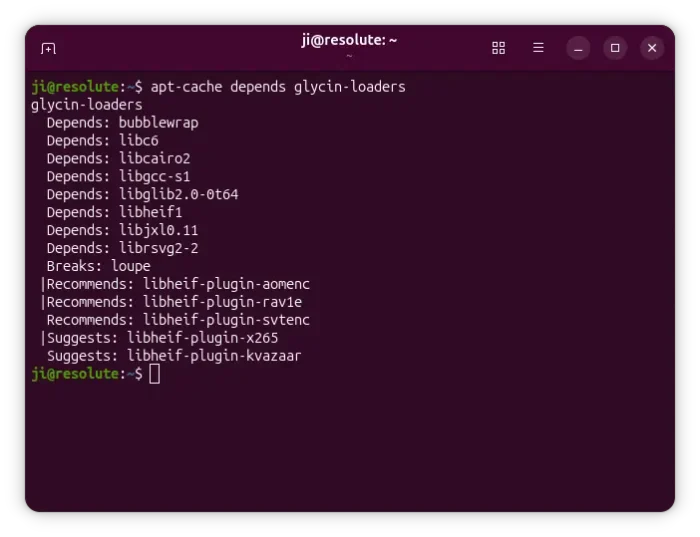
And, libheif1 package only depends on aomdec and dav1d plugins, recommends aomenc plugins, while all other plugins are marked as “Suggests” packages that are NOT required to be installed during the installation of libheif1.
apt-cache depends libheif1
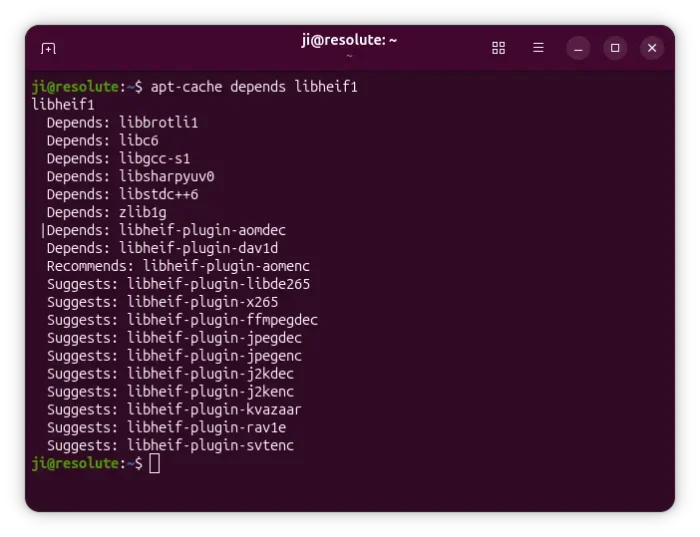
In short, the core image loading library supports HEIF/HEIC decoding, but through the libheif library. The libheif in Ubuntu 26.04 has the HEIC decoder built as separated plugin, but NOT installed out-of-the-box.
Enable HEIF/HEIC Support
So, the solution is simply install the missing plugin, either libde265 or ffmpegdec, for the libheif library.
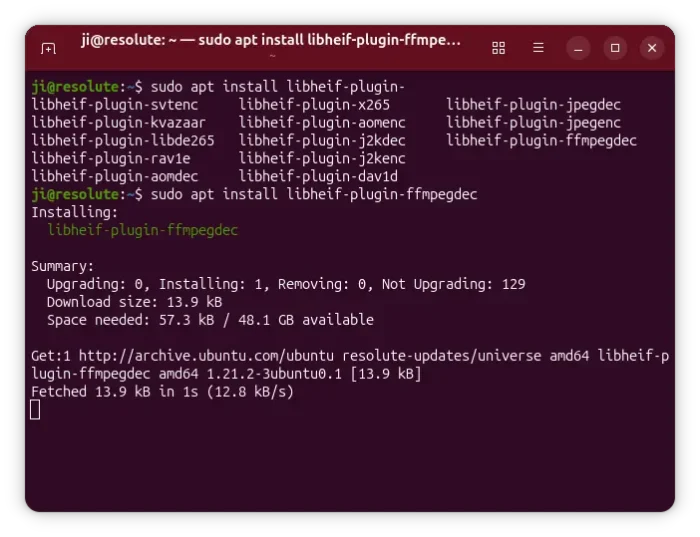
To do so, press Ctrl+Alt+T on keyboard to open terminal window, and run the command below to install the package:
sudo apt install libheif-plugin-ffmpegdec
Refresh cache with sudo apt update if required. And, here you may replace libheif-plugin-ffmpegdec with libheif-plugin-libde265 plugin for same purpose.
Also, install the libheif-plugins-all package for all libheif plugins, if you have apps that reply on the library for encoding HEIC or encoding/decoding VVC, AVC, HTJ2K and other supported file formats.
Reload Thumbnails
If you found the image thumbnails do not work for HEIF/HEIC in file manager, then try running the command below to clear cache:
rm -rf ~/.cache/thumbnails
Finally quite Nautilus (the file manager) via command nautilus -q which worked in my case.
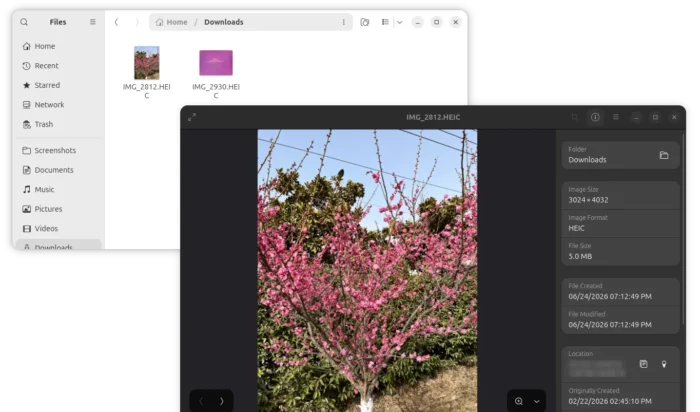
HEIC image and thumbnails load afterwards
Source: UbuntuHandbook