Dolphin Emulator 2606 finally added Game Boy Player Support

Dolphin Emulator, the free open-source GameCube, Wii, and Triforce emulator, released new 2606 version today for Linux, Windows, macOS, and Android.
The new version of this popular video game console emulator finally implemented the Game Boy Player support, which was requested more than 16 years ago.
To use the Game Boy Player in Dolphin, simply load a GBA game via the new “Game Boy Player ROM” option in settings dialog, then run the Game Boy Player Start-Up disc or Game Boy Interface.
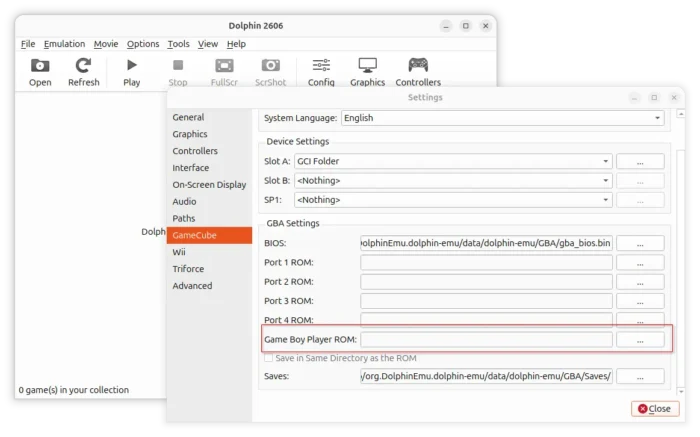
It will automatically attach the Game Boy Player hardware when necessary through INI settings. While, users can manually attach the emulated hardware by adding HSPDevice = 2 under [Core] in Dolphin.ini or a GameINI files.
Though you can now use Dolphin to play GBA games, such as Pokémon, on computer or Android, it’s NOT the best choice due to higher hardware requirements. User is still recommended to use a dedicated Game Boy emulators for better experience and more features.
Game Boy Player support in Dolphin should be considered a curiosity rather than the premier way to run these handheld games in an emulator. Not only does Dolphin have much higher system requirements, but dedicated Game Boy emulators will provide a superior experience in almost every way, with better fitting UIs and support for many more Game Boy features.
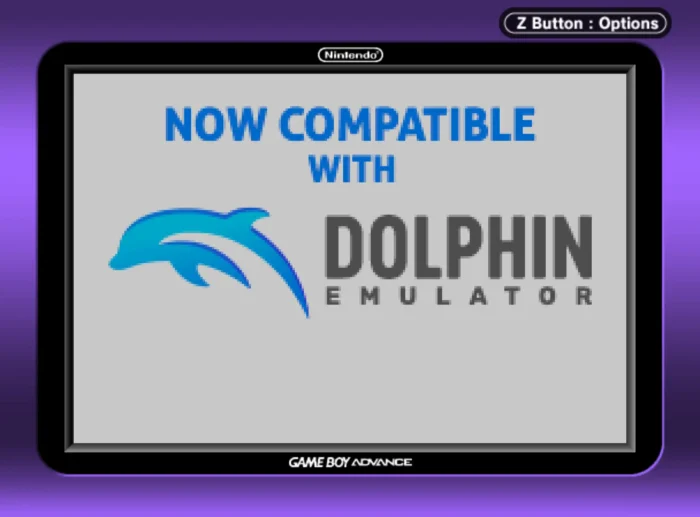
image from dolphin emulator website
Besides Game Boy Player emulation, the 2606 version also implement necessary hardware for The Key of Avalon. The game now is playable in Dolphin, but without a perfect experience.
Currently, entering the Segaboot menu will essentially softlock the game as it cannot reboot normally for unknown reasons. The game does not detect that prize cards have been dispensed, meaning there’s a message at the top of the screen after rounds telling you to take your prize cards. This message can be reset in the Segaboot menu. We hope to fix these problems in the future.
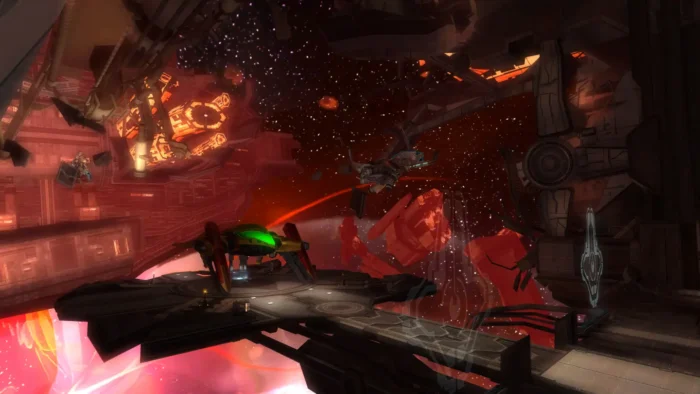
This version also introduced new Bloom Blurred graphics mod, which will render “fake HDR bloom” effects at any internal resolution without any issues. To use this mod, simply enable “Enable Graphics Modes”, then access the properties for a game and enable Bloom Blurred.
Other changes in the release include individual Wiimote audio mixer, allowing Wii Remote speaker audio to play over any additional speaker device, including controllers that expose an audio output!
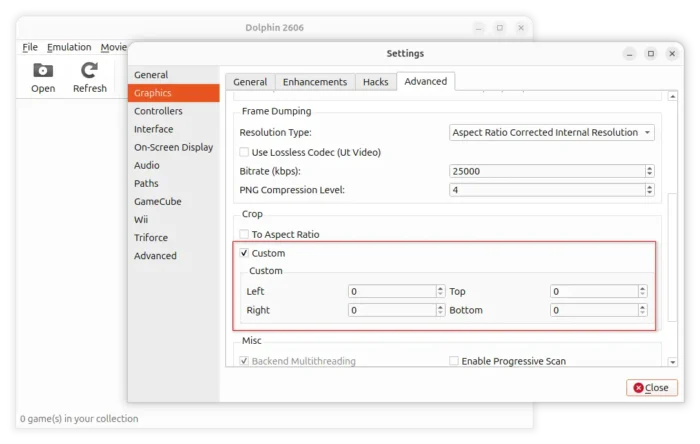
It as well includes custom cropping support, so that you can crop the game screen whatever as you want. Though, the menus and other parts of the game will get cropped too.
Get Dolphin Emulator 2606
The new 2606 installer packages for Linux, Windows, macOS, and Android, are available to download in its website via the link below:
For Linux, select download the Flatpak, X86_64 for Intel/AMD or aarch64 for Snapdragon X or RasPi.
Then, install it either via your system package manager (if supported) or via command. Though, you probably need to enable Flatpak support first.
flatpak install drag-and-drop-flatpak-file-terminal
For Ubuntu user who prefer the native .deb packages, I’ve built the 2606 version into this unofficial PPA for Ubuntu 24.04 and Ubuntu 22.04.
To add PPA and install the package, open terminal (Ctrl+Alt+T) and run commands below one by one:
sudo add-apt-repository ppa:ubuntuhandbook1/dolphin-emu
sudo apt update
sudo apt install dolphin-emu qt6-qpa-plugins qt6-wayland
NOTE: The native .deb package (even Ubuntu’s official package) does NOT work in Ubuntu 26.04 and 25.10. It seems not building issue, but Qt6 compatibility as it outputs following logs at launch:
qt.core.qobject.connect: QObject::connect(QSocketNotifier, QDBusConnectionPrivate): signal not found
qt.core.qobject.connect: QObject::connect(QSocketNotifier, QDBusConnectionPrivate): signal not found
qt.core.qobject.connect: QObject::connect(QDBusServiceWatcher, QDBusConnectionPrivate): signal not found
qt.core.qobject.connect: QObject::connect(QTimer, QXcbConnection): signal not found
qt.core.qobject.connect: QObject::connect(QDBusListener, QDBusConnectionPrivate): signal not found
qt.core.qobject.connect: QObject::connect(QDBusListener, QDBusConnectionPrivate): signal not found
qt.core.qobject.connect: QObject::connect(QSocketNotifier, QDBusConnectionPrivate): signal not found
qt.core.qobject.connect: QObject::connect(QSocketNotifier, QDBusConnectionPrivate): signal not found
qt.core.qobject.connect: QObject::connect(QDBusServiceWatcher, QDBusConnectionPrivate): signal not found
qt.core.qobject.connect: QObject::connect(QIBusProxy, QDBusConnectionPrivate): signal not found
QIBusPlatformInputContext: invalid bus.
Segmentation fault (core dumped) dolphin-emu
Source: UbuntuHandbook