Ubuntu’s Default Terminal Ptyxis 50 adds Per-Tab Profile Support

Ptyxis, the default terminal emulator for Ubuntu since 25.10, released version 50 RC yesterday.
If everything goes well, the new 50 version of this container-oriented terminal emulator will be released in next few weeks, and it will be default for next Ubuntu 26.04 LTS.
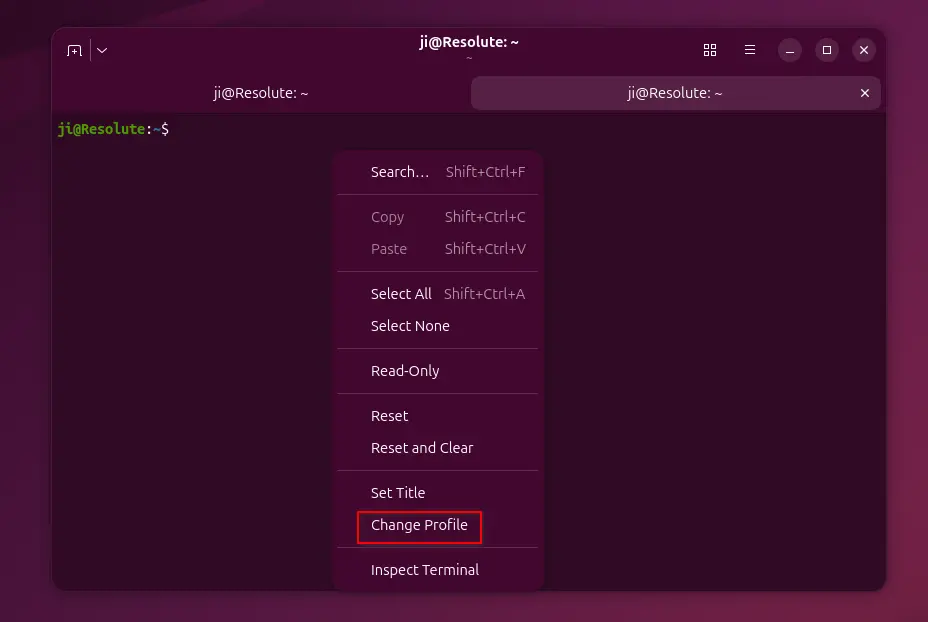
The new version added support changing profile on per-tab basis. Just add more profiles in Preferences dialog with custom color scheme, shell, links etc configurations, then you may right-click on a tab window to choose “Change Profile” option to set desired one for current.
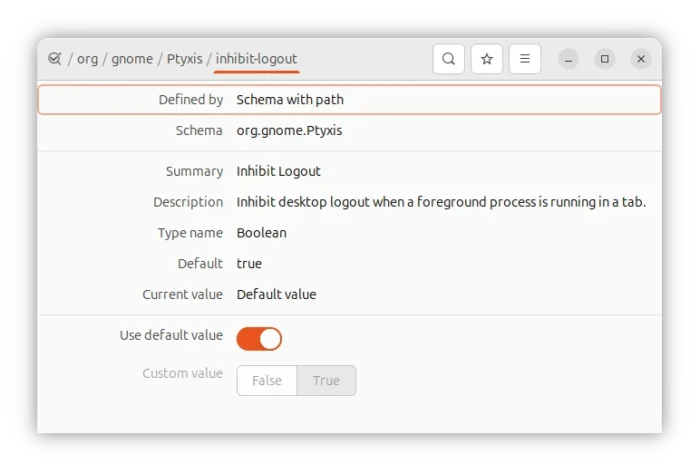
It also introduced a logout inhibitor, which will prevent desktop logout when there are active programs running that are not the shell process. The feature can be optionally disabled by either running the gsettings command below or use Dconf Editor.
gsettings set org.gnome.Ptyxis inhibit-logout false
The 50 version also includes some improvements for keyboard users. It now supports using Alt + 9 to switch to last tab, has a reset button for default accelerator, and allows using shift + arrow key combination as shortcut.
Zoom is now less sensitive, and, user can now disable Ctrl + Mouse Scroll to zoom in/out, though the toggle is also configurable through gsettings command or Dconf Editor.
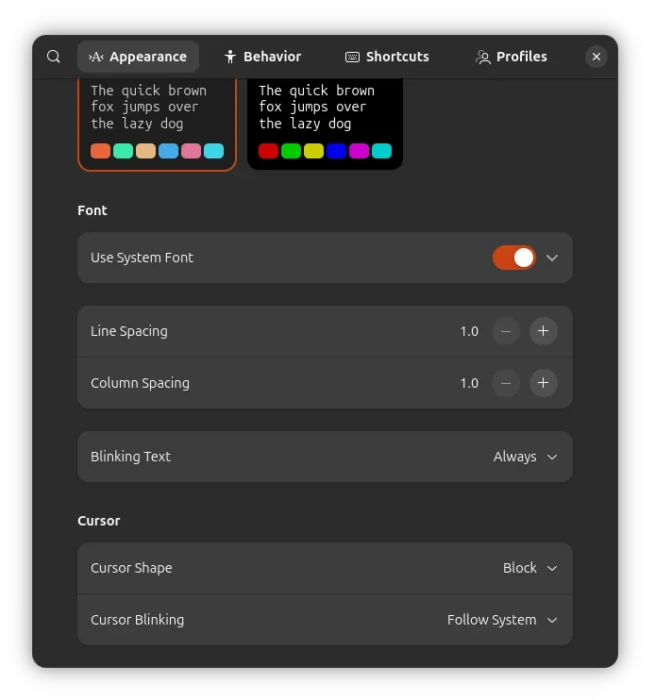
Besides line spacing, the release also added changing column spacing (cell-width-scale) support, and user palettes now supports setting primary/system-accent colors.
APX, the default package manager for Vanilla OS, supports installing packages from multiple sources inside containers without altering the root file-system. Ptyxis terminal now also support the APX containers, though the feature has already backported for version 49.3.
Other changes include:
- Improve tab focus action.
- Ignore
--no-tty/--ttyfor--init 1containers to fix launching from top-left drop-down menu. - Ignore notifications for < 250 msec, useful for skipping GUI app startup notification.
- Add ability to change the keyboard-shortcuts shortcut.
- Move “Open Link”/”Copy Link” to top of context menu, when right-clicking on URL.
- Announce size changes to screen readers.
- Improve network directory handling when running Ptyxis as Flatpak.
For more changes about Ptyxis, see the NEWS file in the source page.
Get Ptyxis
Ubuntu since 25.10 has Ptyxis out-of-the-box, and Ubuntu 26.04 will have version 50 if everything goes well. Other popular Linux distributions also include Ptyxis in system repositories, though may be old.
For the latest version, it provides official packages for Linux through Flatpak package, which can be installed in most Linux distributions on amd64 and arm64 platforms.
Linux Mint and Fedora workstation (with 3rd party repository enabled) can search & install it directly from either Software Manager or GNOME Software.
While Ubuntu 24.04/22.04, and other distributions can do the steps below to get the Flatpak package:
- First, open terminal and run command to install flatpak daemon:
sudo apt install flatpak
For other Linux, follow official setup guide to enable flatpak support.
- Then, install the Ptyxis flatpak by running command:
flatpak install https://dl.flathub.org/repo/appstream/app.devsuite.Ptyxis.flatpakref
And, here’s how to set it as default for Ubuntu 22.04 and 24.04 users.
Source: UbuntuHandbook