Ubuntu 26.04 LTS Beta is Available to Download

Ubuntu 26.04, code-name “Resolute Raccoon”, is available for Beta testing!
The developer team announced the Beta release for Ubuntu 26.04 Desktop, Server, WSL, and Cloud, as well as the official flavors.
This Beta release includes images from not only the Ubuntu Desktop, Server, WSL, and Cloud products, but also the Kubuntu, Lubuntu, Ubuntu Budgie, Ubuntu Studio, Ubuntu Unity, and Xubuntu flavors.
Though not mentioned in the announcement, the Beta also include Edubuntu 26.04 and Ubuntu Cinnamon 26.04. While Ubuntu MATE (lack of maintainer) and UbuntuKylin are somehow excluded.
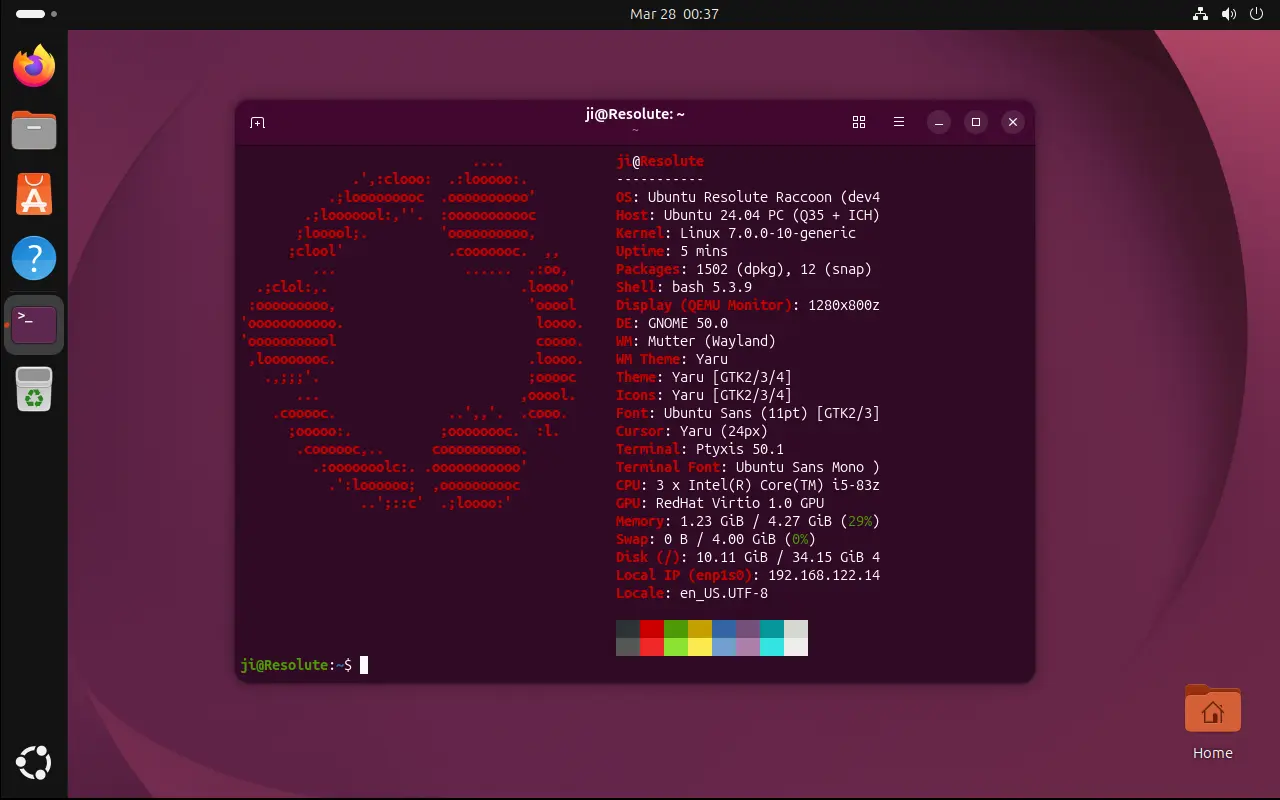
Ubuntu 26.04 Desktop
Ubuntu 26.04 is a Long Term Support (LTS) release with total of 15 years support. It features 5-year standard support until 2031, another 5-year Expanded Security Maintenance (ESM) through Ubuntu Pro until 2036, and additional 5 years paid legacy add-on until 2041.
It’s powered by Linux Kernel 7.0, and defaults to GNOME Desktop 50.
New & Removed Default Apps
Ubuntu introduced some new default applications in the past few releases. 24.10 added new security center; 25.10 replaced Gnome Terminal with Ptyxis; And following GNOME policy, Papers document viewer and Loupe image viewer were also added.
Ubuntu 26.04 also added 2 new default apps. They include Showtime video player that GNOME introduced as core app since version 49, and, Resources system monitor to manager apps, system processes, and monitor CPU, GPU, Memory etc hardware utilization.
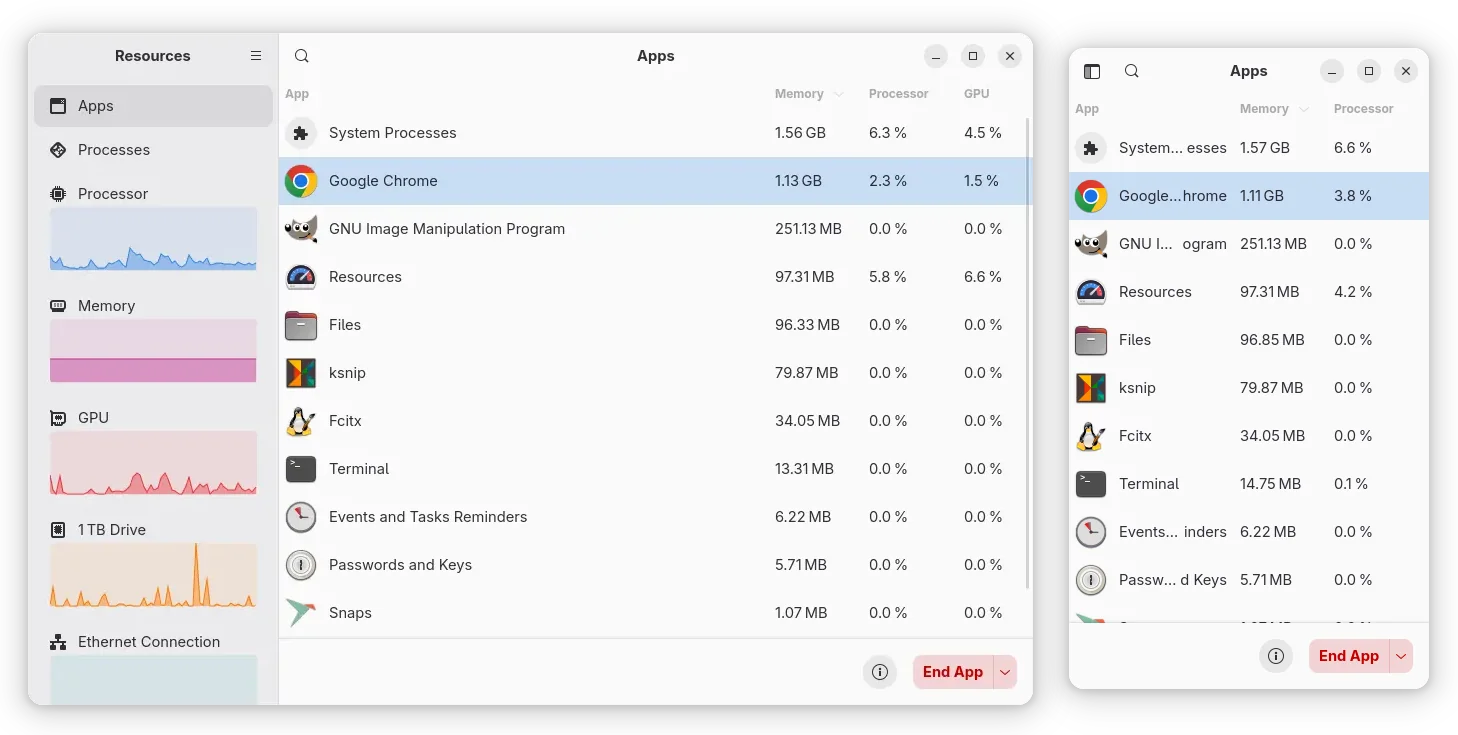
Besides new apps, the LTS also “removed” the “Software & Updates” (and Additional Drivers) utility, the graphical tool to manage software sources, Ubuntu Pro, drivers, and updates.
To unify software management and reduce confusion for beginners, Ubuntu 26.04 removed “Software & Updates” for the default install, and moved Ubuntu Pro management to Security Center.
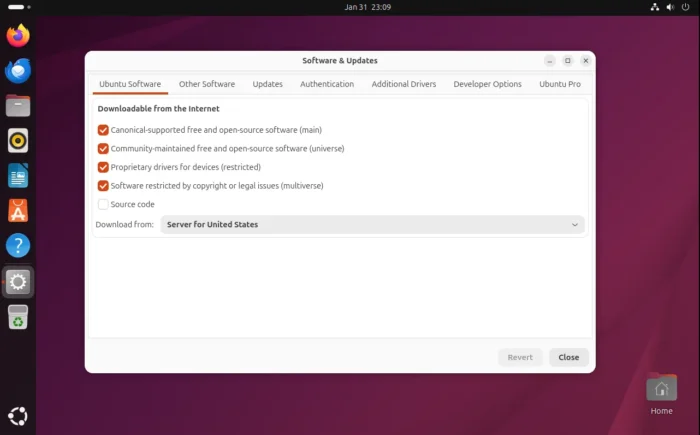
Though, user can install it back by using either App Center or running apt install command to install the software-properties-gtk.
More Security and Encryption Controls
26.04 continues improving the TPM-backed full-disk encryption. It added a new Disk Encryption setting panel in Security Center, though it shows nothing in my case as I have multiple operating systems in my disk.
According to the road-map, it should support for adding/removing PIN, passphrase, and re-encrypt the disk.
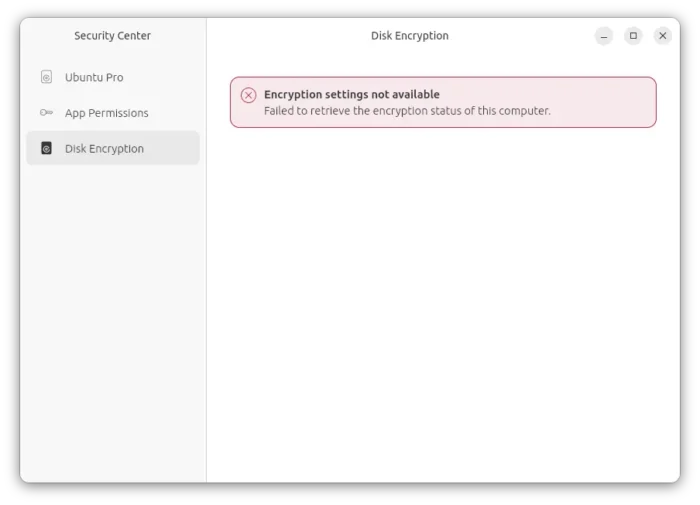
New settings for TPM-based full disk encyption. Sadly not available in my case as I dual-boot Ubuntu with Windows.
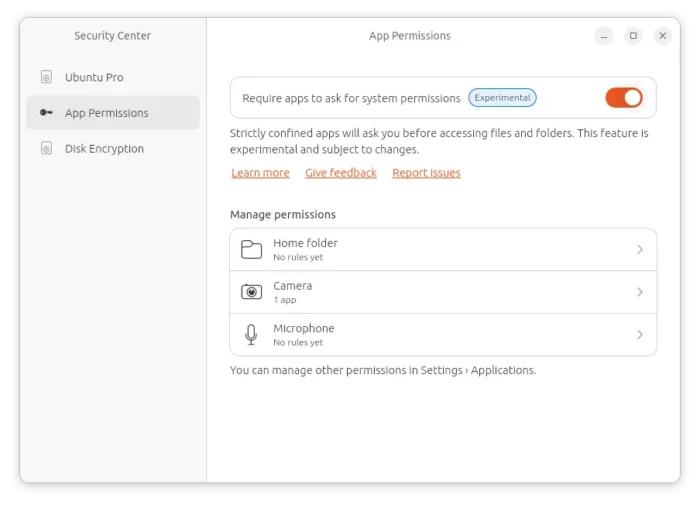
As you may know, Ubuntu since 24.10 added permission control for Snap apps (e.g., the default Firefox) trying to access user files or folders.
The new 26.04 release improved the feature by also adding permission control for using camera and microphone.
When a snap app is trying to access your camera or microphone, it will pop-up a dialog asking whether to allow or deny the action. And, user can manage or reset these permissions by going to “App Permissions” panel in Security Center.
New Font and Folder Icons
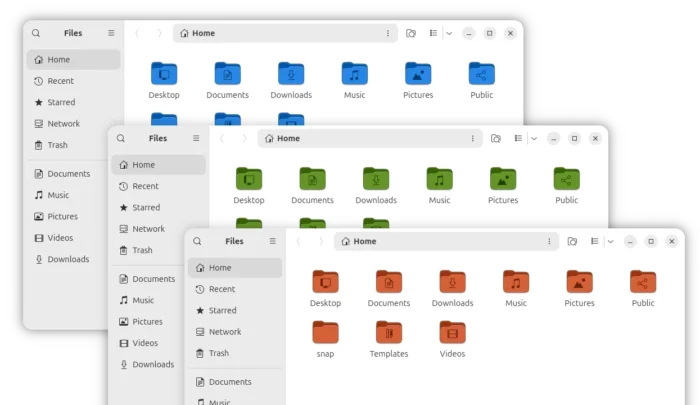
Ubuntu 26.04 also updated its folder icons. Instead of being always matte grey, the whole folder icons now change according to the accent color you set.
Though, in my own opinion the new folder icons are kind of bright and I prefer the previous one that only the inner part follows the accent color.
Ubuntu since 23.04 changed the default fonts. It’s thin and light that may work great in laptops with a small display. Now, in 26.04 the default fonts are changed back, which look darker and thicker, even more than the old 22.04.
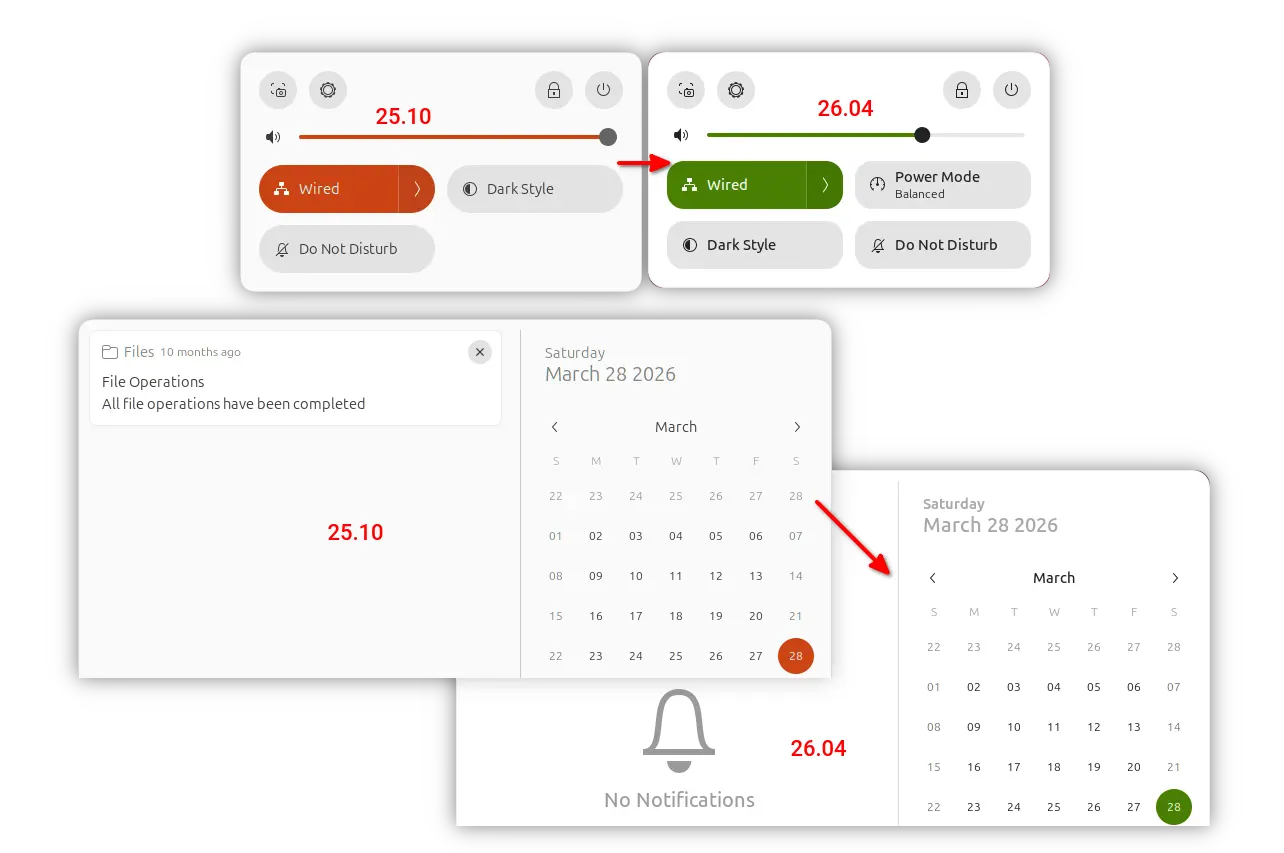
Thanks to GNOME 50, the new Ubuntu desktop also features daily time limit and bedtime support for parental controls, hardware acceleration, HiDPI support, and camera redirection for remote desktop, HDR screen sharing and many other features. See Gnome 50 release note for details.
Other changes in Ubuntu 26.04 include:
- New animation in boot animation.
- Ubuntu Insights (Ubuntu Report replacement) in Settings.
- Ubuntu Pro support on WSL.
- Authd in official repository.
- SPDM-based fingerprint authentication.
- Display asterisk feedback when typing password in terminal / command console.
- Remove support IBM Z generations z14 or older.
There are as well many toolkit updates for developers and/or server use.
They include glibc 2.42, LLVM 21, Rust 1.93.1, OpenJDK 25, systemd 259.5, as well as PHP 8.5.2, Nginx 1.28.2, Apache 2.4.65, Samba 4.23, Docker 29, Libvirt 12.0.0, QEMU 10.2.1, MariaDB 11.8.6, MySql 8.4.
For more changes about Ubuntu 26.04, see the official release note.
Download or Upgrade to Ubuntu 26.04
NOTE: 26.04 so far is in Beta stage, while the final release is planned to be released on April 23rd, 2026.
The iso images for the new LTS is available to download at the link below:
While the link above so far only support amd64 (Intel/AMD), go to this page instead for ARM64 and other platforms.
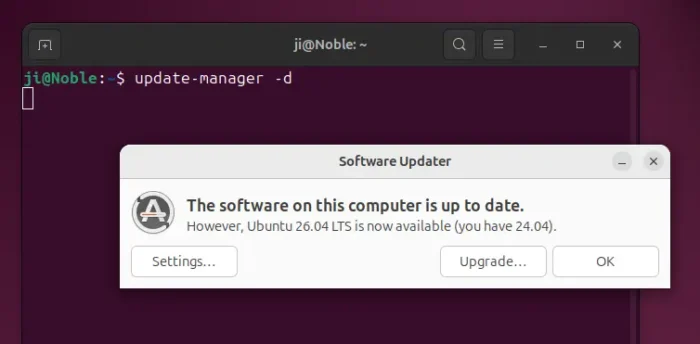
Ubuntu 24.04 LTS and Ubuntu 25.10 can now upgrade to the 26.04 Beta. First backup, then install all available updates via either software updater or apt command.
Finally, either launch Software Updater wia update-manager -d to get the upgrade button, or run do-release-upgrade -d to start the upgrade in command line.
NOTE: the upgrade may fail due to bug, power or network interruption. Do backup first!
Source: UbuntuHandbook