Desktop environment, now Ubuntu comes with a whole new GNOME 43 and applications stack.
Desktop toolkit library, now Ubuntu is a world class example of a desktop operating system built with the new GTK4 software development technology.
Updated applications, now latest versions of LibreOffice, Firefox and Thunderbird along with many other applications are offered built-in Ubuntu Kinetic.
Sound system, now Ubuntu makes use of Pipewire by default, the new technology of audio (and video) processing on desktop that promises fewer issues and better performance.
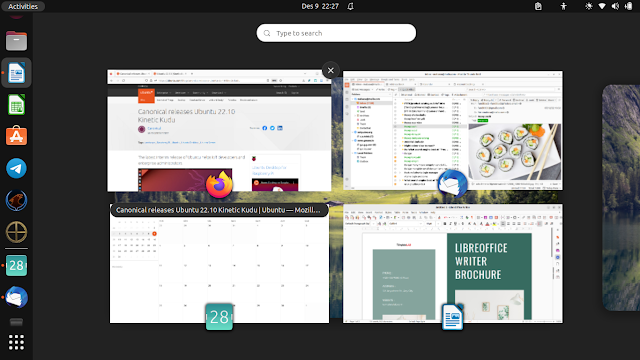
User experience, now clicking on a running app on dock will show windows switcher similar to the Ubuntu Unity era in 2011-2017.
Better performance, by running Kinetic on our laptop system, now from booting, logging in, and then running Firefox Snap, we can confirm Ubuntu runs faster than before.
We live now in a modern era where Intel and AMD both launched their latest technologies namely Core i9 and Ryzen, computers and laptops today grew more powerful with 64-bit, tablets and ARM computers successfully made a dominance over PC, and Internet of Things (IoT) increasingly becoming a norm. Ubuntu 22.10 Kinetic Kudu released in this era we are living now.
Availability
Ubuntu is available for wide spectrum of computers available worldwide today including PC (both desktop and laptop), server, IBM POWER, IBM Z, Raspberry Pi, Intel NUC, AMD XILINK, UP2, and the new architecture RISC-V. However, OS 22.10 available for all mentioned except NUC, XILINX and UP2. Click a logo below to download the OS.
To our knowledge today, there’s an increasing number of computer brands and vendors who sell Ubuntu preloaded computers and laptops often with LTS versions namely 20.04 Focal Fossa and 22.04 Jammy Jellyfish. However, there is no one yet to offer 22.10 Kinetic Kudu preloaded computer and it is reasonable perhaps because of its short span duration of support nature. Among them are Dell, Lenovo, Star Labs, System76 and Tuxedo. Click one brand logo to visit its website.
Desktop Appearances
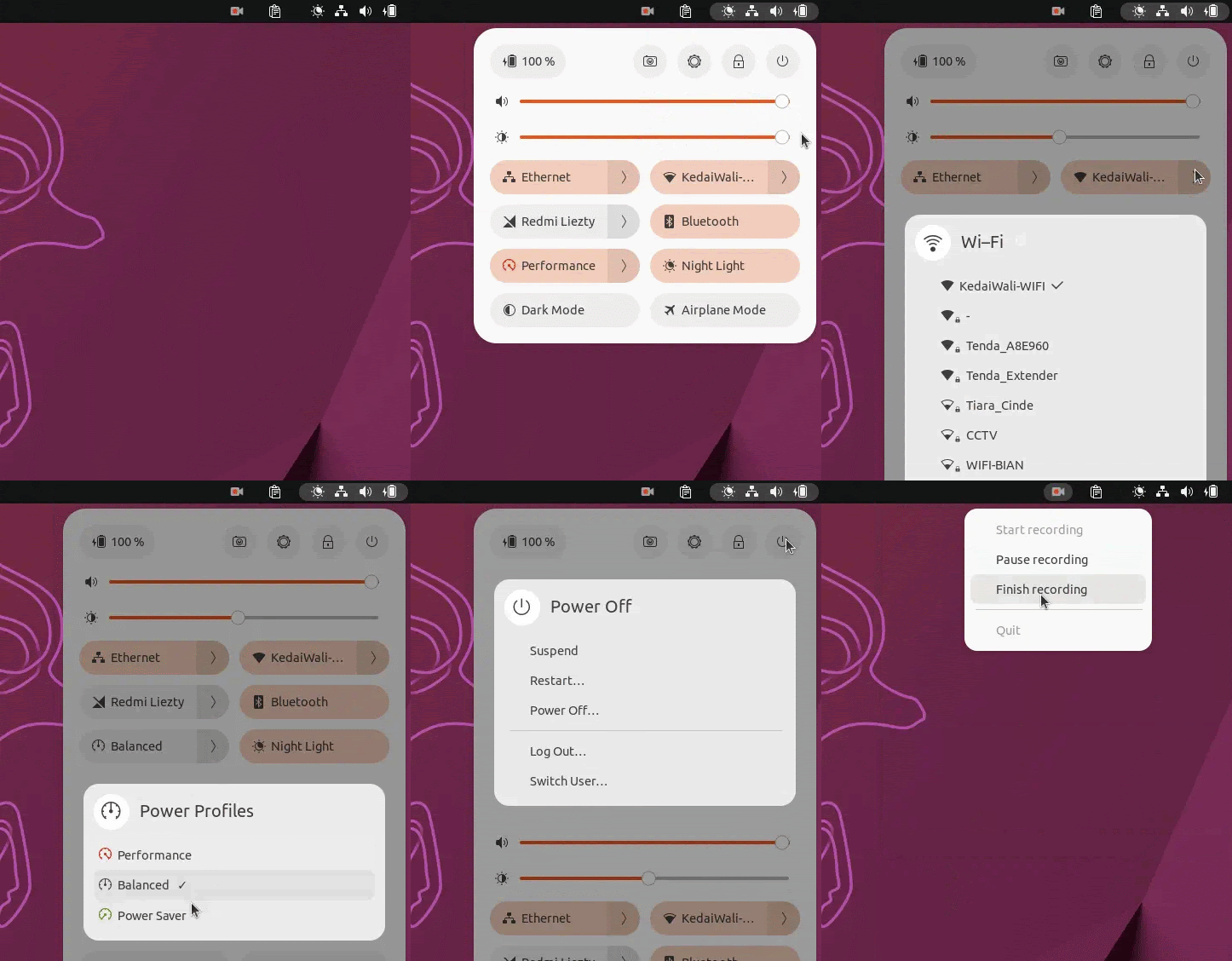
Kinetic comes with the latest desktop technology, GNOME 43, as the user interface. The most visible changes are about system tray and settings. What you can do with the new tray?
1. Shutdown and the likes.
2. Lock screen.
3. Open System Settings.
4. Take screenshot.
5. Switch power mode / show battery settings.
6. Adjust sound volume.
7. Adjust screen brightness.
8. Six quick settings: network manager, bluetooth, power mode, night light, dark mode, and airplane mode.
(Webp image: a demonstration of Ubuntu’s new top system tray)
Thanks to GNOME 43 technology, now Ubuntu desktop applications look snappier than ever. For example, the window of Files and Settings are now adjustable, adaptable to small screens.
(Webp image: a demonstration of the flexibility of new Ubuntu windows)
Long time Ubuntu users will love the return of window overview, an often requested feature now available when you click a running application icon, all running windows will show on screen, and you can pick one then. This is an improvement worth praise. Thanks Ubuntu and GNOME for making this functional again.
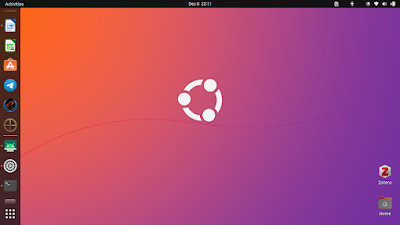
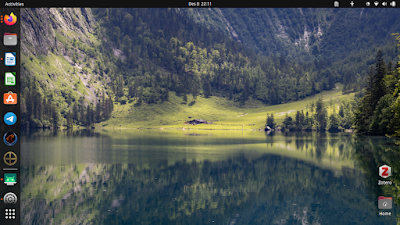
Ubuntu Kinetic brings new wallpapers! In this version, our favorite falls to the exotic lake Obersee, Germany by Uday Nakade. Thanks Uday!
Applications Section
List of built-in applications on Ubuntu 22.10:
- Firefox 102
- Thunderbird 102
- LibreOffice 7.4:
- Writer word processor
- Calc spreadsheet
- Impress presentation
- Draw vector, pdf & diagram editor
- Archive Manager
- Calculator
- Calendar
- Disk Utility
- Disk Usage Analyzer
- Aisleriot Card Game
- Mines Game
- Nautilus File Manager
- DejaDup Backup
- Rhythmbox Music Player
- Transmission BitTorrent Client
- Video Player
- Text Editor
- Remmina Remote Desktop 1.4.27
- Software (snap-store) 41
- Software & Updates 0.99
- Software Updater
List of several available applications from Ubuntu Software and Repositories in this release:
- Cockpit 272
- Docker 20.10
- GNU GCC 12.2
- Libvirt 8.6
- Netbeans IDE 15
- OnlyOffice 7.2.1
- Prometheus 2.31
- Qemu 7
- Veyon 4.7.3
(Picture: Ubuntu showing Firefox, Thunderbird, Writer and Calendar doing average users’ daily job)
This time, Ubuntu Desktop brings the latest and greatest Free/Libre Open Source Software applications (FOSS) for end-users. You are ready to work everywhere, at your home, school and office, with preinstalled Firefox (web browser), Thunderbird (email client), Calendar and LibreOffice.
System Section
Kinetic is powered with these system programs built-in:
- AppArmor 3.0.7
- GNU operating system
- Bash 5.2
- Binutils 2.39
- Coreutils 8.32
- Tar 1.34
- Gzip 1.12
- GnuPG 2.2.35
- Awk 5.1
- Iptables 1.8.7
- Linux 5.19
- Mesa 22
- Nftables 1.0.5
- NetworkManager 1.40
- OpenSSL 3.0.5
- Pipewire 0.3.58
- PulseAudio 16
- Poppler 22.08
- Perl 5.34
- Python 3.10
- Snapd 2.5.7
- SSH 9.0
- xdg-desktop-portal 1.15
- Xwayland 22.1
- Xorg 7.7
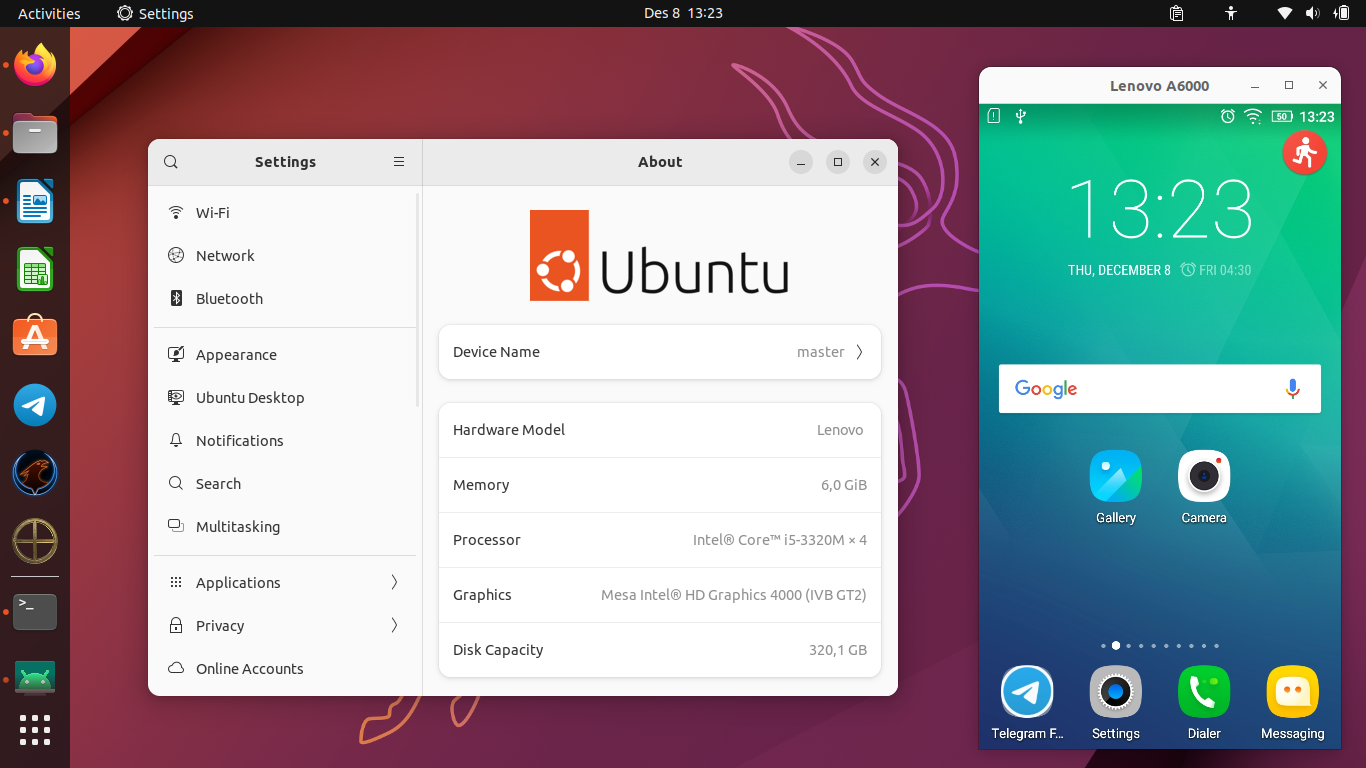
One awesome aspect of this new composition Kinetic brings for our daily life, we the end-users get the latest scrcpy, a special program that allows us to remote control Android phone’s screen (zoomable) from Ubuntu Desktop with physical keyboard and mouse. Could you imagine how useful is it? Yes, for example, to help yourself when you have broken phone screen or perhaps to help the others especially the elderly using phone with larger display.
(Picture: Kinetic desktop showing Android’s screen from a Lenovo A600 phone)
Computer Resource Utilization
Kinetic got more or less
the same resource utilization compared to previous releases, notably Jammy and Impish, about 1.2GB memory at idle time (~16% of our 6GB memory capacity). However,
this is normal according to today’s computing where 4GB RAM and 1TB hard drive already became standard and as a comparison, Windows 11 may use more than 3GB memory idle (or ~80% of a 4GB RAM) as
reported here.
- ISO size: 3GB
- RAM utilization: 1.2GB
- Disk space: >=10GB
About booting time, Kinetic at our review (after about one month of use) takes up to 1 minute 9 seconds with the longest items fall to systemd.journal.flush.service (19s) and plymouth-quit-wait.service (31s). See our chart in PNG for it.
Gaming, Multimedia and Amusements
We play 0 A.D. on Ubuntu 22.10. It was amazing, we can build a country and then fight against another country strategically. In Kinetic, it has been updated to the latest version Zhuangzi with the new Chinese empire faction. Xonotic is a futuristic, sophisticated-graphics 3D team shooting game. Super Tux Kart is also an amazing FOSS games.
(Picture: gaming on Kinetic with Minetest, 0 A.D., FreeDoom, TuxMath and Xonotic)
And here’s a list of games and their version on Kinetic:
0 A.D. v0.26 – an excellent graphics 3D empires game.
Dosbox-X v2022.09 – a graphical, full-featured MS-DOS emulator.
Extreme Tux Racer v0.6.3 a 3D penguin racing game.
FreeDoom/PrBoom+ a Doom II-clone classic 3D shooting game.
Flare RPG v1.13 a Diablo-clone adventure RPG.
OpenTTD v12.2 – a Tycoon game of city & transportation building simulation.
SuperTux v0.6.3 a Super Mario-clone game with Tux penguin as the character.
SuperTuxKart v1.4 the icon of FOSS community, a cute 3D racing game.
Xonotic v0.8.6 – a realistic team shooting game.
Warzone 2100 , a formerly PlayStation game, 3D single and multiplayer futuristic RTS.
New Snaps and Stars
Today, we saw growing enthusiasm from software developers to publish their software on Ubuntu using Snapcraft.io Store under Snap package format. For that reason, on Kinetic we saw several interesting Snaps (application available in a container package technology Snap) as the following. They haven’t available via APT. Below’s our stars!
Deno
Node.js is the world class, most popular JavaScript programming technology for web, desktop, and network programmers. Deno (a reverse pun of Node) is a new improvement and extension technology to Node.js written in Rust programming language, developed by its own founder. Now Deno is already available as Snap.
Lapce is a new programming IDE also written in Rust. It promises to be lightning-fast and coming with many features. It is surprisingly very small for its league.
Veloren is a new Minecraft-like 3D voxel MMORPG also written in Rust. It is a kind of multiplayer game developed altogether by its own players thanks to its contribution systems. Explore the world, defeat monsters, get the gems and make friends with the others. Feel the new sensation of FOSS gaming!
Hardware Compatibility
We confirm ThinkPad T430 works perfectly with Ubuntu Kinetic.
|
Ubuntu 22.10 Compatibility with Lenovo T430
Hardware Devices
|
|
Hardware Device
|
Works?
|
|
CPU virtualization
|
Yes
|
|
GPU, 3D acceleration
|
Yes
|
|
Sound system
|
Yes
|
|
Sound system, microphone
|
Yes
|
|
Wifi
|
Yes
|
|
Ethernet
|
Yes
|
|
DVD-ROM
|
Yes
|
|
Bluetooth
|
Yes
|
|
ThinkPad Keyboard
|
Yes
|
|
ThinkPad Touchpad
|
Yes
|
|
ThinkPad Flashlight
|
Yes
|
|
TrackPoint
|
Yes
|
Issues
We found several troubles with Ubuntu Kinetic but they are minor and overall do not disturb our computing with it.
File chooser dialog seems to be even more downgraded, as since 22.04 until 22.10 today it does not show larger preview on sidebar at all beside its long time issue of items viewed too small to see, no zooming and no Thumbnails view either. This is a serious issue because it hinders the users to see his files / folders clearly. Read our Comparison about this to see how it compares with another alternatives like KDE or Deepin.
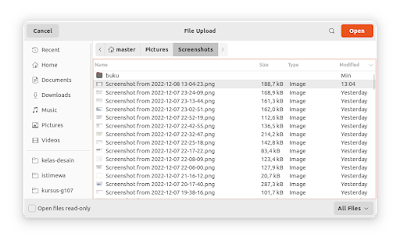
(How can we tell which photo we want to select if every picture is too small and there is even no preview?)
Drag and drop files from Nautilus to Telegram Desktop often does not work as expected.
Hide sidebar shortcut key is missing on Nautilus. We can only resize the window in order to hide it, F9 key does not work anymore.
Conclusions
Ubuntu Kinetic is a spiritfully leap towards the future in the FOSS computing. It extends and improves 22.04 LTS with the new technology from various sources including GNOME and LibreOffice. We can expect the next generation Ubuntu, 23.04 Lunar Lobster, will continue the service based on the blueprints of Kinetic. It works very nice on an old ThinkPad with several forgivable shortcomings and overall it is acceptable for daily use with newer technology. Finally, let’s try Kinetic and have a happy computing together.









.png)