Shotcut 26.1 Beta added Hardware Decoding for Preview Scaling & Export
Shotcut video editor released the Beta version of 26.1 today for testing purpose.
The new version of this free open-source Qt and MLT based video editor fixed many bugs and added hardware decoding support for more processes.
Preview Scaling, the feature that lowers the resolution of video shown in the preview monitor, now supports hardware decoding.
The feature is enabled by default for video codecs that supported by user’s hardware. As it offloads CPU tasks to GPU, it reduces CPU usage, battery usage and keeps your computer cooler.
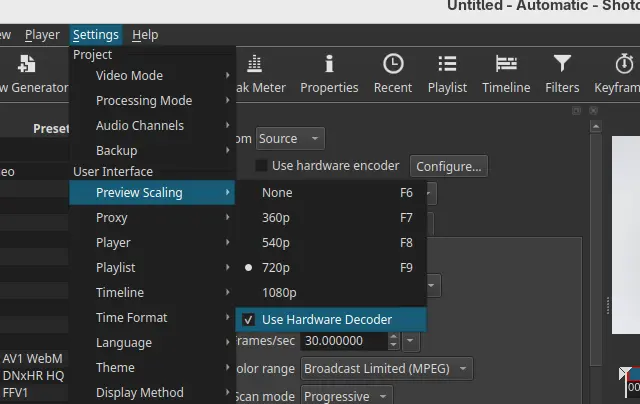
However, it does not have a significant speed boost according to the release note (unless using Linear 10-bit CPU processing mode). And, it does not seem to help much with seeking and scrubbing as proxies are still the key for that.
The hardware decoder uses Media Foundation API on Windows and Video Toolbox on macOS. For Linux, it uses VA-API that works with Intel/AMD GPUs, but not NVIDIA (though user may try nvidia-vaapi-driver).
Besides preview scaling, the export process now also supports hardware decoding.
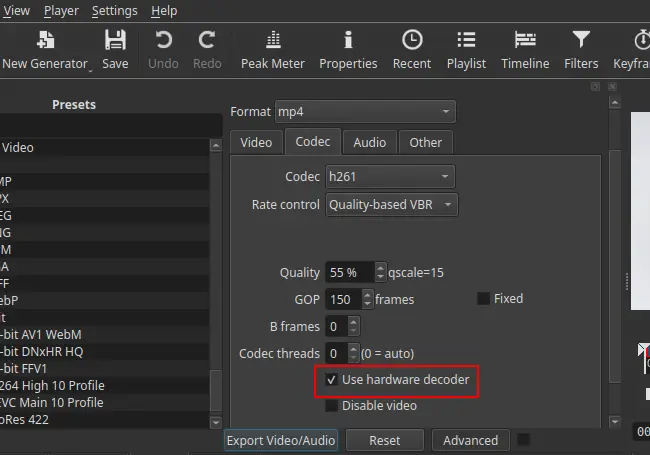
Export video is often known as the process of rendering or encoding. But video editor usually needs to decode the original video clips and changes you made (filters and cuts) before re-encoding.
By enabling hardware decoder for export, it also reduces CPU usage but often increases the export time (according to release note but don’t know why), so the feature is disabled by default.
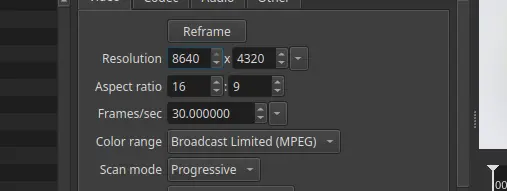
Shotcut 26.1 also added Blend Mode, the filter override the way a clip blends with the the bottom video track, and track option for the Linear 10-bit GPU/CPU processing mode. And, it increased the maximum resolution in Video Mode and Export to 8640 for 8K VR180 video.
And, it added functionality to convert projects between GPU and CPU processing modes, allowing to convert GPU-based projects for CPU-only systems and vice versa.
Other changes include:
- Change bulk proxy generation to update clips.
- Fix portable and Snap crash on launch on Ubuntu 24.04.
- Add back Screen Recording option on Linux and macOS.
- Changed “Timeline > Add Generator” and “New Generator > Add To Timeline” to not seek.
- Add Help -> What’s This? menu item.
- Other fixes and improvements.
How to install Shotcut 26.1 Beta
The official release note, installer packages for Linux, Windows, macOS, as well as the source tarball are available in the link below:
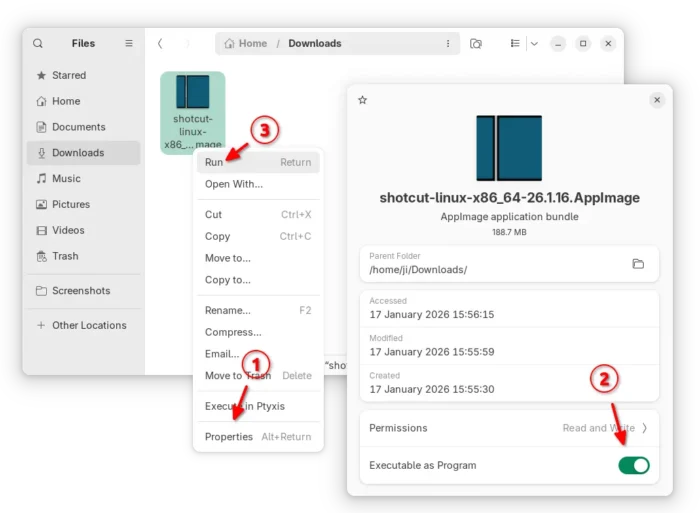
For Linux, select download the AppImage package from the link above, add executable permission, finally click run to launch the video editor.
Tips: Ubuntu 22.04+ needs to run sudo apt install libfuse2 to install the required library first.
For choice, Ubuntu may simply launch App Center (or Ubuntu Software), then search & install the Snap package:
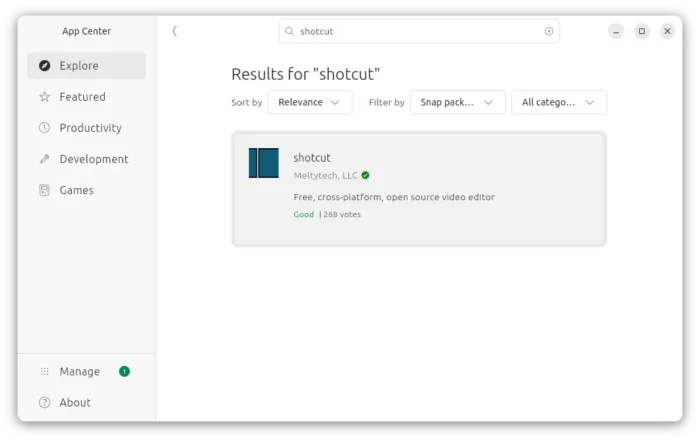
While both the packages above supports only AMD/Intel, there’s also an official Flatpak package that works on both amd64 and arm64 (RasPi, SnapdragonX), though it’s at version 25.12 at the moment.
Source: UbuntuHandbook