OBS Studio 32.1.0 Released with New Audio Mixer & WebRTC Simulcast

OBS Studio, the free open-source live streaming and screen recording software, released new major 32.1.0 version today.
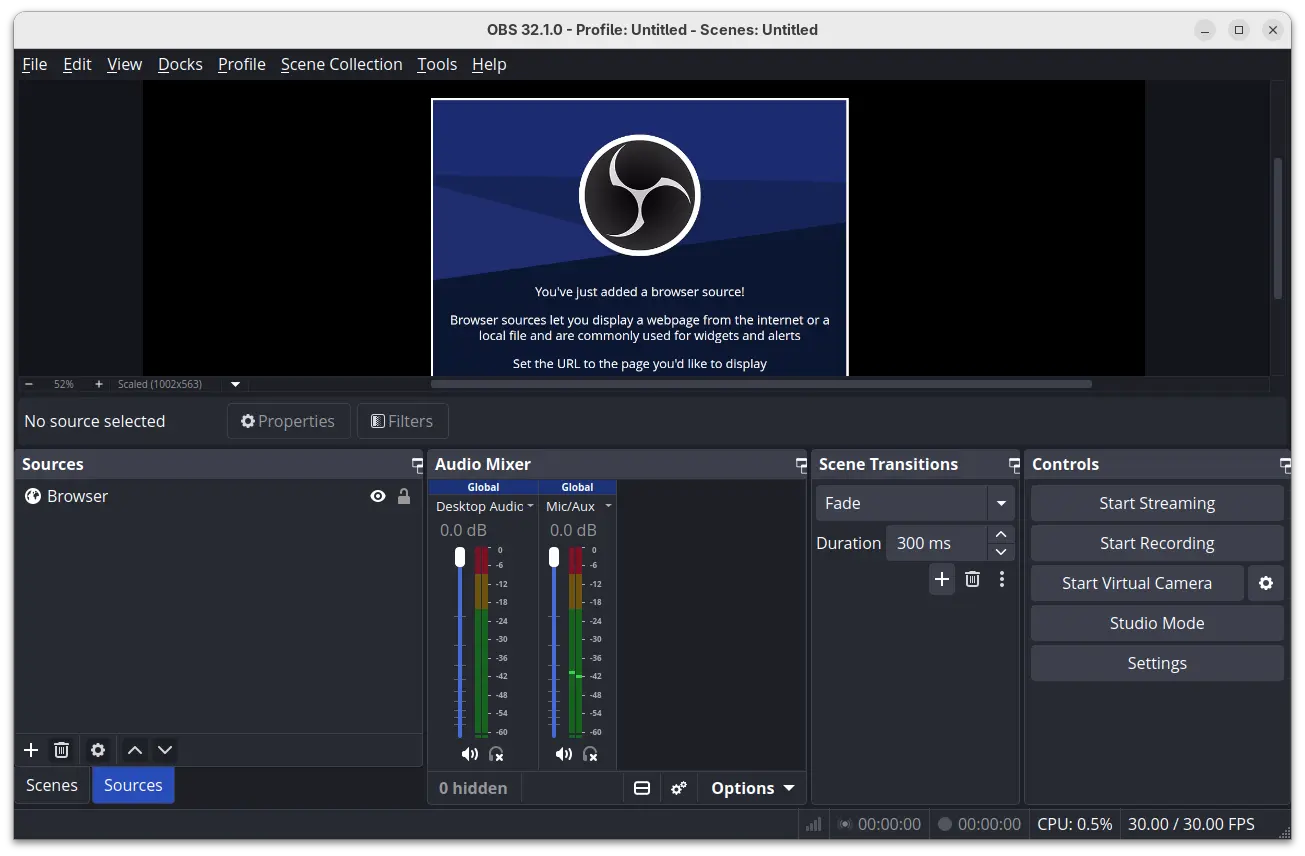
The new version is made available after 2 Beta and 4 RC development releases. It features new redesigned audio mixer that now displays the audio sources vertically by default.
The new audio mixer replaced the bottom vertical dots icon with a new button icon to switch between vertical and horizontal layout. While, “Unhide All” is moved to a new menu along with some extra options, such as show hidden / inactive sources, keep hidden /inactive sources to the right.
Each audio source now has new headphone toggle icon alongside the speaker icon, and the three vertical icon menu has been replaced by a drop-down menu that can be opened by clicking on the source name.
For WebRTC streaming services, the release added Simulcast support. It allows to encode the same video steam in different quality levels (resolutions and bit-rates) and send them over one track to a media server. Then the media server determines which quality level of streams to send according to user’s device and bandwidth.
And, a new option is added in settings dialog allowing to set how many layers to send in total (so far support 1 ~ 4), when a WHIP service is selected.
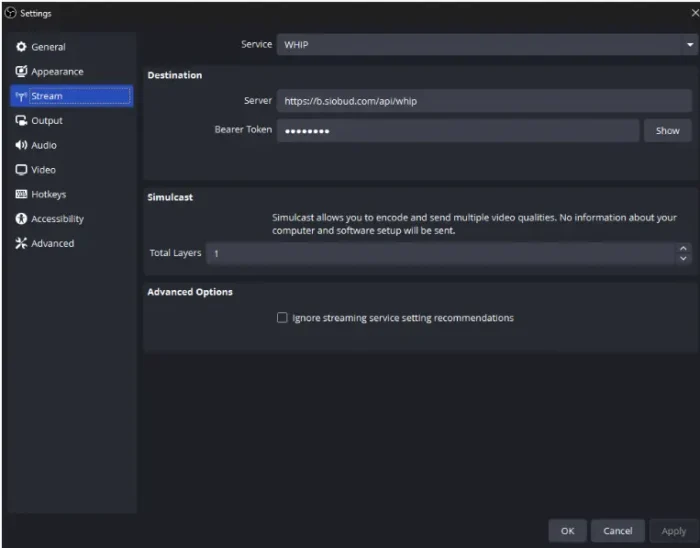
image from https://github.com/obsproject/obs-studio/pull/10885
The new version also added partial canvases support to websocket, allowing external applications to remotely control and automate OBS with more options, and added back missing undo/redo actions for scene items, such as scale filtering, blending mode/method, and deinterlacing mode.
It as well updated the “Edit Transform” dialog with alignment grids, so user can adjust the source position by simply clicking on the grid.
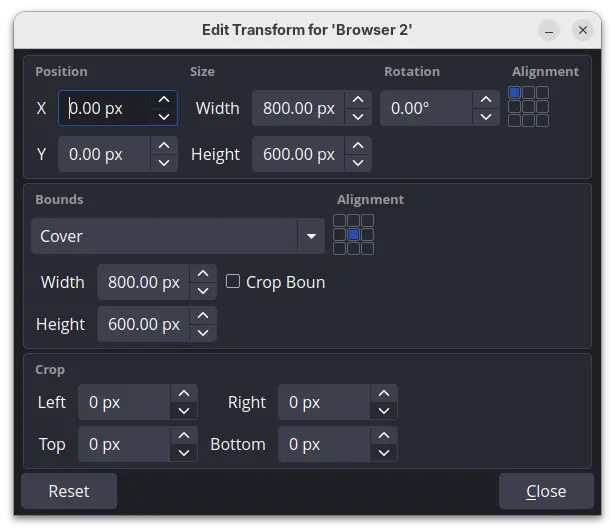
Edit Transform dialog updated with alignment grid
Other changes in OBS Studio 32.1.0 include:
- Allow enable/disable missing plugins via plugin manager.
- Disable dock animations.
- Change default bitrates to 6000 kbps.
- New palette for audio mixer in light theme.
- Improved security of browser sources when using local files.
- Various bug-fixes
Get OBS Studio 32.1.0
For more changes about the release, as well as the source tarball and installer packages for Linux, Windows, and macOS, go to the project releases page:
For Ubuntu, either select download and install the .deb package from the link above, or use the official PPA so far supports Ubuntu 24.04 and Ubuntu 25.10.
Other Linux distributions (including Ubuntu 22.04 & 20.04) may select install the Flatpak package which is available in Linux Mint Software Manager or Fedora GNOME Software, though it runs in sandbox environment.
Source: UbuntuHandbook