Linux Mint 23 to Have New Built-in Screenshot Tool

Linux Mint 23, the next version of this popular Linux Distribution that will be based on Ubuntu 26.04 LTS, has some new features revealed!
The Linux Mint blog announced the monthly news a few days ago, revealing that it will have a new screenshot tool, improved file manager performance, and changes to the dialogs.
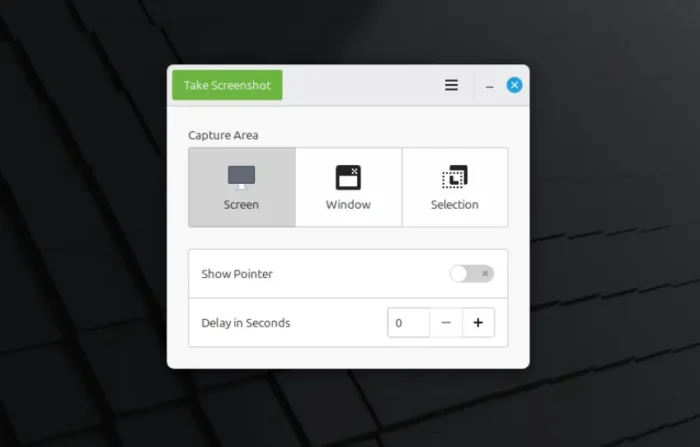
Gnome Screenshot will be gone in Linux Mint
Linux Mint so far uses gnome-screenshot (version 41) as the default tool to capture screenshots of the desktop and app windows. GNOME upstream has however abandoned the tool due to favor of new built-in screenshot function.
As gnome-screenshot does not support the modern Wayland session, while, Linux Mint is moving to Wayland, the developer team will eventually replace this screenshot tool.
And, the next Linux Mint 23 will do it with a new built-in screenshot tool. Like GNOME, it seems to be built-in desktop function, rather than a separated app, triggered by shortcut or indicator applet.
The new screenshot tool, will be probably called cinnamon-screenshot, which supports capturing full desktop, certain monitor, app window, and selection area, as well as time delay and show pointer options.
It will also support cropping screenshot before getting copied or saved. And, the window mode supports capturing with or without shadows.
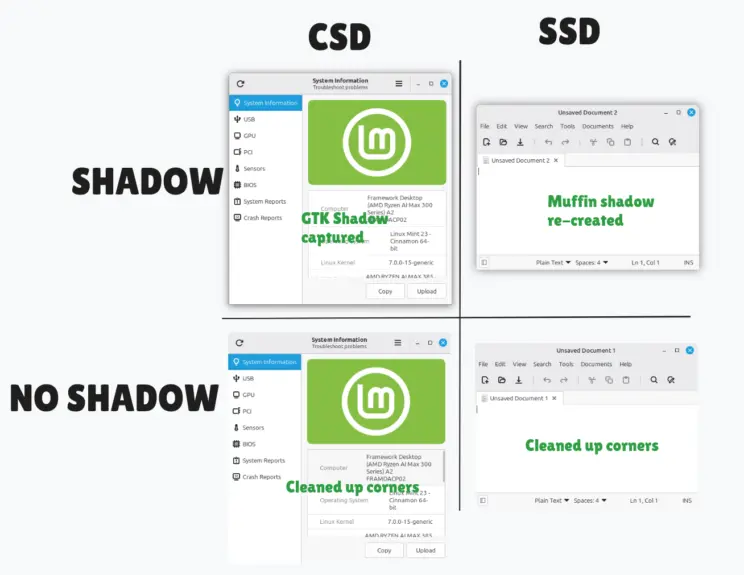
image from Linux Mint website
Besides the new screenshot tool, Linux Mint 23 will also improve its Nemo file manager.
The file manager currently has 200ms delay when user click navigating to a directory. This delay was added by developers to guarantee a smooth looking. The next version will use different rendering modes depending on the situation. Some directories will render immediately and without delay, looking much more responsive than before.
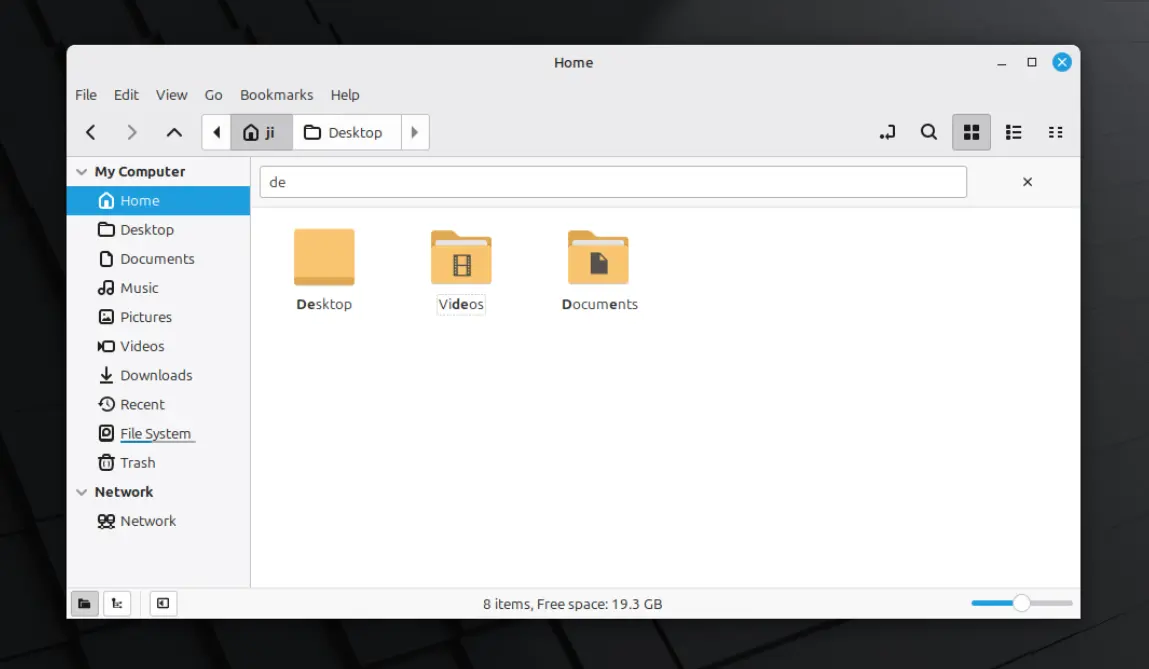
Also, the file search function will be improved. Instead of showing what you type in the bottom-right corner and jumping to the first result which matched your query, it now shows a search bar when you typing and show all things match you type at once.
Linux Mint 23 is also adding support drag moving dialogs, such as poweroff and logout dialogs. They stay at the top, but you can move them away. So that you can do some un-finished jobs before confirming to power-off or log out.
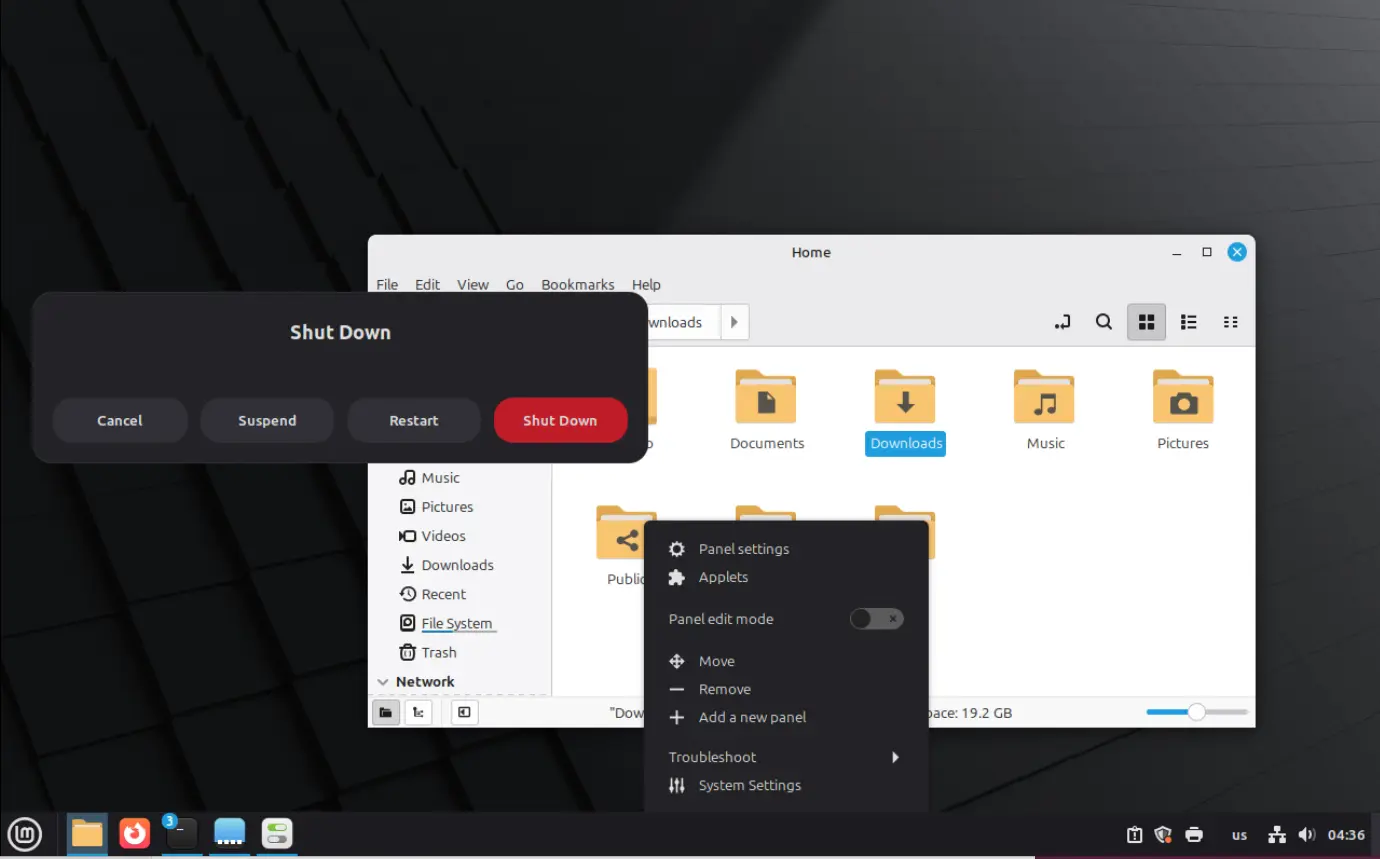
poweroff, logout dialog is now movable
Other changes in Linux Mint 23 so far include:
- Improve colors and contrast in Mint-Y dark theme.
- WPA3 (Wi-Fi Protected Access 3) and OWE (Opportunistic Wireless Encryption) support.
- Update Mint-Y, Mint-L and Mint-X themes to use XSI icons for GTK dialogs.
For more, see the official blog post.
Try out Linux Mint 23
Linux Mint 23 is scheduled for Christmas this year.
It does not provides .iso image for testing purpose, but I managed to upgrade to 23 from 22.3 via following steps:
NOTE: This is NOT the official way upgrading to Mint 23. It may fail and break your system, so DON’T do it in real machine, but only for VM testing.
- Edit
/etc/apt/sources.list.d/official-package-repositories.listfile. - Replace
zenawithalfa,noblewithresolute. Then, save and exit. - Refresh cache
sudo apt update - Install all available updates
sudo apt full-upgrade. - Reboot.
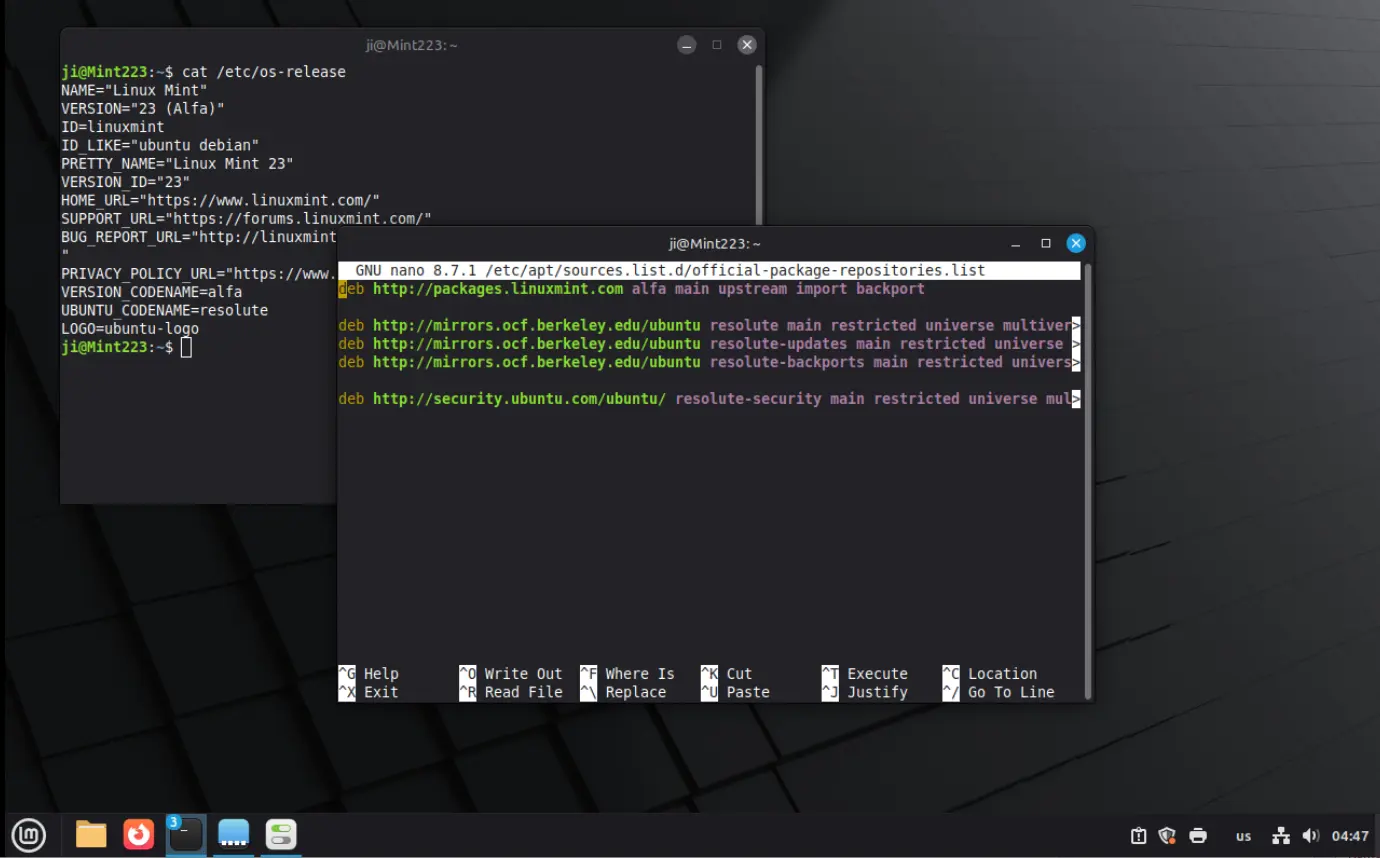
Source: UbuntuHandbook