KDE Has A New Infinite Whiteboard Tool Work-In-Progress

Looking for an infinite whiteboard tool for Linux Desktop? KDE has one that’s in development!
It’s Drawy, a free open-source C++ written application that aims to be a native-desktop alternative to the amazing web-based Excalidraw.
This app provides a simple Qt6 and KDE Frameworks based user interface, for product managers, designers, and anyone who need to brainstorm or present ideas in real-time.
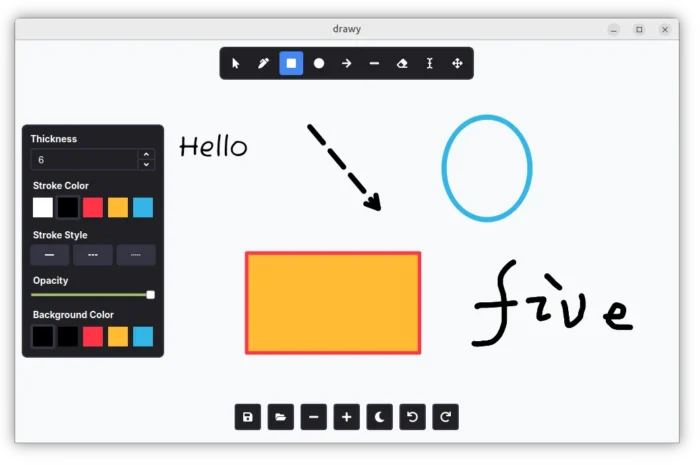
As you see in the screenshot above, it only provides a canvas with some tools in header, some control buttons in bottom, as well as a dynamic property widget in left.
The application so far support drawing by Pen, Text, Rectangle, Ellipse, Line, and Arrow tools with custom font size, color, thickness, and stroke style.
And, it provides a cursor tool to select and re-edit what you drew, eraser to remove something, and move tool to move all the things on canvas.
Other features include buttons to zoom in/out, redo/undo, save your ideas as .drawy files, as well as:
- Light and Dark mode.
- Pressure sensitivity support for drawing tablets
- Basic keybinding support.
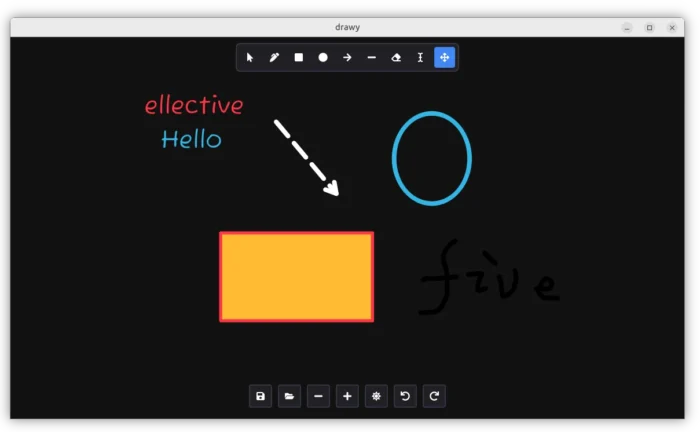
Dark Mode
As the app is in very early stage, there are as well many more features planned. They include export to PNG, snapping, text formatting, image support, rotate items, and online collaboration.
And, for those who are interested in this application, either discuss by join its Matrix room or ask for requests by visiting its source page.
How to try out Drawy in your Linux
As in early development stage, the app so far does not provide any installer package, though Arch Linux users can now try it out by this AUR package.
For other Linux, the source page (see the link above) provides some commands about how to build it from the source code. And, below are the steps that worked in my case in Ubuntu 26.04.
NOTE: The commands below does NOT work in Ubuntu 24.04 and earlier due to outdated Qt6 libraries, unless you install newer version via the link mentioned in the source page.
- First, open terminal (Ctrl+Alt+T) and run command to install the build dependencies:
sudo apt install build-essential cmake extra-cmake-modules git g++ qt6-base-dev qt6-base-dev-tools qt6-base-private-dev libkf6coreaddons-dev libkf6crash-dev libkf6widgetsaddons-dev libkf6config-dev libkf6configwidgets-dev pre-commit libzstd-dev
The dependency libraries may change as time goes on. Please leave comment below if you found it does no longer work.
- Then, clone the source code by running command:
git clone https://invent.kde.org/prayag/drawy
- Navigate to the source folder:
cd drawy
- Configure the source:
cmake -B build -S . -DCMAKE_BUILD_TYPE=Release
This command may fail if you miss some dependency libraries.
- Build the application:
cmake --build build --config Release
- If everything goes well, run the executable file under
build/binsub-folder to launch the tool:./build/bin/drawy
At any time, you may remove this whiteboard tool by deleting the drawy folder using file manager. And remove the -dev packages via apt remove command to clean up.
Source: UbuntuHandbook