HandBrake Released 1.11.0 with DNxHR & ProRes Encoders (Ubuntu PPA)

HandBrake, the popular free open-source video transcoder for Linux, Windows, and macOS, released new 1.11.0 version today!
Thanks to FFmpeg 8.0, the new version added encoding support for ProRes, a lossy compression format developed by Apple.
As well, it added Production ProRes presets using that encoder to make 540p, 1080p, 4K videos, and any resolution video using HQX and SQ encoder for professional use as intermediate format for video editing.
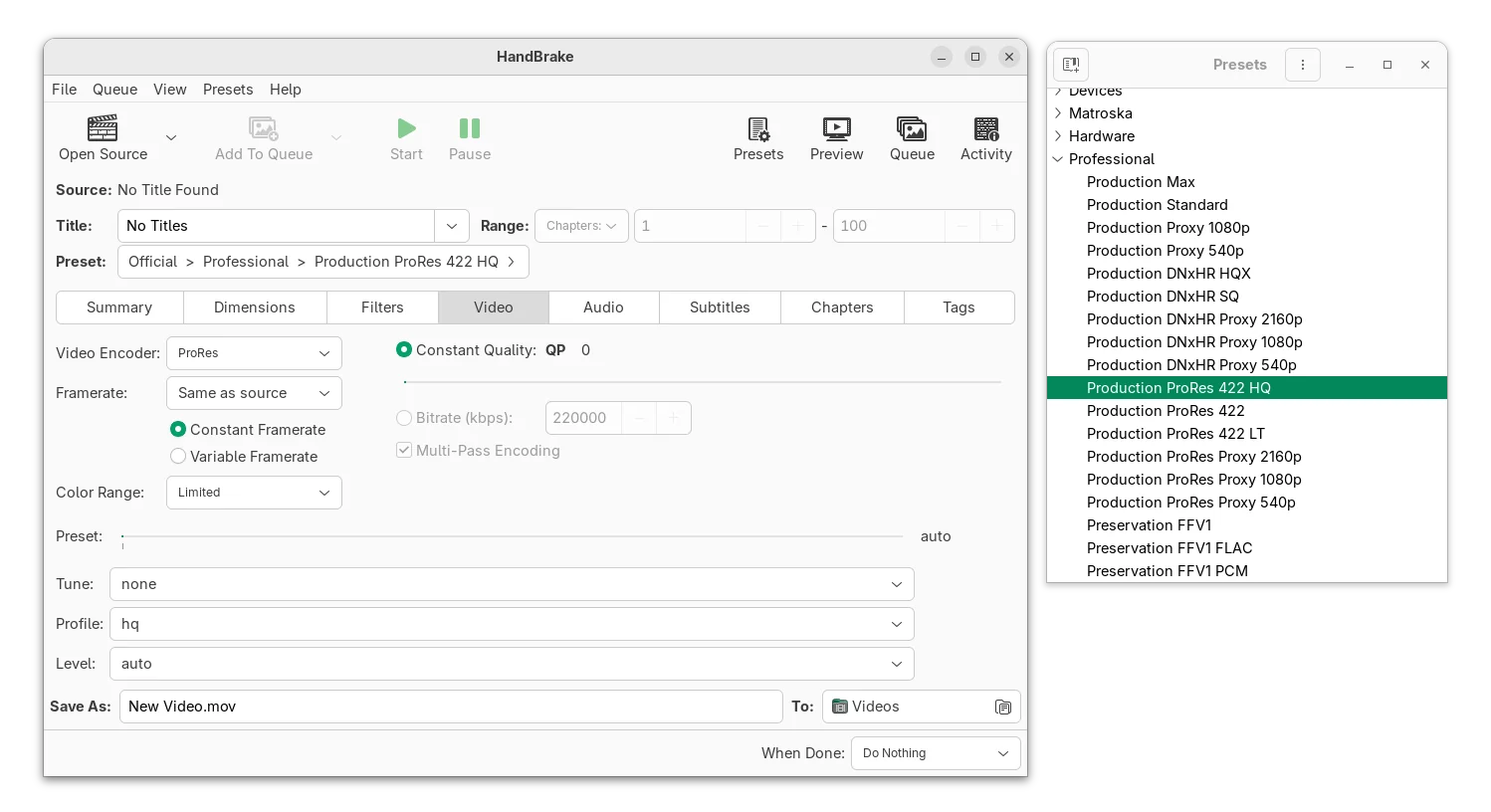
The new version also added encoding support for DNxHR, a lossy UHDTV (Ultra HD) post-production codec developed by Avid Technology, Inc, as well as professional use Production DNxHR presets using standard, HQ, and LT encoder flavors to make any resolution video.
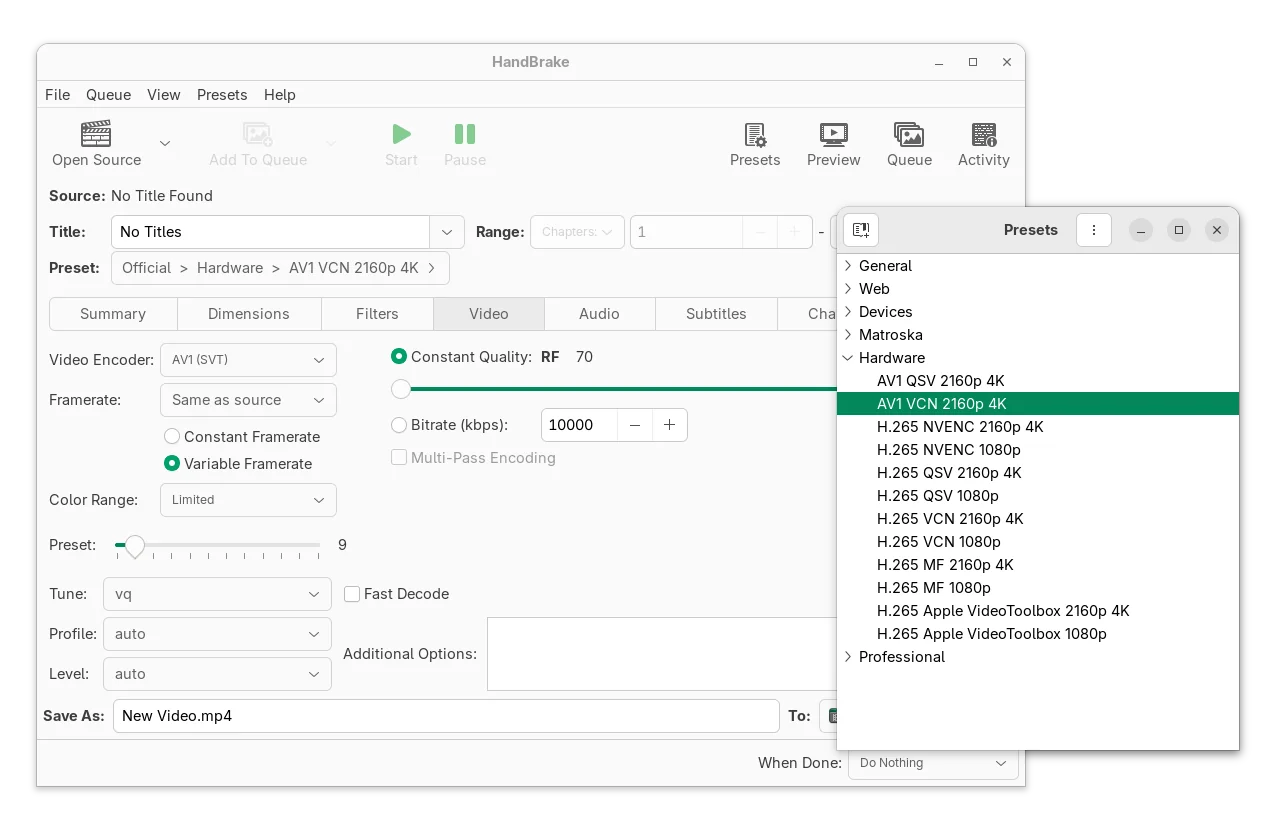
In addition, it now supports 10-bit AV1 encoding with AMD VCN and “AV1 VCN 2160p 4K” preset. User however needs AMD 9000 series GPU hardware and newer, because output dimensions may be incorrect on AMD 7000 series GPU that’s un-fixable in software.
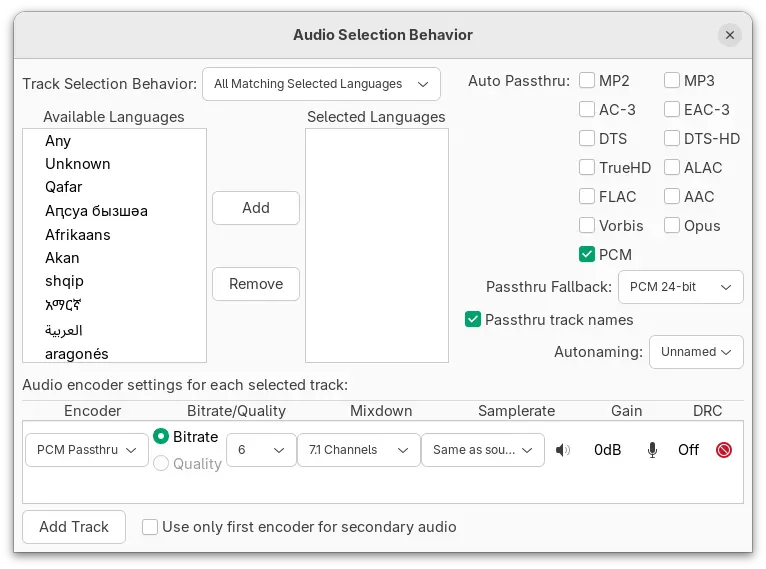
On the audio side, HandBrake 1.11.0 added new PCM 16-bit/24-bit and PCM passthru encoder typically used for uncompressed digital audio. And, it added a minimum support for channel layouts with a custom channels order.
Besides the new encoders and presets, the new version also updated its UI/UX for all supported platforms.
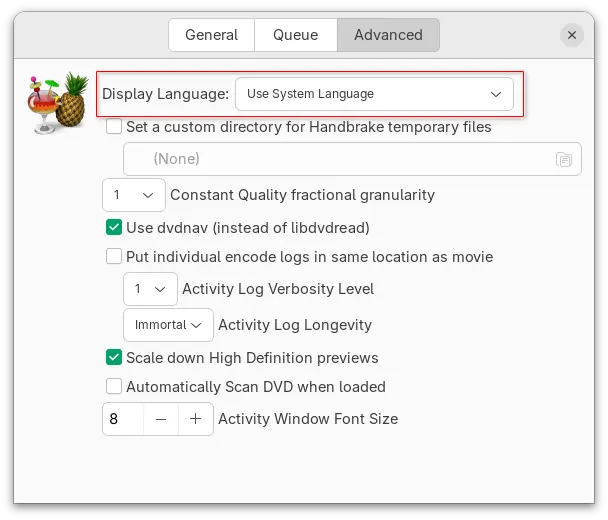
For Linux, it now uses GtkFileLauncher API to open files in sandboxed apps (e.g., Flatpak). It added buttons to cycle through previews on summary page, as well as new preference option to change app display language different to system language.
In macOS, notifications sound is now played back when HandBrake is in the foreground. And for Windows, the app UI now requires .NET 10.x runtime, and support for Intel HyperEncode has been removed (it’s deprecated upstream).
Other changes in HandBrake 1.11.0 include:
- Encode to Apple’s MOV container format.
- Add Preservation FFV1 FLAC and PCM presets.
- Pass through ALAC, Vorbis, PCM audio codecs for Preservation FFV1 preset.
- Add MPEG-2 profile and level selection.
- Allow muxing FFV1 in the MP4 container.
Get HandBrake 1.11.0
More changes about the release, as well as the source tarball and installer packages for Linux, Windows, and macOS are available in Github via the link below:
For Linux, Arch has made the new 1.11.0 into official Extra repository. While, most others can select install the official Flatpak package that runs in sandbox environment.
Linux Mint and Fedora Workstation can search and install the Flatpak package from either Software Manager or GNOME Software.
While other Linux can follow the steps below one by one to get it:
- First, enable Flatpak support. For Debian and Ubuntu users, simply open terminal and run command:
sudo apt install flatpak
- Then, run command to install the HandBrake flatpak package:
flatpak install https://dl.flathub.org/repo/appstream/fr.handbrake.ghb.flatpakref
And, if you already installed an old version as Flatpak, then run the command below to update it:
flatpak update fr.handbrake.ghb
Tips: you may replace update with run in the last command to start HandBrake from command line.
For Ubuntu users who prefer the native .deb package, I’ve built the new version into this unofficial PPA for Ubuntu 22.04, Ubuntu 24.04, Ubuntu 25.10 and 26.04.
To add the PPA and install HandBrake .deb package, open terminal (Ctrl+Alt+T) and run the commands below one by one:
sudo add-apt-repository ppa:ubuntuhandbook1/handbrake
sudo apt update
sudo apt install -t "o=LP-PPA-ubuntuhandbook1-handbrake" handbrake
Uninstall:
To uninstall HandBrake Flatpak package, run command:
flatpak uninstall --delete-data fr.handbrake.ghb
To uninstall HandBrake .deb package, run command:
sudo apt remove handbrake handbrak-cli
Also remove the PPA repository via command:
sudo add-apt-repository --remove ppa:ubuntuhandbook1/handbrake
Source: UbuntuHandbook