After a Long Time, Ubuntu Shows Some Respect to Deb Packages
For years, many Ubuntu users have felt that traditional .deb packages were being gradually sidelined in favor of the Snap ecosystem.
It started quietly. Double-clicking a downloaded .deb file would open it in Archive Manager instead of the installer. Then came controversial changes. Apps like Chromium, Thunderbolt and Firefox began defaulting to Snap packages, even when users tried installing them via the apt command in the terminal.
It continued further as Ubuntu introduced its new Snap Store. In Ubuntu 24.04, it ignored .deb packages completely. Double-clicking a .deb file would open the App Center, but wouldn’t actually install the package and just hang there. That behavior was later reverted after I highlighted it through It's FOSS.
While Canonical’s obsession for Snap isn’t going away anytime soon, there is some good news for debian package lovers.
With the upcoming Ubuntu 26.04 LTS, the App Center will begin displaying Debian packages installed from official repositories. Until now, it only showed Snap apps, making it unnecessarily difficult to manage .deb packages through the GUI. In fact, uninstalling a .deb from the App Center required manually searching for it and navigating to its listing page.
This change won’t end the Snap vs Deb debate, but it’s definitely a step in the right direction.
Manage deb packages from App Center
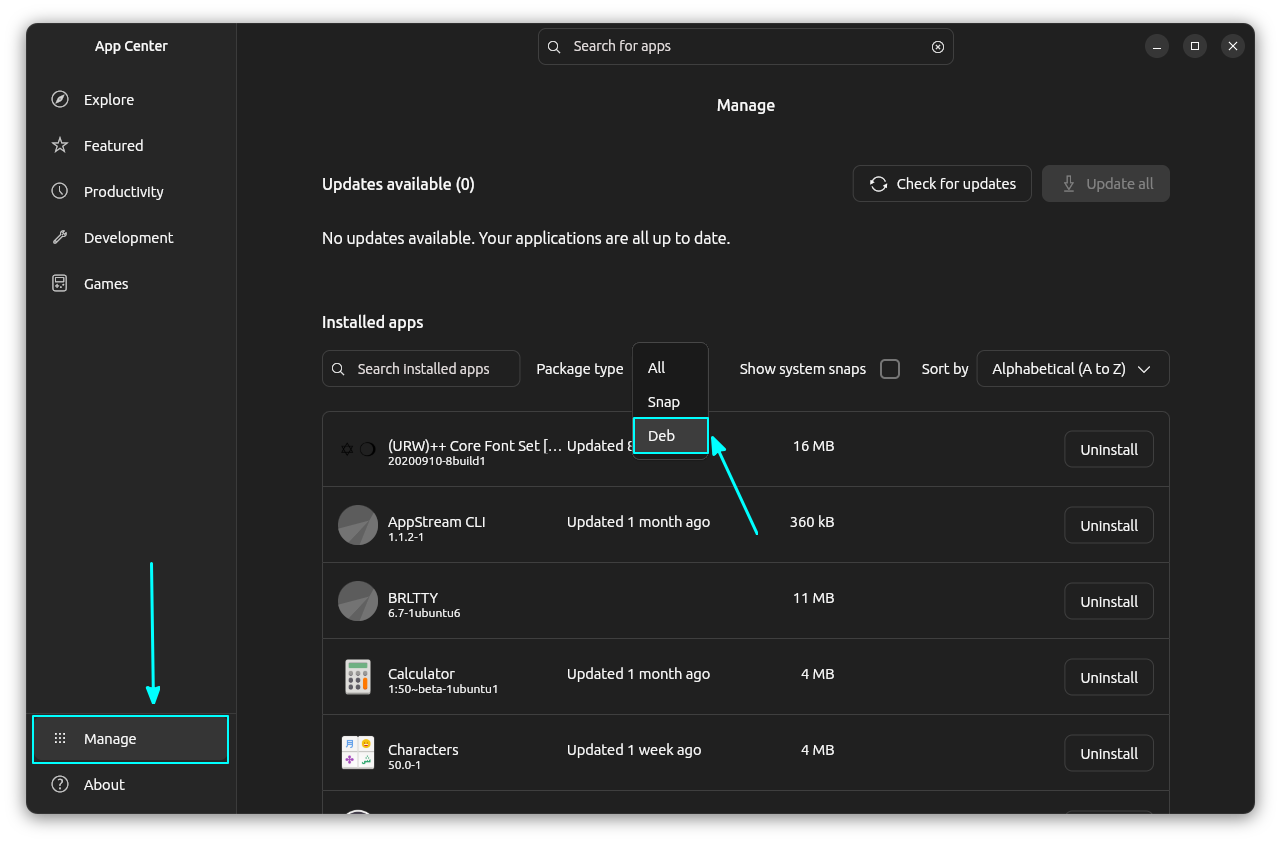
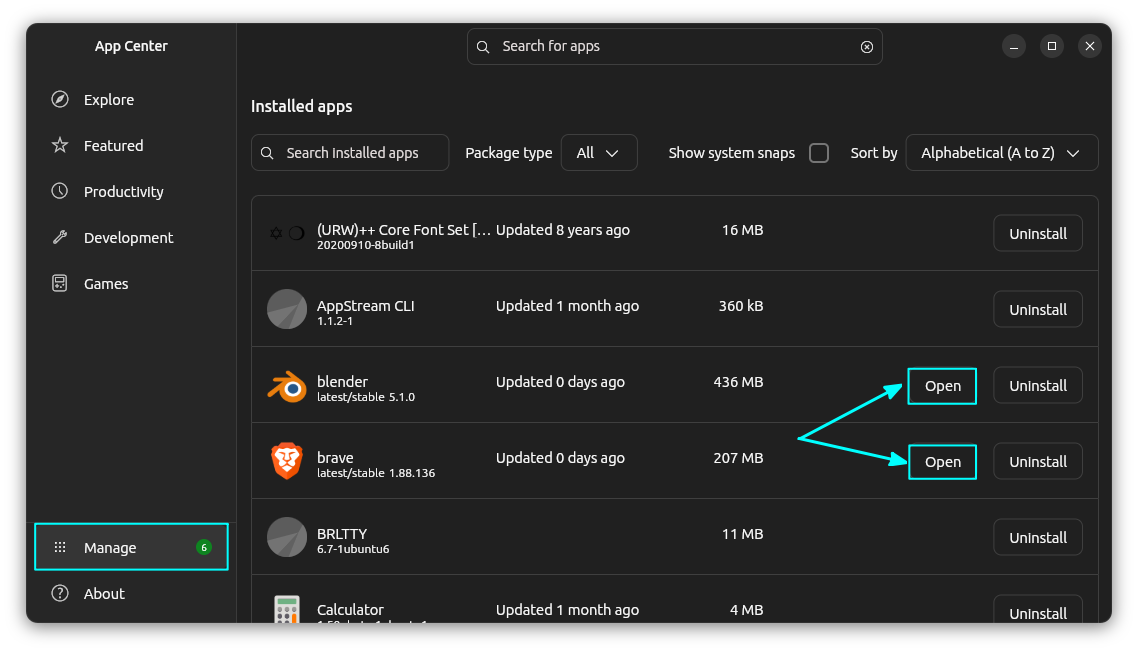
In the new app center, when you click on the "Manage" option from the sidebar, it shows all the installed packages.
On this screen, you can use the "Package type" filter to show only the debian packages, or snap or a combined list of both..
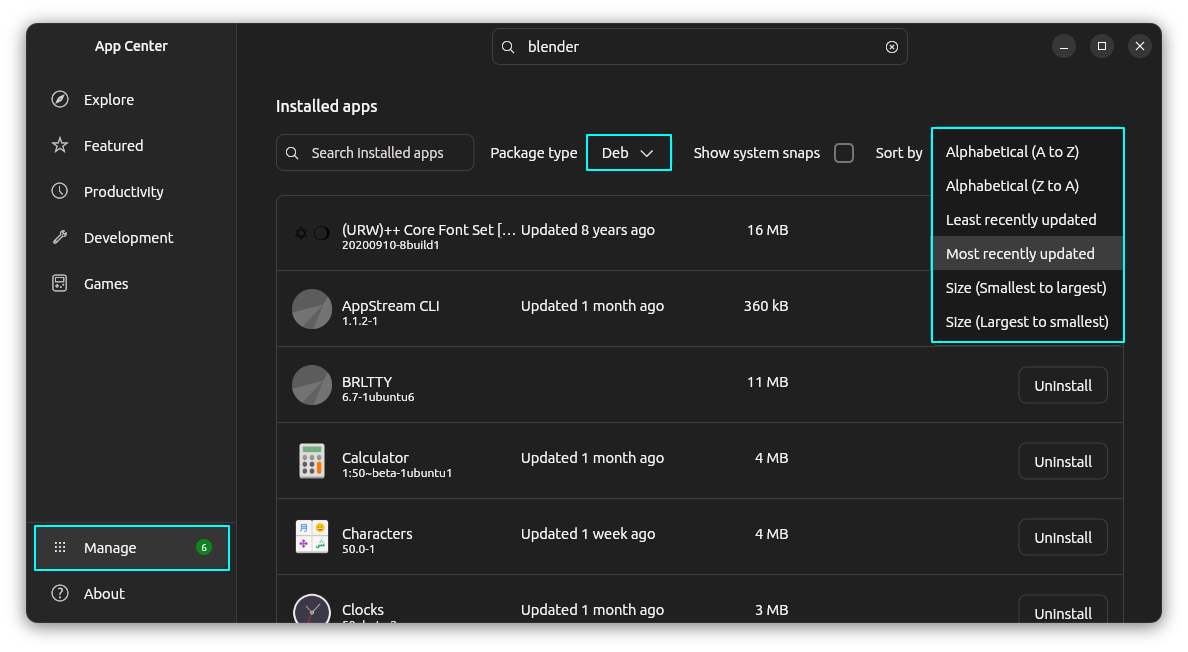
You can sort the packages based on date updated, name, etc. A good little feature.
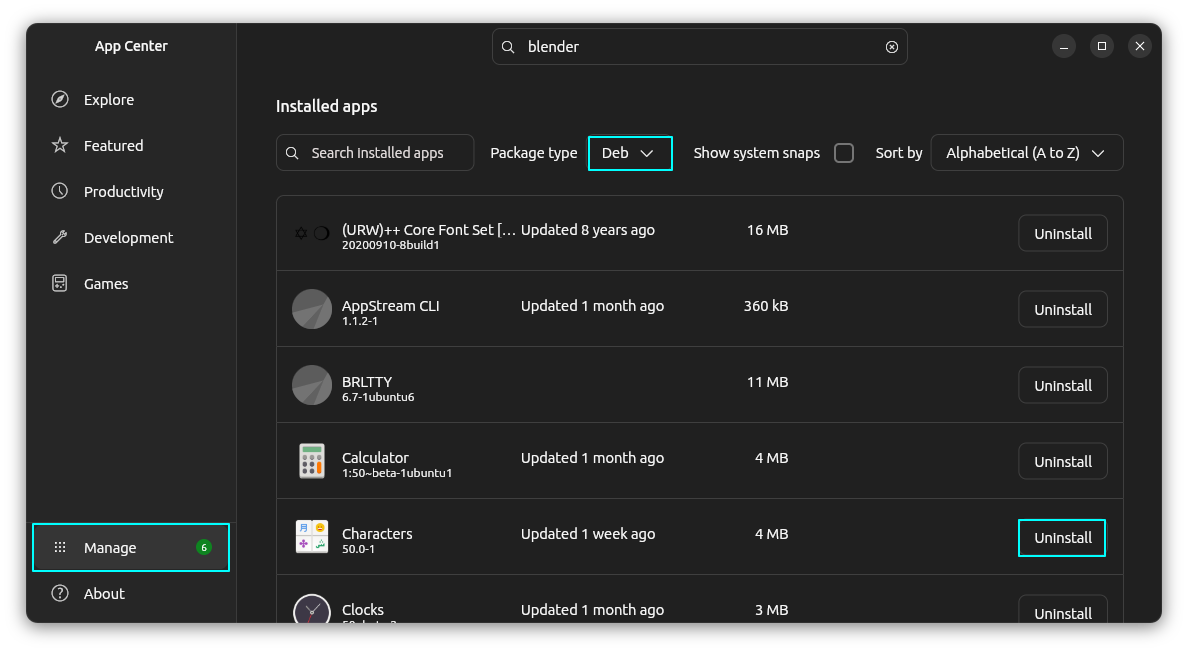
Not only that, you can also uninstall Deb packages from the manage view. This is the main feature. Before Snap era, App Center used to show the installed (debian) packages and allowed people to remove them with mouse clicks.
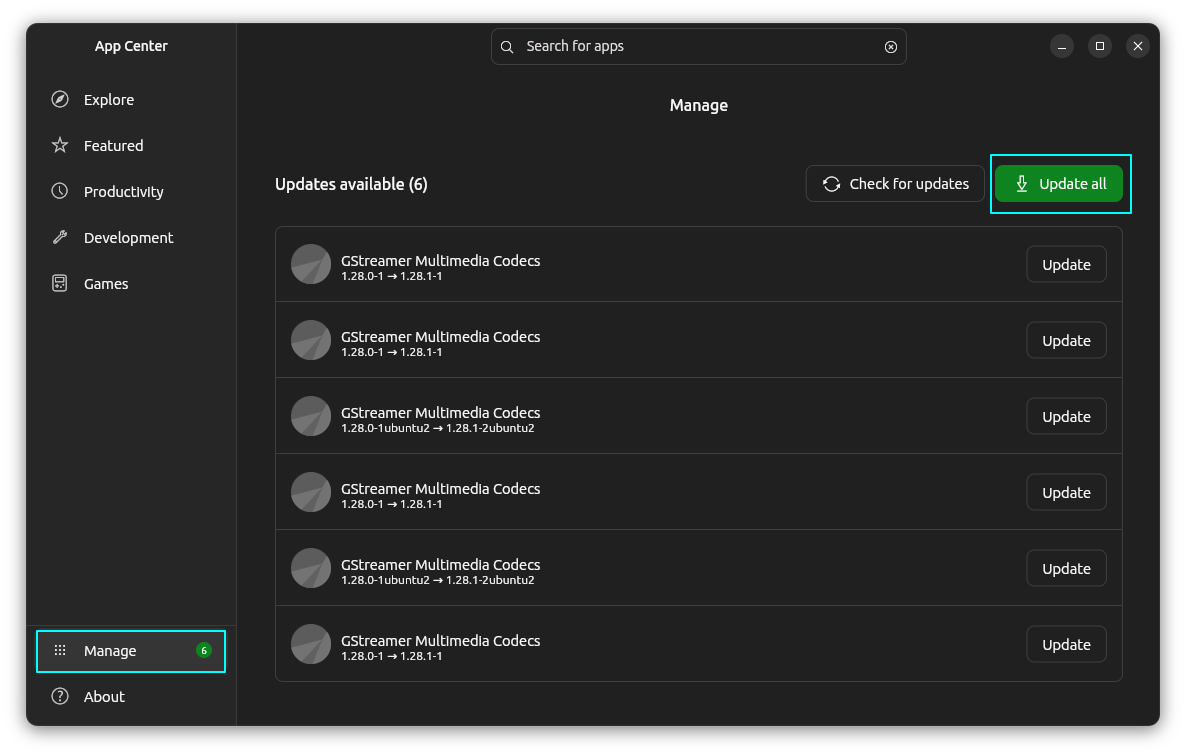
You can now update deb packages using App Center along with Snap updates.
Snap continues to enjoy special favors
It is no secret that Canonica, Ubuntu's parent company, still prefers their Snap packaging. And thus it is not surprising to see Snap packages having extra features in the App Center than their deb counterparts.
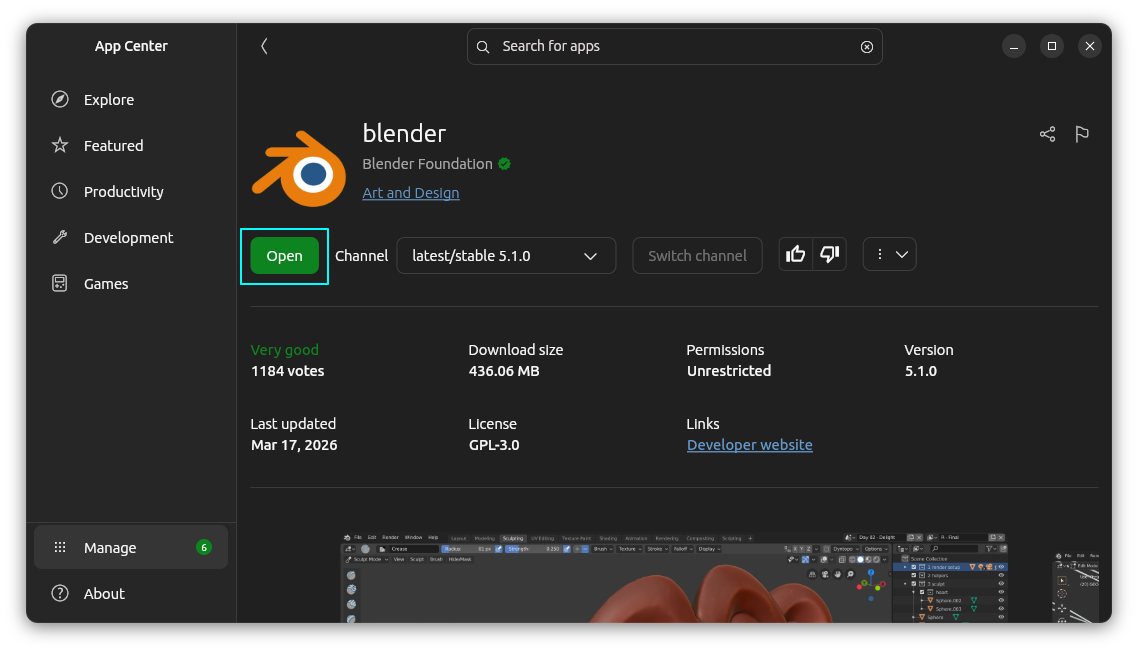
For Snap applications, an ‘open’ button is shown on the listing page itself:
Or, from the managing page:
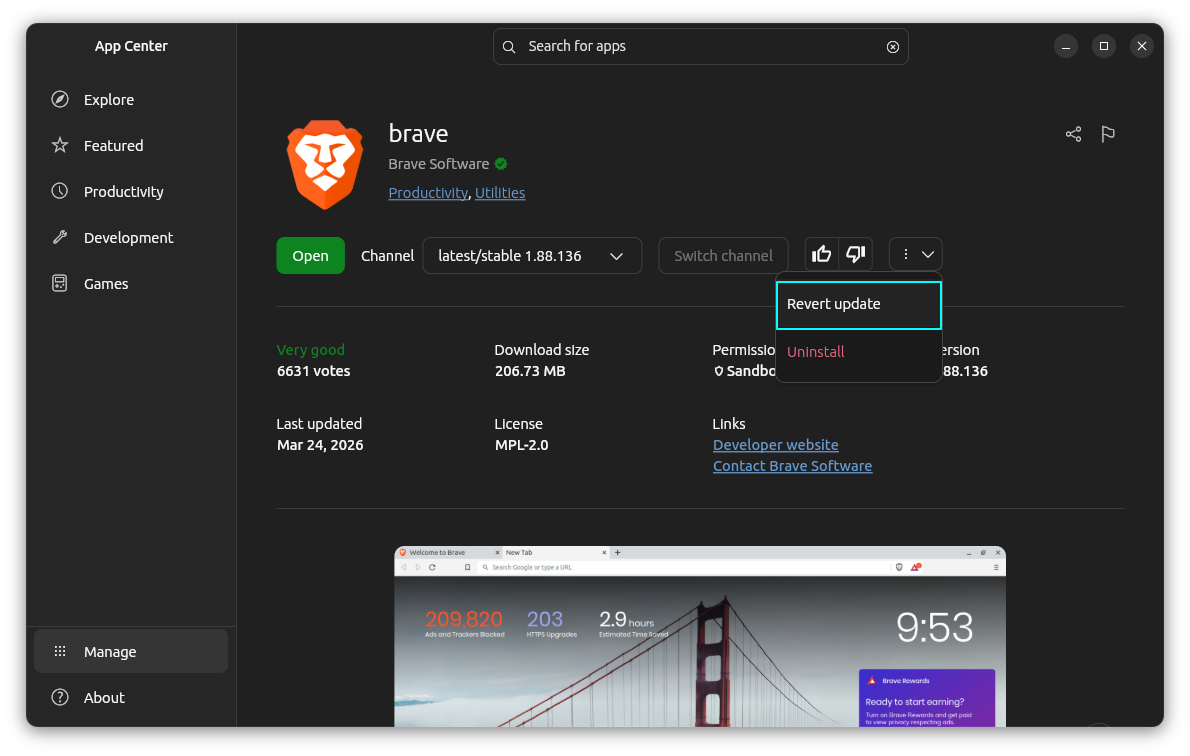
On the app listing page of a snap app, a ‘revert’ option added to the drop down.
A merge request is open to add support for purging app data when uninstalling snaps through the App Center. This is indeed a good thing as it will help people recliam disk space.
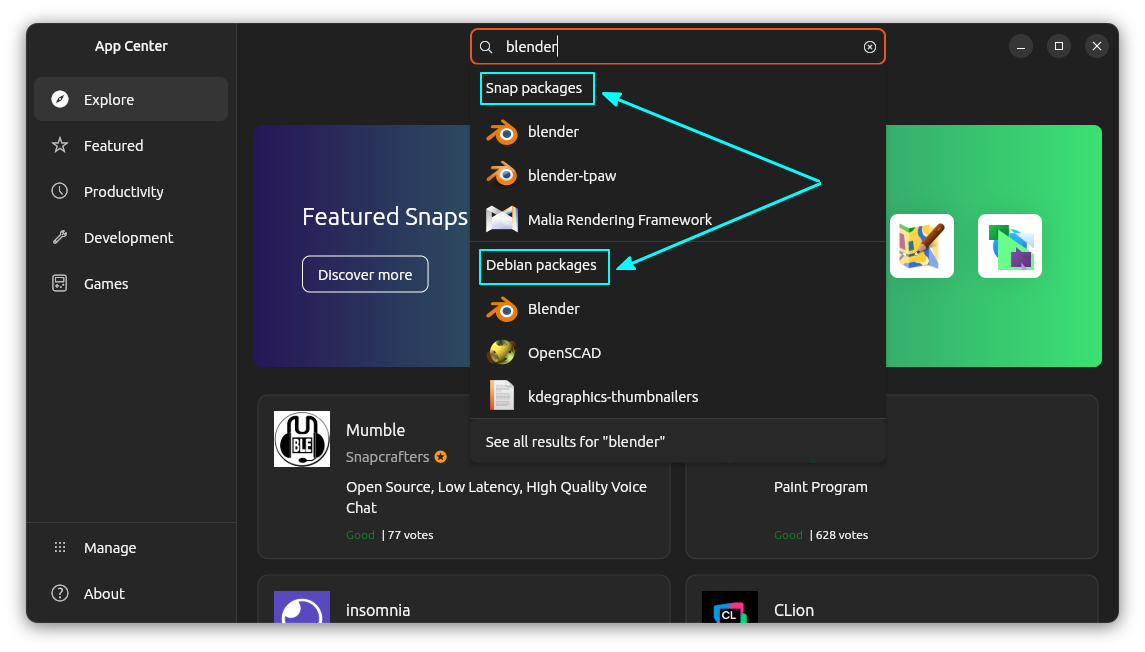
Quick tip: Choosev Deb (or Snap) while searching for packages to install
Just so that you know, App Center already lets you search and install deb packages. When you search for an application, there is option shown to choose between the Snap and Deb versions.
Snap still is the first class citizen in the Ubuntu-verse. But it is still good to see the good, old Debian packages getting some space.
Ubuntu 26.04 has many more new features you should definitely check out.
Source: Via OMG! Ubuntu.

Source: It's FOSS