COSMIC Epoch 1.6.0 Released with Per-App Basis Volume Control

COSMIC Epoch, the Linux desktop environment that’s default in Pop!_OS, released new 1.6.0 version today.
The new version added the wl-dmabuf-v6 Wayland protocol support improving compatibility with the latest Wayland GPU-buffer handling.
It also added Ei Wayland protocol support for applications such as remote-desktop software and input emulation to send keyboard, mouse, and touch input through the compositor in a standardized way. This allows COSMIC compositor to receive and handle input generated by software rather than directly by physical input devices.
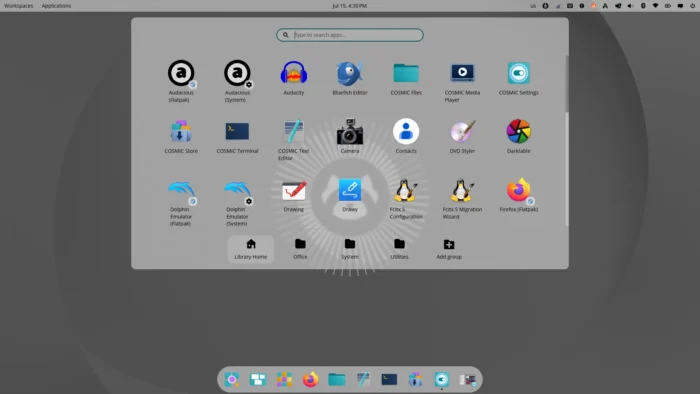
COSMIC desktop in Ubuntu 26.04
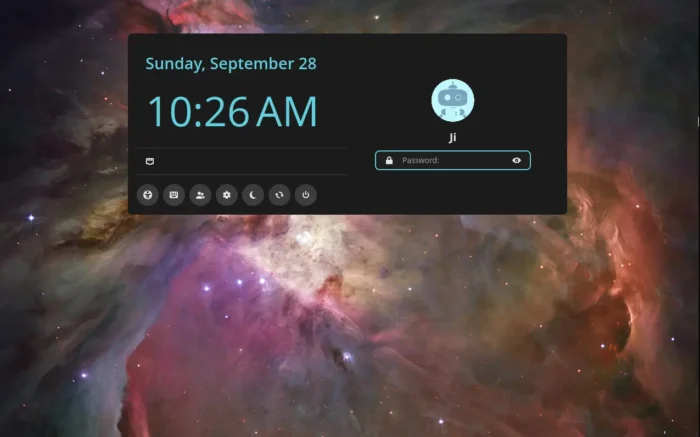
The greeter that handles the login screen has been improved with JPEG XL (JXL) and AVIF image support. It now ignore empty password so it won’t freeze a second, for the submitting and authenticating process, when you pressing Enter without any password input.
And, it now checks at runtime whether logind is actually present or running, then either uses logind functionality when it is available, or falls back appropriately when it isn’t.
The 1.6.0 version also includes new features and improvements for the settings daemon.
It fixed a bug where the currently open settings page could be unloaded while searching, fixed a crash when an error occurs while determining the maximum brightness. And, it now uses UPower to reliably detect when the AC charger is plugged in or unplugged, by monitoring the system’s line_power device.
The daemon now keeps track of individual audio playback streams. For each playback stream, it tracks information such as what application producing the audio, media info, and which audio output (sink) the stream is currently using.
And, it now provides per-app sound settings allowing to mute/unmute, adjust volume, and switch audio output device for individual application.
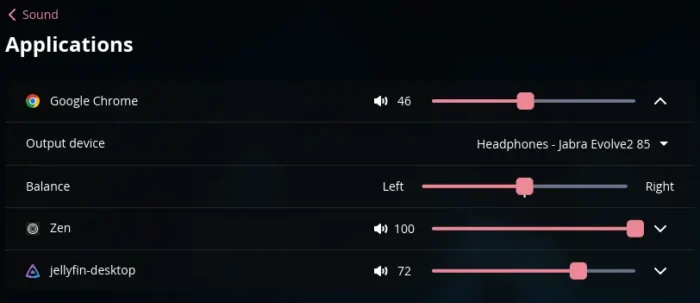
Per app volume control
The file manager app in the release now supports context menu for text input fields, providing standard text-editing actions such as copying, pasting, selecting, etc.
Some previously non-selectable text in the file information/context drawer can now be selected and copied. As well, it fixed an infinite error-dialog loop when opening a failed network mount.
The terminal app now has a new “Show pane borders” toggle under the Splits settings. With it enabled, split terminal panes get visible borders between them, borders appear only when there is more than one pane, while a single terminal pane remains borderless.
Other changes in COSMIC Epoch 1.6.0 include:
- Fix oversized icons in status-area menu items.
- Wait 128 ms before applying the latest volume change.
- Fix newer Chrome incorrectly exit fullscreen mode.
- Fix COSMIC launcher flickering and unexpectedly closing when using the Ctrl key.
- Fix a popup positioning problem in COSMIC Notifications.
For more changes as well as the source tarball, see the official release note.
Get COSMIC Desktop 1.6.0
Besides building from the source, Arch Linux and Fedora users may need to wait for their distribution updates, while the last 1.5.0 version is already available in their system repositories.
For Ubuntu, there’s a community maintained PPA that contains the COSMIC 1.6.0 for the current Ubuntu 26.04 LTS. See this guide for how to install instruction.
Source: UbuntuHandbook