GNOME Boxes Finally Ported to GTK4/LibAdwaita via Version 51 Beta
GNOME Boxes, GNOME’s virtualization software for running operating systems in virtual machines, released the Beta for next 51 version.
The new version is finally ported from GTK3 to GTK4 plus LibAdwaita, making its user interface look modern and native in recent GNOME Desktops.
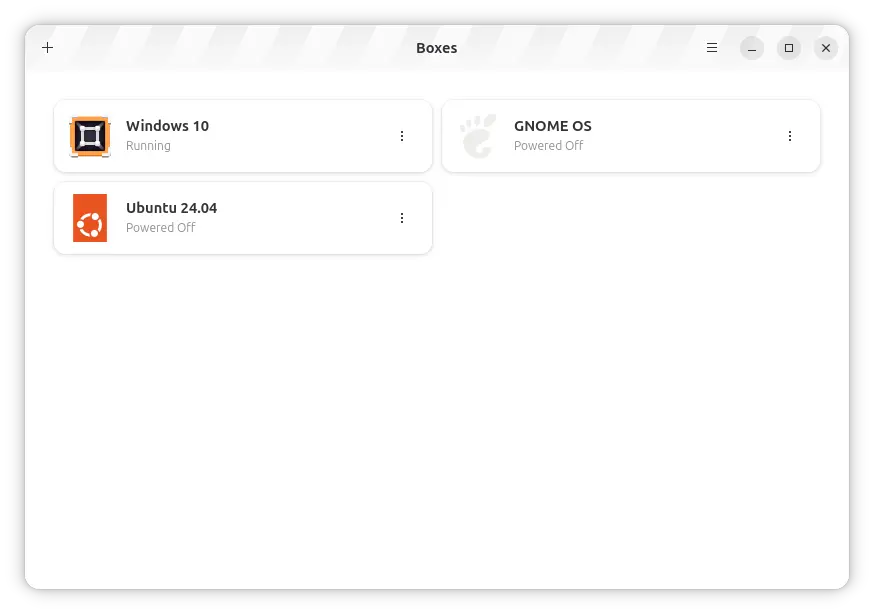
GNOME Boxes 51 Beta
This version also switched from SPICE protocol to Libmks, a GTK4-friendly library that lets apps embed a SPICE-powered VM console into their own interface, for the VM display rendering, keyboard/mouse event forwarding, multi-monitor support, cursor handling, and scaling.
The Windows 11 VM support is fully functional. It can now install Windows 11 directly without extra tweaks, because it automatically provides all the required features, such as Secure Boot and a virtual TPM (vTPM), allowing Windows 11 to pass its hardware requirement checks.
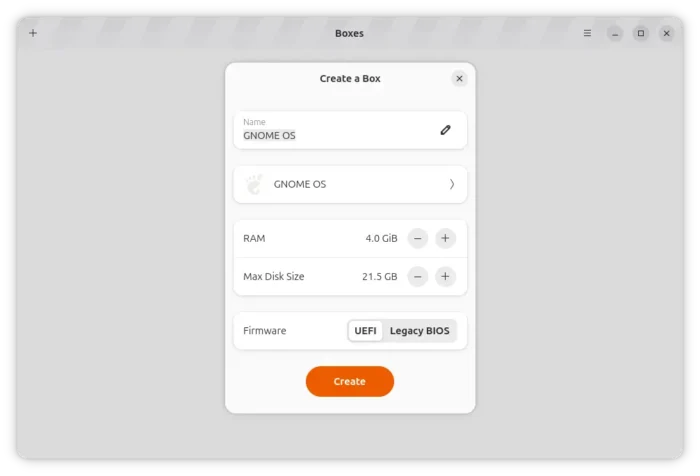
It also introduced support for VSOCK (Virtual Socket), a Linux socket interface designed for communication between a virtual machine (VM) and its host system without using a normal network connection.
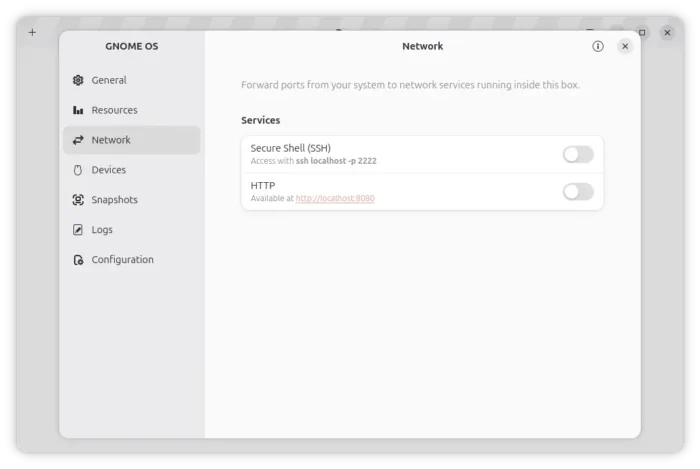
With it, guest OSes with systemd v256 or newer can be accessed directly over SSH. It also adds initial support for port forwarding, makeing a VM service look like a host network service, so that you can reach such services running inside the VM easily from your host.
In addition, the developer is moving GNOME Boxes to a Flatpak-first (and only) model, because maintaining support for many Linux distributions is too difficult for a solo developer. Flatpak allows them to package and control the entire libvirt/QEMU virtualization stack, making it easier to provide a consistent and optimized experience.
For more about the new GNOME Boxes, see either nightly.gnomeboxes.org or the developer’s blog post.
Try out the New GNOME Boxes 51 Beta
The new version is easy to install in most Linux through Flatpak package from GNOME Nightly repository.
First, follow the setup guide to enable the Flatpak package support. For Debian/Ubuntu, simply launch terminal (Ctrl+Alt+T) and run command:
sudo apt install flatpak
Next, add the GNOME Nightly repository by running command:
flatpak remote-add --if-not-exists gnome-nightly https://nightly.gnome.org/gnome-nightly.flatpakrepo
Finally, run command to install the Flatpak package:
flatpak install gnome-nightly org.gnome.Boxes.Devel
If you can’t find out the app icon, either log out and back in or try running flatpak run org.gnome.Boxes.Devel command to start it from terminal.
Uninstall:
To uninstall the app package, use command:
flatpak uninstall --delete-data org.gnome.Boxes.Devel
Then run flatpak uninstall --unused to remove the useless runtime libraries.
Or simply remove the GNOME Nightly repository, who will also uninstall everything that you installed from it.
flatpak remote-delete gnome-nightly
Source: UbuntuHandbook