FFmpeg 9.0 Released with New GPU Accelerated Decoders [Ubuntu PPA]

FFmpeg, the popular free open-source multimedia library, released new major 9.0 version today.
The new version of this library introduced some new decoders and encoders, hardware accelerated encoders and filters for better performance, as well as many other new features.
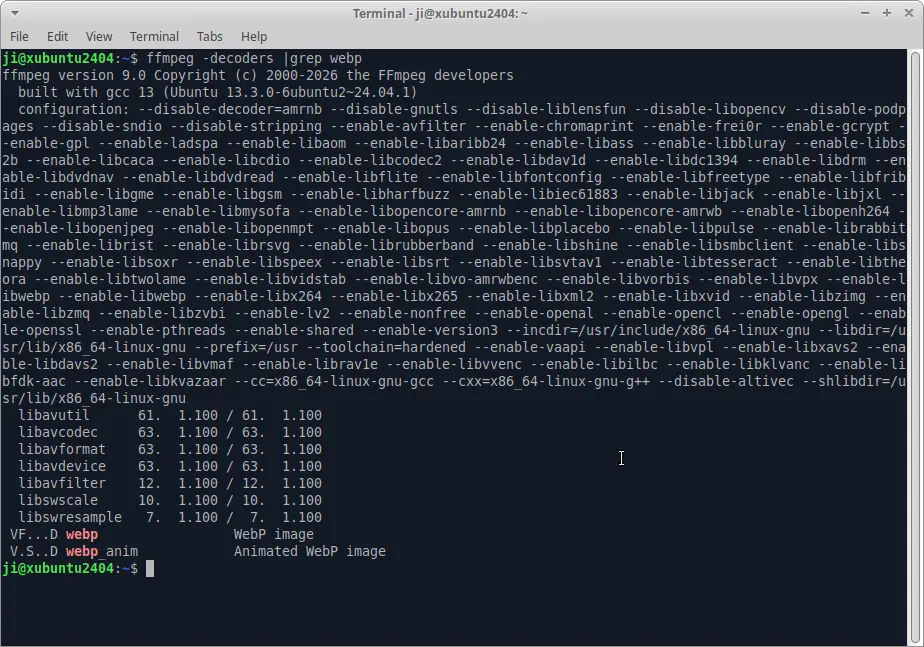
First, FFmpeg 9.0 introduced decoding animated WebP images support, as well as, extracting its individual image frames and timing information.
It added decoding the HE-AAC audio format used by DAB+ digital radio, specifically the variant where each AAC frame contains 960 audio samples instead of the more common 1024 samples.
It as well added hardware-accelerated decoding support for Apple ProRes RAW videos using Apple’s VideoToolbox framework, resulting in faster and more efficient playback on supported Apple hardware.
And, now it supports decoding APV video using GPU hardware through the Vulkan Video API, reducing CPU usage and potentially improving playback performance on supported hardware.
This version also introduced Playdate video encoder and muxer, allowing to convert/create Playdate video file format (PDV) for the small gaming device with a 1-bit black-and-white display (400×240 pixels).
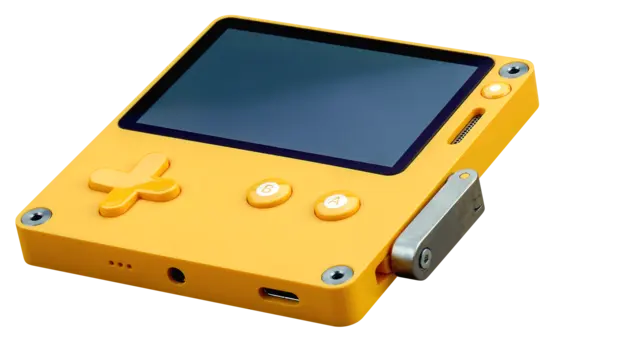
playdate handheld, image from wikipedia.org
The 9.0 release also added v360_vulkan filter to convert 360-degree video between different spherical projection formats with GPU acceleration, making processing faster than the CPU-only v360 filter.
It added transpose_cuda filter to rotate or flip a video using an NVIDIA GPU (CUDA), and a bitstream filter that can separate a Dolby Vision HEVC video containing multiple layers into its individual layers, without re-encoding the video.
For AMD GPU, FFmpeg 9.0 introduced vf_frc_amf filter uses AMD’s Advanced Media Framework to convert a video’s frame rate by generating intermediate frames on an AMD GPU, resulting in smoother motion with much lower CPU usage.
It added AMF hardware memory mapping support, that can share video frames in AMD GPU memory directly with AMF components, avoiding unnecessary CPU/GPU memory copies and improving the performance of hardware-accelerated video processing.
And, it improved the AMD GPU-based color conversion (vf_vpp_amf) filter so it can better process HDR (High Dynamic Range) video.

The release as well added LCEVC track muxing support in MP4 muxer, meaning it can now create MP4 files that include an LCEVC enhancement track alongside the base video stream, allowing compatible players to reconstruct higher-quality video while remaining compatible with players that only understand the base video.
For AI, it added support for using ONNX Runtime as a deep-learning backend for its DNN (Deep Neural Network) features, including running neural networks on GPUs instead of only the CPU.
Other changes include:
- Support reading, preserving, and passing through SMPTE 2094-50 HDR metadata without changing it.
- Remove old NVIDIA NVENC options and old NVIDIA’s NVENC SDK (before version 11.1) support.
- Remove ability to parse standalone CELT audio streams stored inside Ogg containers.
- Remove decoding support for the obsolete standalone CELT audio format, while keeping the CELT support inside the Opus codec.
Get FFmpeg 9.0
The official release note (not ready at the moment) as well the source tarball are available in FFmpeg website via the link below:
Besides building it from the source, the Deb Multimedia repository has built the new version for Debian Unstable, and, I’ve backported it into this unofficial PPA for Ubuntu 26.04, Ubuntu 24.04 and Ubuntu 22.04.
NOTE: The PPA package does install in my case but without well testing. Don’t install it in production machine, and use it at your risk!
And, amd64v3 build failed, due to missing libvmaf (optional but already enabled in amd64 build). Please let me know if some of you need the amd64v3 support.
To add the PPA and install FFmpeg 9.0, open terminal and run commands below one by one:
sudo add-apt-repository ppa:ubuntuhandbook1/ffmpeg9
sudo apt update
sudo apt install -t "o=LP-PPA-ubuntuhandbook1-ffmpeg9" ffmpeg
To uninstall, just install ppa-purge tool, then use it to purge the PPA, which will downgrade all the packages installed from that repository:
sudo apt install ppa-purge
sudo ppa-purge ppa:ubuntuhandbook1/ffmpeg9
Source: UbuntuHandbook