Enable/Disable The New Virtualization HWE stack in Ubuntu 26.04 LTS

Ubuntu announced a virtualization HWE stack for the latest Ubuntu 26.04 LTS one day ago. Check what it is and how to enable or disable it.
As you may know, Ubuntu LTS features hardware enablement (HWE) stack that backports most recent kernels and Mesa graphics drivers from newer Ubuntu releases, for example Ubuntu 24.04 now has Kernel 7.0 backported from 26.04. So, an older Ubuntu LTS release can support newer hardware.
In Ubuntu 26.04, a new virtualization HWE stack is introduced:
This extends HWE beyond the kernel. Instead of only enabling newer hardware through the kernel, Ubuntu can now also move the key virtualization components that are needed to expose, configure and operate that hardware in virtualized environments.
The new virtualization HWE stack is a feature that keeps updating with newer versions of virtualization components (such as QEMU, libvirt, and OVMF) for running virtual machines via kernel’s built-in KVM virtualization in Ubuntu LTS.
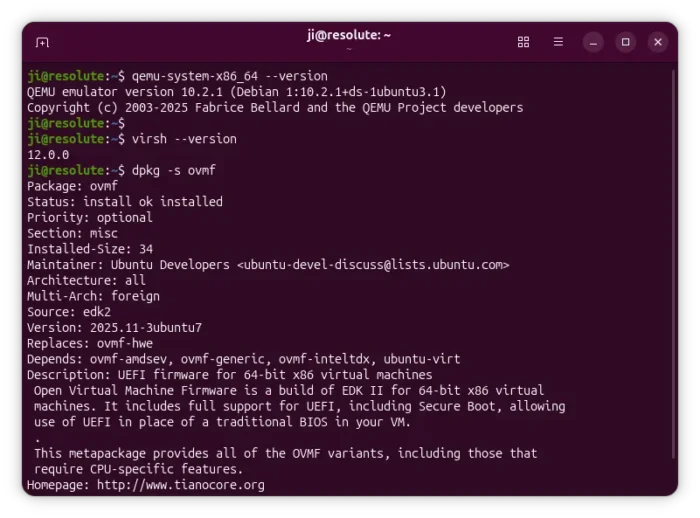
Similarly, the new HWE stack in 26.04 LTS will be updated on a 6-month circle, with newer and validated virtualization components backported from Ubuntu 26.10, 27.04, 27.10, and 28.04. Then, the focus will switch to the next 28.04 LTS.
The HWE stack is made up of qemu-hwe for hypervisor and system emulation, libvirt-hwe for virtualization management, edk2-hwe including OVMF firmware for UEFI support, and seabios-hwe for BIOS firmware compatibility.
It’s opt-in that user has the choice to either enable or disable the feature.
How to Enable or Disable the New Virtualization HWE stack
NOTE: This features is intended for organizations and users who use kernel’s built-in KVM/QEMU for running and managing virtual machines. Leave it uninstalled if you don’t run VMs or use VirtualBox / VMWare Workstation
For Ubuntu 26.04 LTS, there’s a command line tool ubuntu_virt_helper allowing to detect and toggle on/off the new new HWE stack.
1. First, press Ctrl+Alt+T on keyboard to open terminal, or connect to your Ubuntu server. Then, run command:
ubuntu_virt_helper
Run sudo apt install ubuntu-helper-virt-hwe if you don’t even have this command.
And, it will either output Install variant: base means the original virtualization components installed, or Installed variant: hwe means that virtualization HWE stack installed.
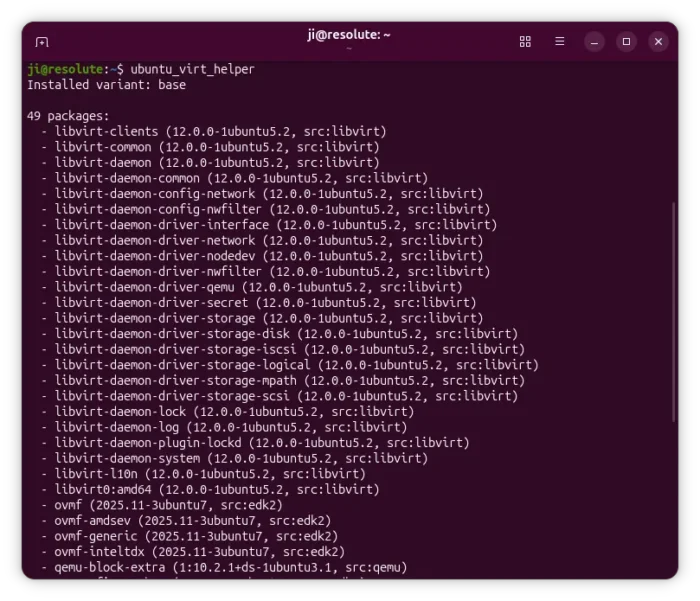
If it says Install variant: none, then you don’t have the virtualization components. Either skip if you don’t need to run virtual machines in Ubuntu LTS or you use VirtualBox/VMware, or run the command below to install manually:
sudo apt install seabios ubuntu-virt ovmf qemu-system libvirt-daemon libvirt-clients
2. To switch to HWE stack or switch back, just run command:
sudo ubuntu_virt_helper switch
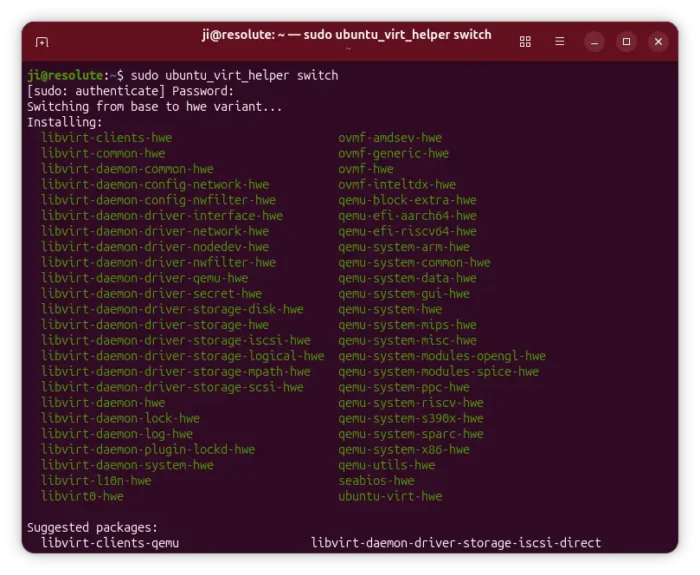
After enabled the virtualization HWE stack, make sure you also installed the Kernel HWE stack by running command:
sudo apt install linux-generic-hwe-26.04
And, a system restart is required to apply changes.
Source: UbuntuHandbook