FFmpeg 8.1.2 Released with Over A Hundred Stability Fixes [Ubuntu PPA]

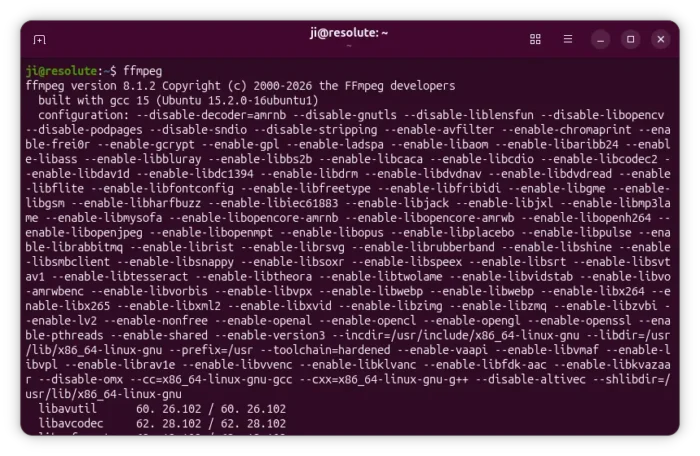
FFmpeg, the popular free open-source multi-media library, released the second maintenance update for its 8.1 release series a few days ago.
The new version of this media library comes with more than a hundred of changes, mainly include bug-fixes, stability improvements, as well as some minor new features.
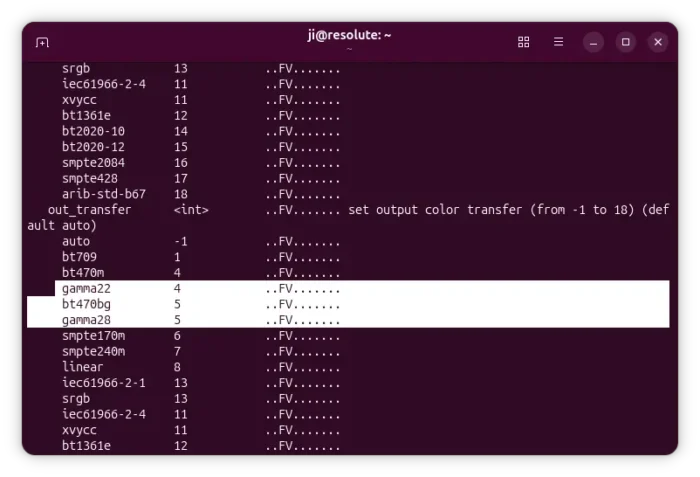
First, the new version added two new option aliases gamma22 and gamma28 to FFmpeg’s global options table, so users can specify these gamma curves more conveniently when encoding or processing video.
It fixed potential crashes or undefined behaviors in the Snow video encoder where the function get_dc() could read past the edge of the image or the function get_block_rd() could call memcpy() with a size that was too large.
If also fixed JPEG 2000 decoder where the ROI (Region of Interest) shift‑up operation could trigger undefined behavior, memory‑handling bugs in SMPTE 436M -> EIA‑608 bitstream filter, a logic error in the x86‑optimized Vorbis DSP code, as well as a potential underflow bug in H.264 decoder.
It now enforces global pixel‑safety limit inside each JPEG tile, each JPEG tile of a CRI frame, and the H.264/HEVC decoders when they are invoked through IMM5, preventing oversized or malicious frames from causing excessive memory use.
And, it now rejects ProRes RAW frames whose tile alignment values are invalid, PSX ADPCM streams where block_align % channels != 0, AAC frames when the decoder ends up with no valid sample rate after decoding, and COOK streams where subpacket channel counts add up to more than the total number of channels, preventing out‑of‑bounds access and unsafe memory access.
For the libavformat demuxing and muxing library, it improved the SCTP (Stream Control Transmission Protocol) demuxer by adding a size validation check in sctp_read() that mirrors the one already present in sctp_write().
It now uses a safer, faster, and more robust reallocation method when growing the MPEG‑TS program list, sanitizes FTP paths and command strings to block CR/LF injection, Telnet control characters, and invalid characters in RNTO (rename‑to) operations, and, honors the user‑provided io_open callback in HLS, DASH encoding, and DASH decoding, enabling custom I/O behavior everywhere.
It as well introduced MOV‑related fixes by validating dimensions and tile sums, capping ICC profile copies, checking APV access‑unit lengths, preventing negative seek indices, and preserving audio layouts when chan/chnl parsing fails.
The showcwt filter now correctly fills EOF regions for DU and RL directions, avoids undefined float‑to‑int conversion when tracking consumed samples, and fixes an out‑of‑array read in compute_kernel, eliminating multiple correctness and safety bugs.
The drawtext filter now avoids multiple double‑free scenarios (in border‑glyph cleanup, aliased glyph freeing, and cached‑glyph handling), plugs several error‑path memory leaks, ensures HarfBuzz‑shaped text frees allocations on failure, and validates that glyphs use FT_PIXEL_MODE_MONO to prevent invalid rendering and memory misuse.
Other changes include:
- memory-overwrite fix when converting UYVY video to YUV422.
- fix for yuv2planeX function in the PowerPC (PPC).
- improve swscale supports feeding video frames in slices (chunks of rows) even when you are using multiple scaling steps chained together.
- add a proper validation check for the number of audio channels (nb_channels) in the misc4 decoder.
- fix NVENC encoder compatibility with Video Codec SDK 13.1.
- handle 1‑line MEDIAN slices correctly in MagicYUV decoder.
There are as well tons of other bug fixes and improvements. See the official changelog file for details.
Get FFmpeg 8.1.2
The source tarball for the new version is available to download in its website via the link below:
For Ubuntu, besides building from the source, you may try this unofficial PPA which so far supports Ubuntu 22.04, Ubuntu 24.04, or Ubuntu 26.04.
NOTE: The PPA packages are NOT well tested! It MAY break things. You must know what you’re going to do, and use it at your own risk!
Simply open terminal (Ctrl+Alt+T) and run commands below one by one to add PPA and install FFmpeg 8.1.2:
sudo add-apt-repository ppa:ubuntuhandbook1/ffmpeg8
sudo apt update
sudo apt install ffmpeg
(Optional) To uninstall, run the commands below one by one to install ppa-purge tool and use it to purge PPA and downgrade FFmpeg to the stock version.
sudo apt install ppa-purge
sudo ppa-purge ppa:ubuntuhandbook1/ffmpeg8
Source: UbuntuHandbook