How I Finally Added Tapo L530 Bulb to Home Assistant
One of my new year resolutions was to spend more time on homelab, local AI and smart home automation.
I am slowly getting into this stuff and thought of sharing my (mis)adventures and experiences, especially when I encounter some issue and manage to fix it.
One such incident was when I recently tried to add Tapo bulbs to my Home Assistant server. It kep on giving me this error.
Connection error: Unsupported device 192.168.0.192 of type SMART.TAPOBULB
with encrypt_scheme EncryptionScheme(is_support_https=False, encrypt_type='TPAP http_port=80,Iv=2)
The fix that worked for me was to update the Home Assistant server and enable the third-party services option in the Tapo app. After that, I added the Tapo bulb in HA by providing the bulb's IP address and entering my Tapo credentials.
Don't worry. I'll provide more details in this tutorial.
My setup
My Home Assistant runs on a ZimaBoard 2 device. This tiny device runs its own ZimaOS which makes it easier for homelab beginners to deploy software in containers in a few clicks. If interested, you can read my review of ZimaBoard 2.
In terms of smart devices, I have a few Tap smart plugs, bulbs, temperature monitors, and motion sensors. I also have Tapo Hub in the mix, as some Tapo sensors run on batteries and use RF signals, so they need the hub as a bridge. Plugs and bulbs have constant power and built-in Wi-Fi and they talk to your router directly, no hub involved.
My smart Tapo L530 bulb was already setup and connected via the Tapo app. And now I wanted it to be integrated into my Home Assistant server. This is where I faced the problem.
The problem I faced while integrating the Tapo bulb in Home Assistant
I went to Settings -> Devices & Services -> TP-Link Smart Home -> Add entry, typed in the L530's IP address, and got this error:
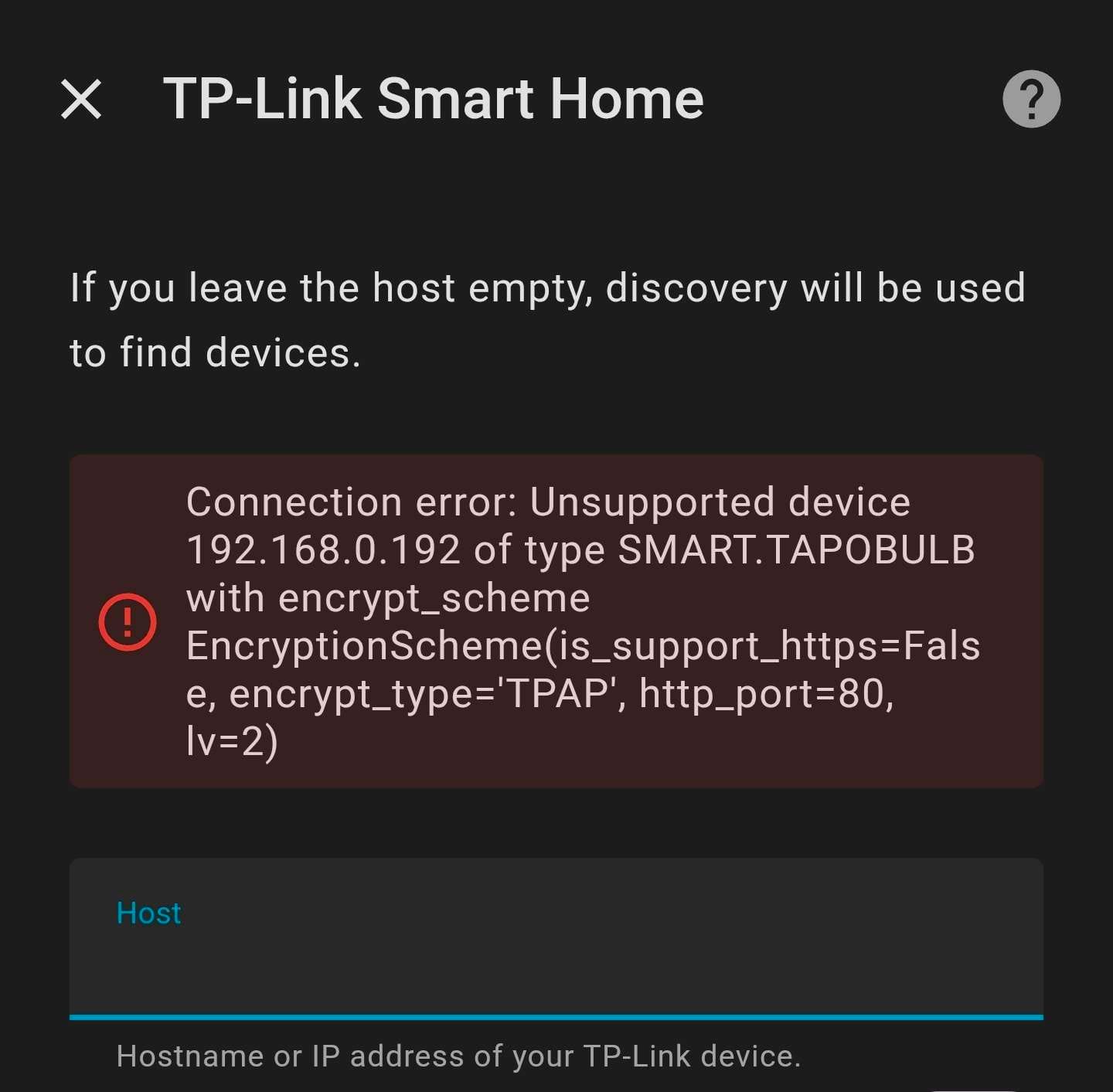
The culprit seemed to be encrypt_type='TPAP' with lv=2. After researching a bit, I learned that TP-Link pushed a firmware update to the L530 that switched to a newer encryption protocol. The official HA integration couldn't handle it.
I checked my HA server and found that it was running the stable version from 2025. I changed the container setting to make it use the latest image from May 2026.
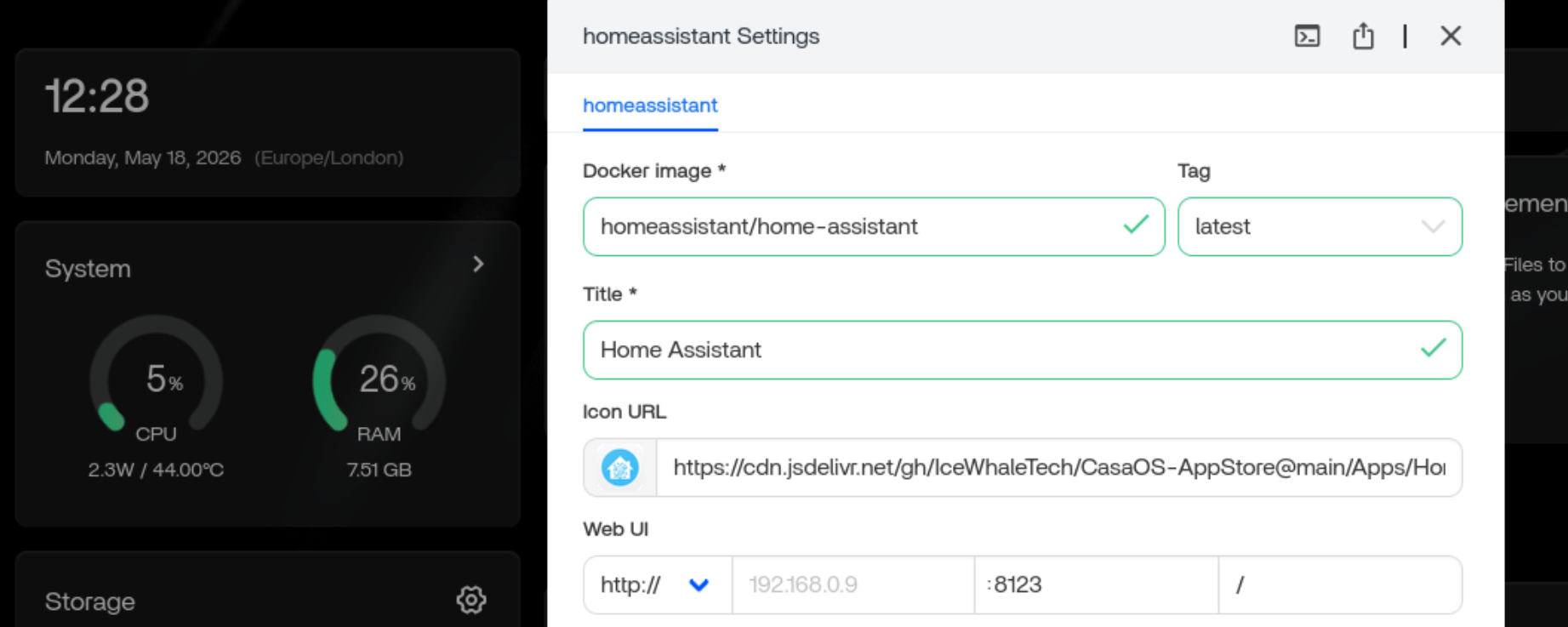
After restarting, the updated HA server threw a warning that the P110 plug was also no longer supported, wiping both the plug and bulb from my setup entirely.
I tried integrating the Tapo L530 bulb again, hoping it might work but it gave me the same error.
Here's how I fixed it
The real issue wasn't Home Assistant at all. Tapo's newer firmware blocks third-party local access by default. There's a toggle in the Tapo app specifically for this and it's off out of the box.
Here's exactly what I did:
- Opened the Tapo app on my Galaxy S23
- Went to the "Me" section at bottom right that gave access to the settings
- Found "Third-party services", clicked on it and then toggled Third-Party Compatibility on
I am unable to share any images for the above step because Tapo app doesn't allow taking screenshots. Weird, I know.
From the Tapo app itself, I selected the desired bulb, clicked the settings and then went into "Device Info" to get the IP address of the bulb. Again, no screenshots possible for this step as well.
With these things done, I went to the Home Assistant app and then went to Settings -> Devices & Services -> TP-Link Smart Home -> Add entry.
Here, I enter the bulb's IP address that I already had got from Tapo app. This time, there was no error and it asked me to enter my Tapo account email and password.
Once I provided that, the bulb appeared in HA instantly.
I hope it helps you
If you are struggling with the same error. It's a small thing but even small issues could be demotivating if they become blockers.
I am a beginner in this smarthome automation field and my needs are simple, at least at the moment. Setting up these things costs money so I am going with devices that are readily available, affordable and fit my needs. Let's see how it goes. I'll share my findings and experience under the new categories of Home Assistant and Home Automation.

Source: It's FOSS