BleachBit 6.0.0 Released with Cookie Manager & Expert Mode

BleachBit, the free open-source system cleaner application, released new 6.0.0 version yesterday.
The new version of this CCleaner alternative app for Linux and Windows is the biggest version in years.
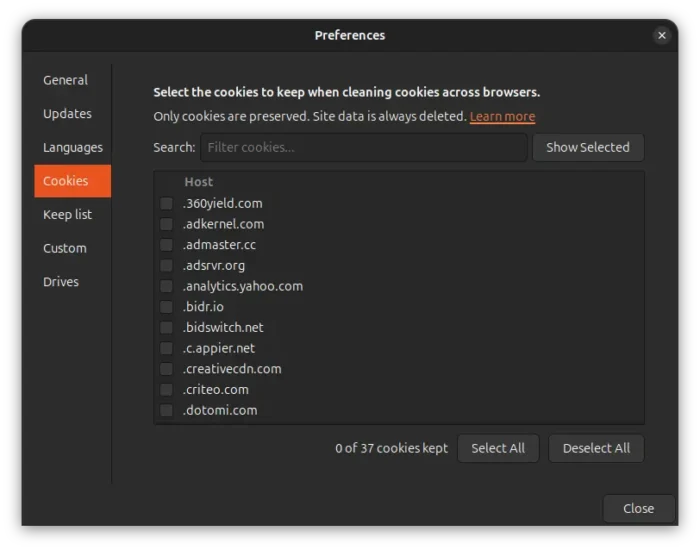
The 6.0.0 version introduced new Cookie Manager feature, which can be launched either from browsers’ cookies context menu or the preferences in hamburger menu.
With it, you can choose to always keep the cookies for your selected websites, for example keep your Google, Github, Reddit etc accounts signed in, while other site data (e.g., caching images/files for loading faster) allowing to be deleted.
This version also introduced deeper browser cleaning support for Chromium-based browsers (such as Google Chrome) and Firefox based browsers (e.g., Firefox, LibreWolf, Waterfox).
For Firefox-based browsers, it can now clean storage, permissions, bounce tracking protection, site security state, alternate services, favicons, and session backups.
And for Chromium based browsers, it can now clean component cache, extension cache, Graphite Dawn cache, shader cache, DIPS, crash reports, code cache, media device salts, reporting data, IndexedDB, network state, and search suggestions.
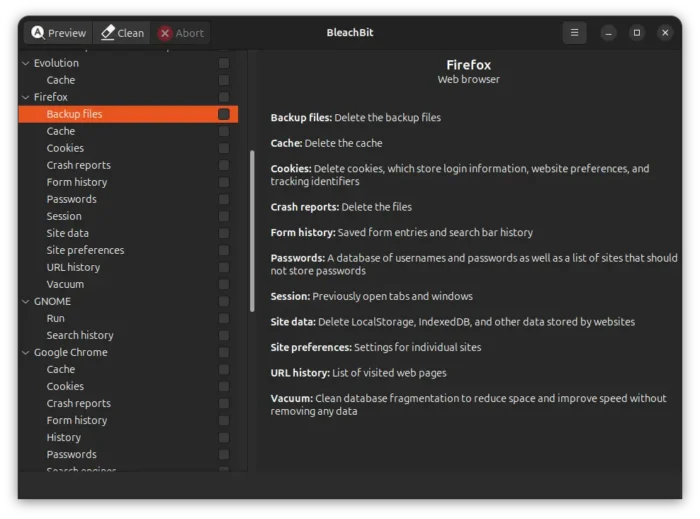
BleachBit 6.0.0 also added support cleaning caches for Vivaldi and Zen web browsers. And, it improved Opera support by added new Cookies path for Windows, more SQLite3 databases, and fixed profile path for both Windows and Linux.
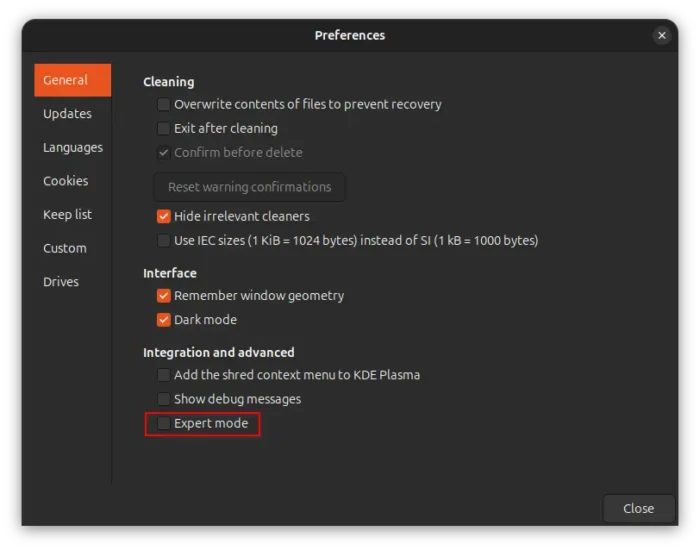
Besides new cleaning features, it as well introduced a new expert mode. This feature is disabled by default to prevent less experienced users to clean options with warnings, skip the deletion confirmation, reset warning confirmations, or add protected paths to custom deletion list.
Advanced users can easily enable the expert mode in preferences dialog to unlock all the limitations.
The new version also updated the UI interface with option to opt out of future confirmations directly from the confirmation dialog, and ability to kip preview when deletion confirmation is disabled, though both requires expert mode enabled.
Other changes include:
- improve cache handling for snap and flatpak versions of web browsers.
- negation support in the command line interface.
- support Ctrl+V pasting plain text paths into app window.
- move preferences dialog tabs from top to left.
- add anonymize button in system information dialog.
- rename “overwrite free space” to “wipe empty space”.
- rename “whitelist” to “allowlist”.
- improve dark mode for error log text.
- new Central Kurdish and қазақ тілі translations.
For more about the new release, see the official announcement.
Get BleachBit 6.0.0
The system cleaner app provides official installers for Linux and Windows, along with source tarball they are available to download at the link below:
For Linux, they are .deb packages for Debian, Ubuntu, Linux Mint, as well as .rpm package for AlmaLinux, Fedora, and openSUSE that can be double-click to open & install via software app. And, there’s also a community maintained Flatpak package that runs in sandbox.
Source: UbuntuHandbook