Bluefish 2.4.1 Released with Side-by-Side View & Improved Dark Mode

Bluefish, the free open-source code editor for programmers and web developers, release new 2.4.1 version few days ago.
The new version of this lightweight and fast code editor features split view that allows to view 2 file content side-by-side in same app window, making easy to compare information or work across two files at once.
This feature was initially introduced in last 2.4.0 version as an experimental feature. Now, it’s considered as stable. Simply open two or more files in tabs, then go to Document -> Side by Side to start the split view. And, it will store and restore documents side-by-side status in the project.
By default, the split view action moves the current focused tab to the right half, leaving the next tab as focused in left. You can click the “Slide by Side” option again and again to move more tabs from left to right. And, it will finally turn off split view when all tabs moved to right.
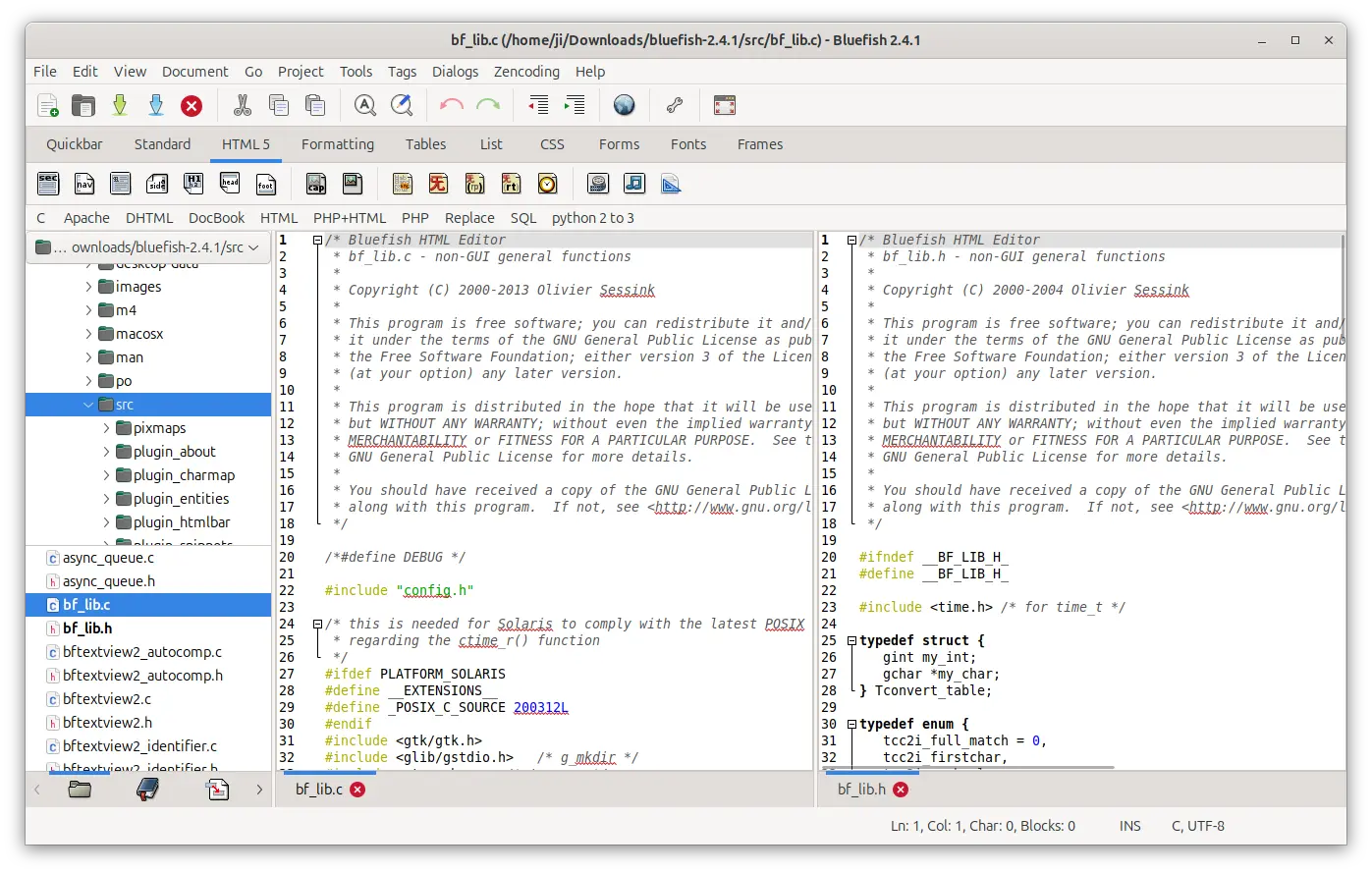
Besides split view, the new 2.4.1 version also improved the dark color theme.
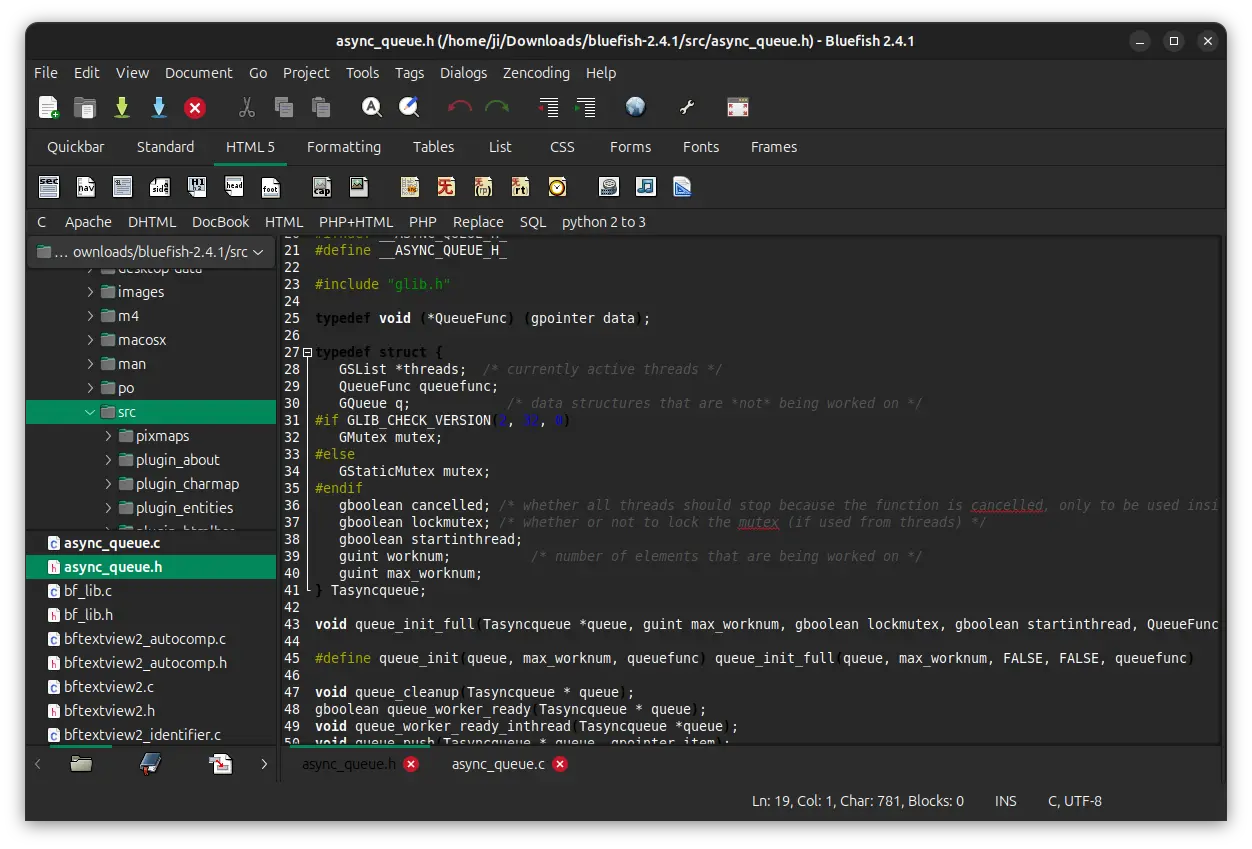
It said that it will detect your system color mode (dark or light) and adjust the colors itself accordingly. This probably meant for Windows and macOS, as in Linux (at least in GNOME) the feature works out-of-the-box for very long time, though the Flatpak package does not.
In addition to the dark mode auto-detection, it also improved the html highlighting and textview widget for the dark theme colors. And, the color settings in preferences will now edit dark colors if in dark mode, and normal colors if not in dark mode.
Other changes include:
- Completely renew Ελληνικά (Greek) and தமிழ் (Tamiḻ) translations.
- Improve UI for split lines in columns.
- Use python3 in the shebang instead of python.
- Make ctrl-tab work as expected when both notebooks are active.
- Minor Windows build improvements, and other fixes.
For the official release note, go to Bluefish website.
How to Install Bluefish code editor
Bluefish provides official packages for Linux, Windows, and macOS, which are available to download in its website via the link below:
For Ubuntu 24.04 and higher, select download and install the deb package, while other Linux may install the Flatpak package that runs in sandbox.
As the official deb package is built only for 24.04+ on modern Intel/AMD platforms, I built it into this unofficial PPA for Ubuntu 20.04, Ubuntu 22.04, and higher on both amd64 and arm64/armhf platforms.
NOTE: The PPA uses the packaging rules from Ubuntu upstream, which is conflict with the one from Bluefish website, as it mentioned. You need to remove either one before installing another.
To add the PPA and install bluefish, open terminal (Ctrl+Alt+T) and run commands:
sudo add-apt-repository ppa:ubuntuhandbook1/bluefish
sudo apt update
sudo apt install bluefish
(Optional) For any reason, you may remove the PPA as well as the deb packages by running commands:
sudo add-apt-repository --remove ppa:ubuntuhandbook1/bluefish
sudo apt update
sudo apt install bluefish bluefish-data bluefish-plugins
Source: UbuntuHandbook