Shotcut 26.2 Released with UX Improvements & Various Fixes
Shotcut, the Qt and MLT based video editor, released new 26.2 version few days ago.
This is the second release of this free open-source video editor in 2026. There are no big features, but only bug-fixes and some UX (user experience) improvements.
First, shotcut 26.2 added/changed few more scroll actions. Use mouse wheel without any modifier key on time-line now scrolls vertically. While, you can now use Ctrl plus wheel scroll to zoom in/out the timeline.
Alt + wheel scroll will scroll horizontally, so you can quickly navigate between audio/video tracks without dragging the scrollbar in the right. As well, you can use Shift + wheel scroll to zoom in/out the track height.
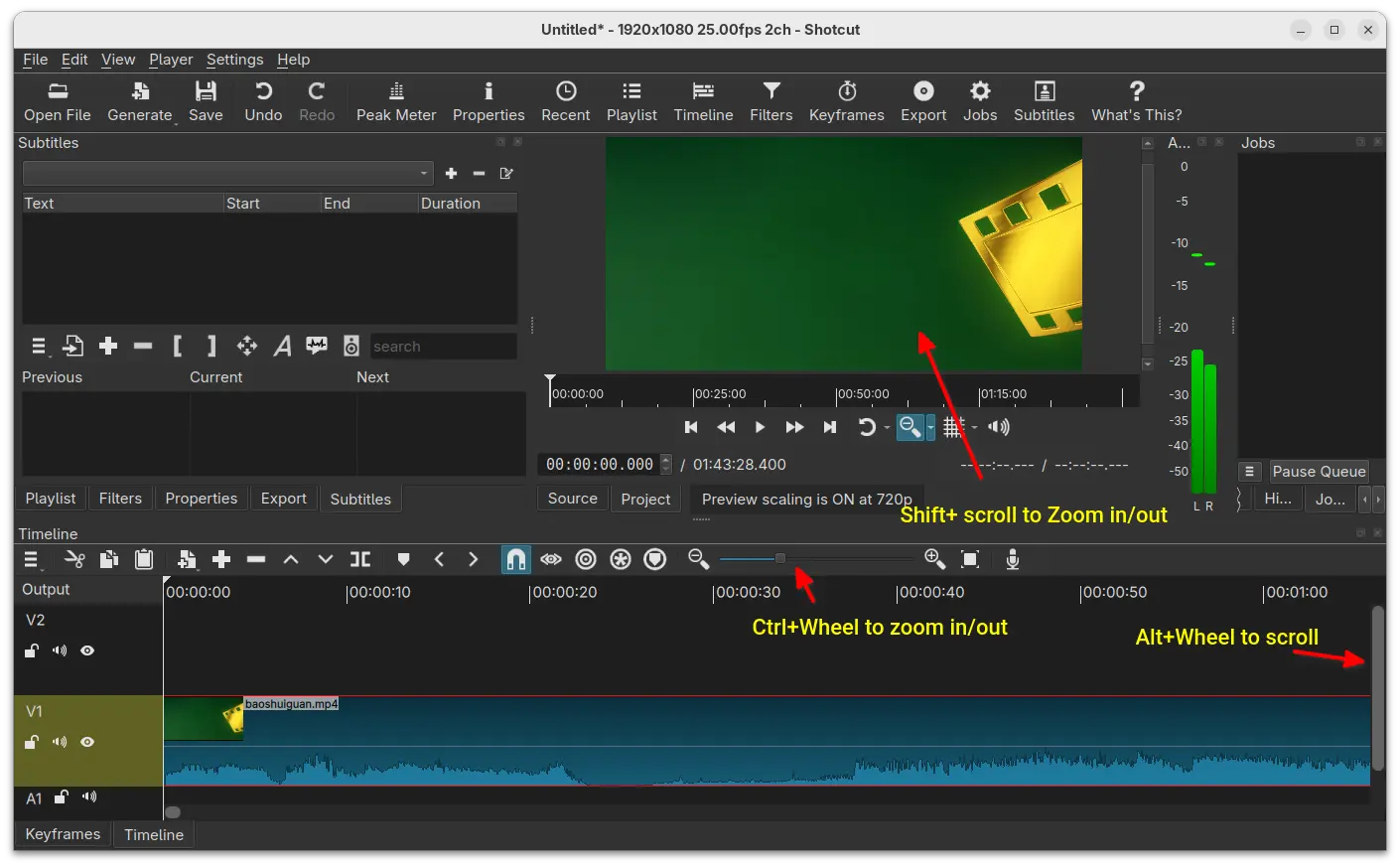
Video preview section also got zoom action support. Simply use Shift + wheel scroll while leaving mouse cursor in the preview will zoom in/out your video playback.
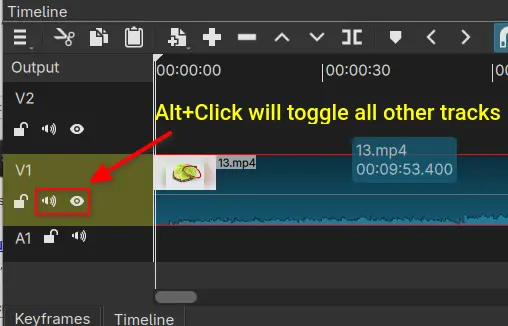
Besides that, the new version added support holding Alt keyboard key when clicking Mute and/or Hide icons on audio or video track header. Instead of toggling mute and/or hide for selected track, it will apply the change to all the other tracks.
The release also includes underline and strikethrough options added to font select dialog for all the text filters, a search field in Subtitles, and new Playlist -> Log Event (Shift+E) option to append a 6 second clip (±3 secs) at the current Source player time.
The 26.2 version also renamed the tool-bar option “New Generator” to “Generate”, fixed black or green bottom bar on Windows with HEVC video source plus using hardware decoded preview scaling.
Others are mostly bug-fixes. They include crash when adding long video to Timeline with Qt 6.10.1, crash in the RGB Shift video filter, and crash on various enabled Playlist actions with nothing selected, as well as:
- Improve Timeline and Keyframes waveforms rendering performance.
- Remove Linear Blend option from Settings -> Player -> Deinterlacer.
- Fix FLAC export, and more.
Get Shotcut 26.2
The official release note as well as the installers for Linux, Windows, and macOS are available to download in Github releases page via the link below:
For Linux, either download the AppImage (for Intel/AMD), add executable permission, and click Run to launch the video editor.
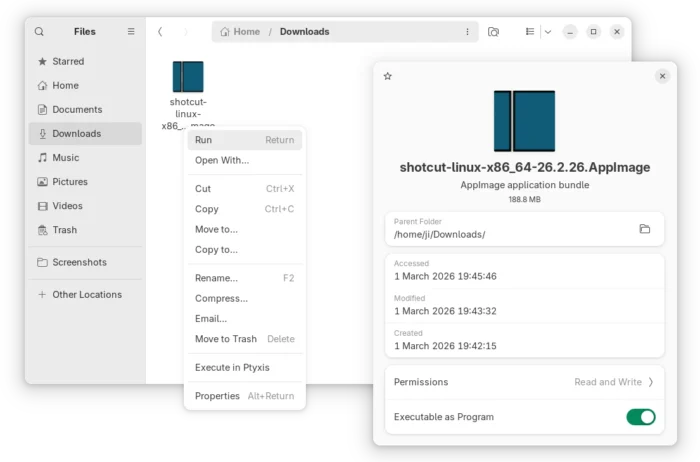
NOTE: Ubuntu since 22.04 does NOT support AppImage out-of-the-box. Press Ctrl+Alt+T to open terminal and run command to install the required library first:
sudo apt install libfuse2
Or, select install the snap package from App Center (or Ubuntu Software) in Ubuntu, or choose the official Flatpak package in that works in most Linux distributions.
Source: UbuntuHandbook