NVIDIA VA-API Driver Released 0.0.15 with Few VP8 Improvements

NVIDIA VA-API Driver, the VA-API implementation that uses NVDEC as backend, released new 0.0.15 version yesterday.
For those who don’t know about it, it’s a free open-source API for NVIDIA users to enable hardware accelerated video decoding support when using Firefox web browser.
As you may know, Firefox so for only supports VA-API for hardware accelerated video decoding on Linux. It’s supported by Intel and AMD GPUs, but NOT for NVIDIA with the proprietary driver. So, nvidia-vaapi-driver was born as a wrapper to do the job.
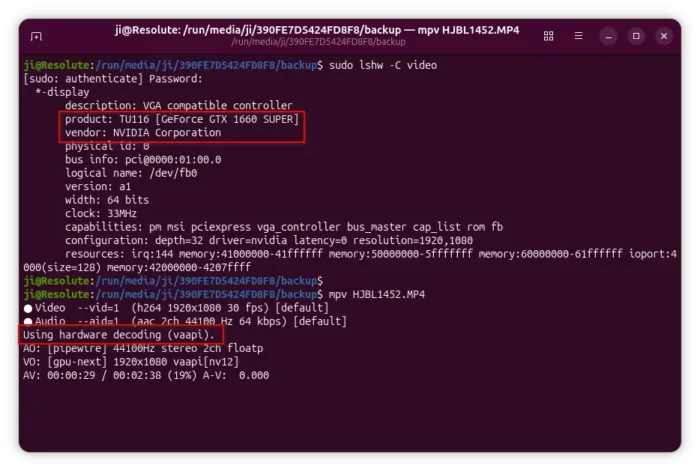
The driver has decoding support (NO encoding) for AV1, H.264, HEVC, VP8/VP9, MPEG-2, VC-1 video codecs. It’s designed for Firefox, though may also works in other apps, such as MPV, which is useful for testing purpose as Firefox needs to be tweaked for hardware decoding support.
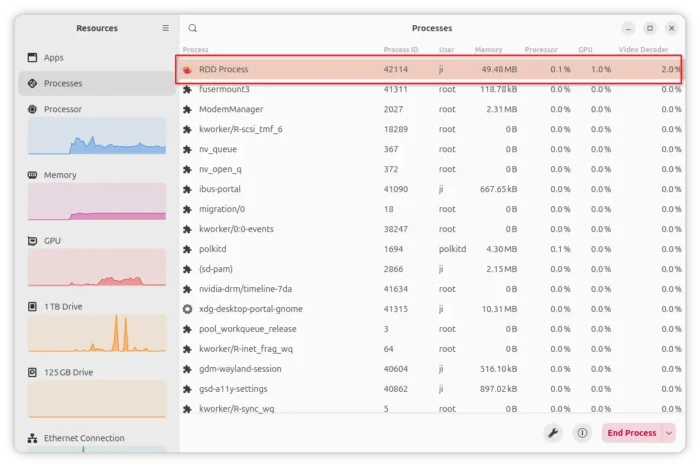
Firefox’s RDD process that isolates media decoding from the main process
The driver does not support Firefox sandboxing feature that isolates web content from the operating system. It by default detects if the sandbox enabled for RDD process that the decoder runs in, then choose whether to continue or not.
By releasing version 0.0.15, this sandbox check now only applies to Linux, so disabled for FreeBSD because it does not support Firefox sandboxing, and deprecated /proc (unmounted by default).
Besides skipping sandbox check in FreeBSD, the new version also improved VP8 codec support by fixed null slice headers, which may cause green corruption issue when decoding some VP8 video content with this driver.
How to Install NVIDIA VA-API Driver 0.0.15
NVIDIA VA-API Driver has been made into many Linux distributions’ repositories. For Ubuntu since 24.04, it’s available in the universe repository though a bit old.
For the more recent 0.0.15, I’ve built it into this unofficial PPA for Ubuntu 22.04, Ubuntu 24.04, and Ubuntu 25.10 users.
To install it, open terminal (Ctrl+Alt+T) and run the commands below one by one:
sudo add-apt-repository ppa:ubuntuhandbook1/nvidia-vaapi
sudo apt update
sudo apt install nvidia-vaapi-driver
For how to set up and make it work for Firefox, see either the official README or this step by step guide for Ubuntu.
Source: UbuntuHandbook