Fastfetch updated with COSMIC Desktop & Bedrock Linux Support
Fastfetch, the neofetch like system information tool, updated recently with many new features.
For those who don’t know about the app, it is a free open-source command line tool that can fetch and display system information for Linux, Windows, macOS, Android, FreeBSD, OpenBSD, etc operating systems.
The app can output the current running system and desktop names and versions, kernel version, shell version, uptime, window manager, themes, as well the basic CPU, GPU, memory, disk, IP address, and battery etc information, along with system logo in a stylish layout.
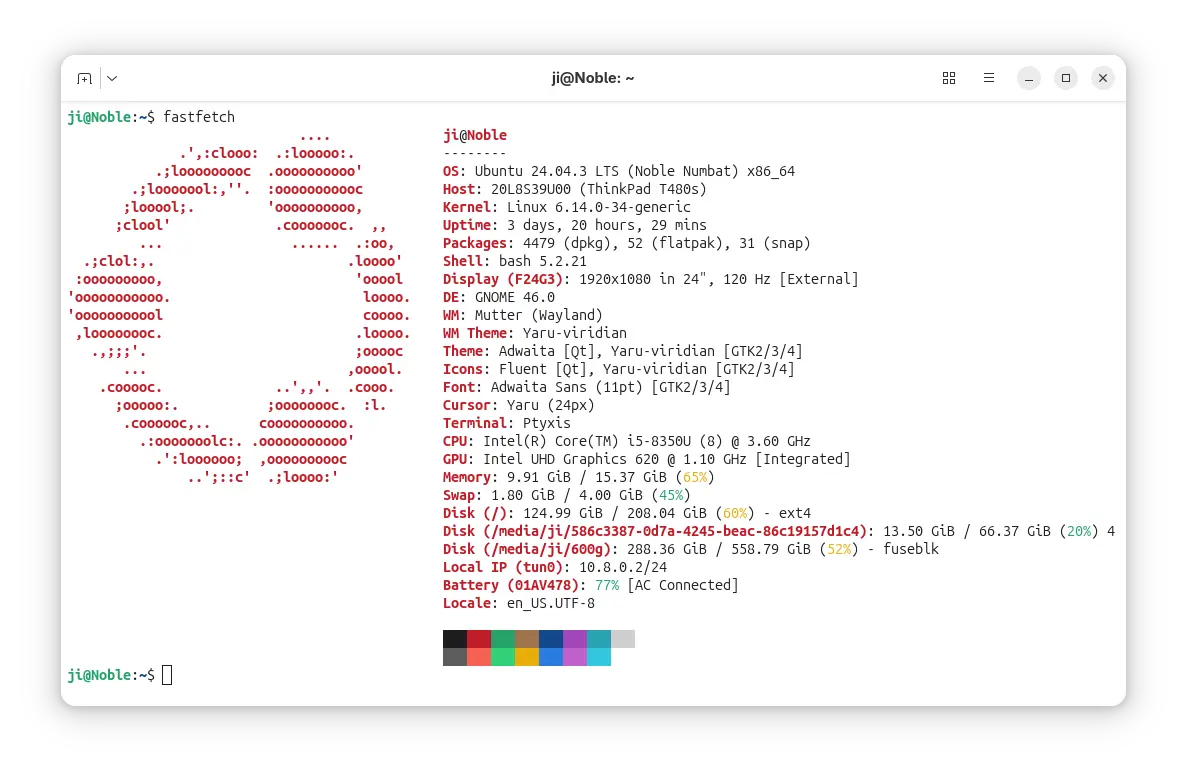
Fastfetch is inspired by neofetch, which is useful for sharing a screenshot of system information. As neofetch discontinued, many Linux distributions (e.g., Debian, Fedora, Ubuntu) turn to add fastfetch into system repositories.
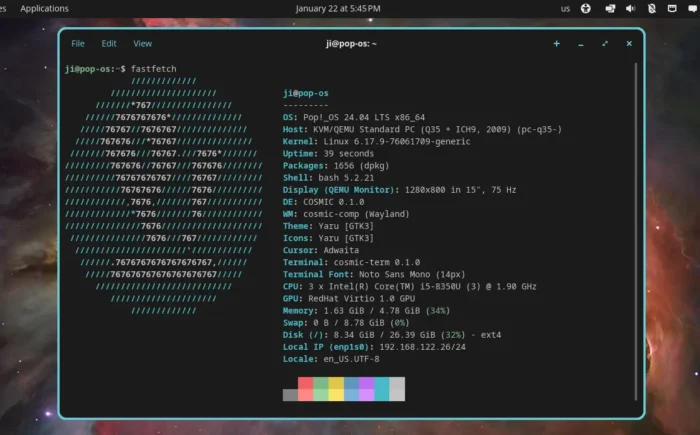
The app promoted itself as a maintained, feature-rich and performance oriented tool. It’s updated with v2.57.0 in last week with Pop!_OS COSMIC desktop version and Niri Wayland compositor version detection.
And, it added urxvt font, xterm font, cosmic-term version and terminal font, as well as Secure Boot detection support.
Windows 7 and 8.x support are deprecated, as they’ve reached end of life in 2023. And they lack some APIs used by fastfetch, while, the app current load these APIs dynamically at runtime to maintain compatibility. So, both of the Windows versions are now deprecated and will be removed in a future release.
Besides that, it added openSUSE Tumbleweed braille logo and support for Xinux, a NixOS based Linux distribution from Uzbekistan. And, by releasing 2.58.0 yesterday, it added detection support for Bedrock Linux, a meta Linux distribution allows to mix-and-match components from other, typically incompatible distributions.
Other changes in recent Fastfetch 2.57.0 & 2.58.0 include:
- Add Kiss2 logo.
- Fix compatibility with KDE Plasma 6.6.
- New
--structure-disabled <structure>option to disable specific modules in the structure. - Enable slow version detection by default.
- Chassis type detection for Linux on ARM devices.
- xterm 256-color codes support in color configuration.
- DPI scale factor detection on Windows 7.
- Other improvements and various fixes.
How to Install Fastfetch
As mentioned, Fastfetch has been made into many Linux Distributions’ system repositories. Ubuntu 25.10 and 26.04 may simply run the command below in terminal (Ctrl+Alt+T) to install it:
sudo apt install fastfetch
For the latest version as well as the official release notes, go to:
For Linux Mint 21/22, Ubuntu 22.04, Ubuntu 24.04 and higher, either download & install the .deb package from the link above (under Assets section), or use the official PPA by running the 3 commands below one by one:
sudo add-apt-repository ppa:zhangsongcui3371/fastfetch
sudo apt update
sudo apt install fastfetch
After installation, simply run fastfetch to output your system information, or use fastfetch --help to print more about the usage.
Source: UbuntuHandbook